16
TV SETUP
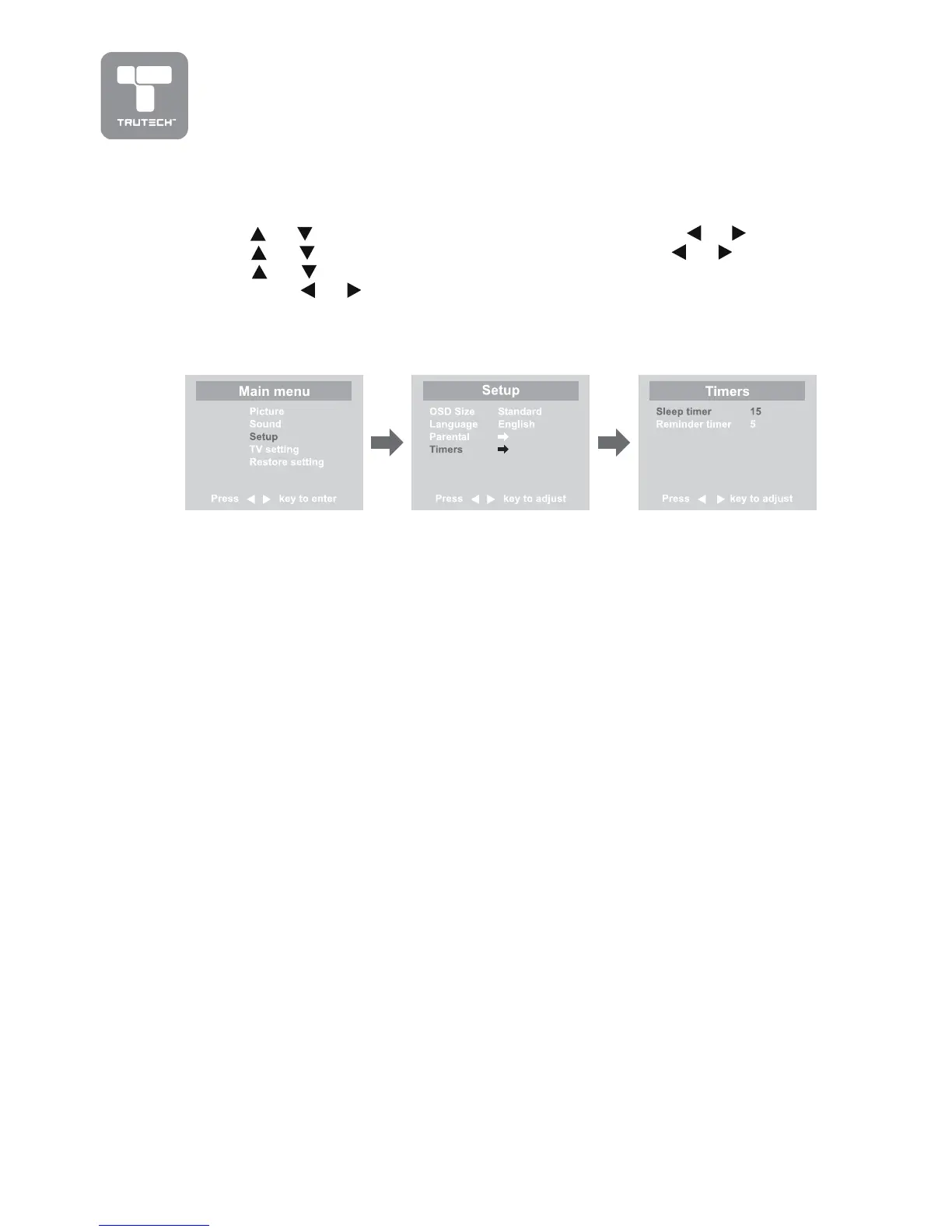
TIMERS SETTINGTIMERS SETTING
TIMERS SETTINGTIMERS SETTING
TIMERS SETTING
1.1.
1.1.
1. Press the
MENUMENU
MENUMENU
MENU button.
2.2.
2.2.
2. Use
or button to select the
Setup menuSetup menu
Setup menuSetup menu
Setup menu, then press or button.
3.3.
3.3.
3. Use
or button to select
TT
TT
T
imers menuimers menu
imers menuimers menu
imers menu, then press or button.
4.4.
4.4.
4. Use
or button to select the
Sleep timer or Reminder timerSleep timer or Reminder timer
Sleep timer or Reminder timerSleep timer or Reminder timer
Sleep timer or Reminder timer setting
and press
or button.
5.5.
5.5.
5. Repeats step 4 to adjust other options.
6.6.
6.6.
6. To exit the MAIN MENU and return to the normal screen, press the
EXITEXIT
EXITEXIT
EXIT
button on remote control.
Remarks:Remarks:
Remarks:Remarks:
Remarks:
1.
Sleep timer / Reminder timer Sleep timer / Reminder timer
Sleep timer / Reminder timer Sleep timer / Reminder timer
Sleep timer / Reminder timer : Off -> 5 - - - - -> 115 -> 120.
2. Sleep timer : Set the LCD TV to turn itself off within a certain time.
3. Reminder timer : Set the LCD TV to show the turn off time left.


 To Next Page