EasyManua.ls Logo

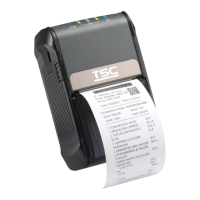
TSC Alpha-2R - User Manual

TSC Alpha-2R
50 pages
Print Icon
To Next Page IconTo Next Page
Loading...
;’RFTGTT5RT12
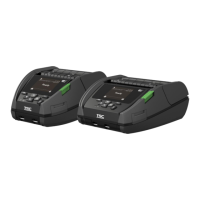
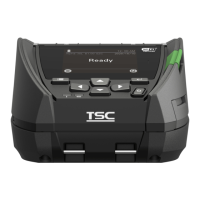
Alpha-2R
Moblie Barcode Printers
User Manual
Series Lists:
Alpha-2R
Direct Thermal

Other manuals for TSC Alpha-2R

Questions and Answers

  • S
    Stephanie HammondAug 15, 2025
    Why is my TSC Printer printing irregularly?
    • B
      Bobby BaileyAug 15, 2025
      Irregular printing on your TSC printer can occur if the printer is in Hex Dump mode. Turn the printer off and on to exit the dump mode. Also, check if the RS-232 setting is incorrect and re-set it if necessary.
  • M
    Margaret FrazierAug 18, 2025
    Why is the print quality poor on my TSC Printer?
    • J
      Jerry JacksonAug 18, 2025
      Poor print quality on your TSC printer can stem from several factors. Ensure the media is loaded correctly. Dust or adhesive on the print head can also cause issues, so cleaning the print head is essential. Adjusting the print density and speed may also improve the quality. In some cases, the printhead element might be damaged, requiring a change of the media roll.
  • B
    Benjamin SchneiderAug 22, 2025
    How to fix a gray line on blank labels from a TSC Printer?
    • C
      Christina RoachAug 22, 2025
      A gray line on a blank label from your TSC printer usually indicates that the print head or the platen roller is dirty. Clean both the print head and the platen roller to resolve this issue.
  • Q
    qboydAug 25, 2025
    How to fix missing printing on the sides of labels with my TSC Printer?
    • M
      Meghan JohnsonAug 25, 2025
      Missing printing on the left or right side of labels from your TSC printer indicates a wrong label size setup. Set the correct label size to fix this.
  • T
    Teresa JacksonAug 28, 2025
    What to do if the TSC Printer status from DiagTool shows “Out of Paper”?
    • L
      Lisa OwenAug 28, 2025
      If the DiagTool shows “Out of Paper” for your TSC printer, it could be due to a few reasons. You might be running out of media roll, so supply a new one. Another possibility is that the media is installed incorrectly; in that case, reinstall the media roll. Additionally, the black mark sensor may not be calibrated, so calibrate it.
  • J
    Jonathan MillerAug 31, 2025
    What to do if the TSC Printer status from DiagTool shows “Paper Jam”?
    • C
      caindonnaSep 1, 2025
      If your TSC printer status from DiagTool shows “Paper Jam”, it might be because the black mark sensor is not set properly; calibrate the black mark sensor. Ensure that the media size is set correctly. Also, media may be stuck inside the printer mechanism.
  • L
    Luis AdamsSep 3, 2025
    Why doesn't the power indicator illuminate on my TSC Printer?
    • R
      royanaSep 4, 2025
      If the power indicator on your TSC printer does not illuminate, it could be due to the battery not being properly installed. Reinstall the battery. Alternatively, the battery might be dead, so charge the battery.
  • M
    Matthew HarveySep 7, 2025
    What to do if TSC Printer status from DiagTool shows “Head Open”?
    • T
      Tracy ReedSep 7, 2025
      The printer status from DiagTool showing “Head Open” on your TSC printer means that the printer carriage is open. Please close the print carriage.
  • R
    Rachel SmithSep 12, 2025
    What to do when my TSC Printer says “Memory full ( FLASH / DRAM )”?
    • D
      David HamiltonSep 12, 2025
      If your TSC printer shows “Memory full ( FLASH / DRAM )”, it means the space of FLASH/DRAM is full. Delete unused files in the FLASH/DRAM to solve this.

TSC Alpha-2R Specifications

General IconGeneral
Resolution203 dpi
Storage Temperature-20°C to 60°C
Connectivity/InterfaceBluetooth
Operating Temperature50°C
Print MethodThermal
Memory64 MB
Power SupplyRechargeable Battery
Humiditynon-condensing

Related product manuals