EasyManua.ls Logo

TSC TTP-244 Pro Series - User Manual

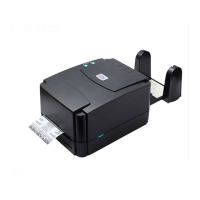
TSC TTP-244 Pro Series
39 pages
Print Icon
To Next Page IconTo Next Page
Loading...
USERS
MANUAL
TTP-244 Pro Series
THERMAL TRANSFER / DIRECT THERMAL
BAR CODE PRINTER

Questions and Answers

  • C
    Connie RodriguezJul 27, 2025
    Why is my TSC TTP-244 Pro Barcode Reader showing poor print quality?
    • T
      tiffany15Jul 27, 2025
      Several factors can cause poor print quality. Here are some things to check: * Clean the thermal print head. * Adjust the print density setting. * Make sure the ribbon and media are compatible. * Ensure the media thickness is within the specification. * Verify that the correct power supply is connected to the printer.
  • J
    Joel JohnsonAug 1, 2025
    What to do if my TSC Barcode Reader ribbon does not advance or rewind?
    • R
      Robert GuerraAug 2, 2025
      If the ribbon isn't advancing or rewinding, consider the following: 1. Ensure the media and ribbon are installed, and the print head mechanism is engaged before turning on the printer. 2. Install the black ribbon spindle in the correct direction. 3. Check the "Media settings method" in the driver to confirm it is not set to direct thermal mode.
  • T
    Tammy GonzalezAug 7, 2025
    What to do if ON-LINE indicator is off and ERR. indicator is on my TSC TTP-244 Pro Barcode Reader?
    • B
      Bryan MejiaAug 8, 2025
      If the ON-LINE indicator is off and the ERR indicator is on, here's what to check: * The printer might be out of paper or ribbon. * If there is one beep, calibrate gap sensor or setup the paper length in labeling software/program properly. Also, install the paper correctly. * If there are two beeps, check if outside wound ribbon is used, if the ribbon is threaded correctly, and if a paper core is installed on the ribbon take up spindle. * Calibrate the sensitivity of the gap sensor.
  • J
    jonathan77Aug 14, 2025
    What to do if the power indicator on my TSC Barcode Reader is off?
    • N
      Nicholas MedinaAug 14, 2025
      If the power indicator isn't lit, check these items: 1. Make sure the power cord is properly connected. 2. Check the LED on the power supply. If it's not lit, the power supply is likely damaged. 3. Verify that the correct power supply is connected to the printer.
  • K
    kaitlin26Aug 20, 2025
    How to stop continuous feeding when printing labels on my TSC TTP-244 Pro?
    • R
      Ricky BurnsAug 20, 2025
      To resolve continuous feeding, try these steps: 1. Check the driver or command script setting to ensure the sensor type is set correctly. 2. If you're using die-cut media, calibrate the gap sensor again.

Summary

Copyright Information

Agency Compliance and Safety

Safety Instructions

Important safety warnings and precautions for printer operation.

Regulatory Warnings

CE, FCC, IC, CCC Warnings

Lists compliance warnings for various international regulations.

Introduction

Product Introduction

Overview of the TSC TTP-244 Pro barcode printer, its features, and applications.

Product Features

Printer Standard Features

Lists the standard hardware and software features of the TTP-244 Pro printer.

Printer Optional Features

General Specifications

Print Specifications

Ribbon Specifications

Media Specifications

Sensor Information

Gap Sensor

Explains the function and mounting of the label gap sensor.

Black Mark Sensor

Describes the black mark sensor's role in locating labels.

Ribbon End Sensor

Operations Overview

Unpacking and Inspection

Guide for unpacking the printer and checking carton contents.

Printer Overview

Front View

Identifies buttons and indicators on the front panel of the printer.

Interior View

Rear View

Controls and Indicators

LED Indication

Explains the meaning of the PWR, ON-LINE, and ERR indicator lights.

Buttons

Describes the functions of the PAUSE and FEED buttons.

Setup Procedures

Setting up the Printer

Step-by-step instructions for connecting and setting up the printer.

Loading the Media

Loading the Ribbon

Install SD Memory Card

Printer Usage and Utilities

Power-on Utilities

Explains utilities activated by pressing buttons during printer power-on.

Self Test and Dump Mode

Gap Sensor Calibration Utility

Printer Initialization

Diagnostic Tool

Start the Diagnostic Tool

Instructions on launching the TSC Diagnostic Utility software.

Printer Function

Troubleshooting

Maintenance

Revise History

TSC TTP-244 Pro Series Specifications

General IconGeneral
Resolution203 dpi
Print MethodThermal Transfer / Direct Thermal
Processor32-bit RISC CPU
Weight2.5 kg
Max. Print Width4.25 inches
Max. Print Length90 inches
Memory8 MB SDRAM, 4 MB Flash
InterfaceUSB 2.0
Label Width1 inch to 4.49 inches
Dimensions232 mm (W) x 156 mm (H) x 288 mm (D)
Power SupplyExternal universal switching power supply
Operating Temperature5 ~ 40°C (41 ~ 104°F)
Storage Temperature-40°C to 60°C
Operating Humidity25% to 85% non-condensing
Label Thickness0.06 ~ 0.19 mm (2.36 ~ 7.48 mil)

Related product manuals