EasyManua.ls Logo

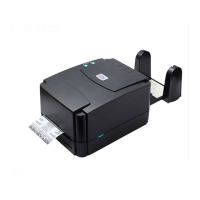
TSC TTP 243 Pro - User Manual

TSC TTP 243 Pro
43 pages
Print Icon
To Next Page IconTo Next Page
Loading...
TTP 243 Pro/ 243E Pro/ 342 Pro
TTP/TDP 244/342
TTP/TDP 244
Service Manual
THERMAL TRANSFER / DIRECT THERMAL
BAR CODE PRINTER

Questions and Answers

  • S
    Susan CoxAug 12, 2025
    What to do if the error indicator remains illuminated on my TSC TTP 243 Pro Barcode Reader?
    • A
      Anthony JonesAug 12, 2025
      If the error indicator light on your TSC Barcode Reader stays on, it could be due to several reasons. First, ensure that you have paper or ribbon loaded. Check the DIP switch setting. Also, make sure the paper core is correctly installed on the ribbon rewind spindle. You can also press the FEED key to see if it resolves the issue. The error message will be printed out on the print media or sent out through RS-232 port. If the error only occurs during thermal transfer printing, inspect the encoder of the DC motor.
  • K
    krista01Aug 18, 2025
    Why doesn't the on-line indicator light illuminate on my TSC TTP 243 Pro Barcode Reader?
    • M
      Martin PetersonAug 18, 2025
      If the on-line indicator light on your TSC Barcode Reader does not illuminate, verify the DIP switch setting and reset the printer. Also, check that the power cord is properly connected.
  • M
    Michelle WallsAug 25, 2025
    How to fix poor print quality on TSC TTP 243 Pro Barcode Reader?
    • S
      sburnettAug 25, 2025
      To resolve poor print quality on your TSC Barcode Reader, start by cleaning the print head. If the issue persists, adjust the print density setting.
  • J
    Jacob WrightAug 29, 2025
    How to troubleshoot ribbon not advancing on TSC Barcode Reader?
    • J
      Jeremy OlsonAug 29, 2025
      If the ribbon in your TSC Barcode Reader isn't advancing, check the printing mode setting and reset the printer.
  • B
    brianvegaSep 5, 2025
    Why does my TSC Barcode Reader only print a diagonal pattern in the self-test?
    • A
      austinpowersSep 5, 2025
      If your TSC Barcode Reader only prints a diagonal pattern during the self-test, the ribbon and paper might be incompatible. Try using a different type of ribbon.

TSC TTP 243 Pro Specifications

General IconGeneral
Print Resolution203 dpi
Print MethodThermal Transfer / Direct Thermal
Print Width104 mm
InterfaceUSB, Serial, Parallel
Label Thickness0.06 mm to 0.19 mm

Related product manuals