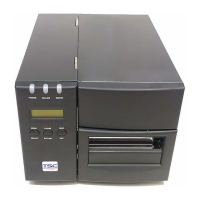
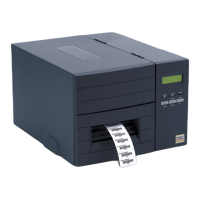
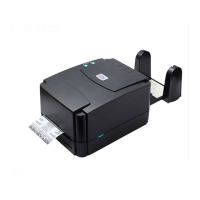
Why is my TSC Barcode Reader printing irregularly?
- TTracy McdanielSep 23, 2025
If your TSC Barcode Reader is printing irregularly, it may be in Hex Dump mode. Turn the printer off and then on again to exit the dump mode.
Why is my TSC Barcode Reader printing irregularly?
If your TSC Barcode Reader is printing irregularly, it may be in Hex Dump mode. Turn the printer off and then on again to exit the dump mode.
How to resolve wrinkle problem on TSC TTP-2410M Pro Barcode Reader?
If you encounter the 'Wrinkle Problem' with your TSC Barcode Reader, adjust the print density settings to achieve good print quality. Ensure the label guide touches the edge of the media guide.
How to correct printing position of small label on TSC TTP-2410M Pro Barcode Reader?
If the printing position of a small label is incorrect on your TSC Barcode Reader, calibrate the sensor sensitivity again.
How to fix a TSC Barcode Reader when the power indicator does not illuminate?
If the power indicator on your TSC Barcode Reader does not illuminate, ensure that the power cord is properly connected to both the printer and the outlet. Then, switch the printer on.
What to do if my TSC TTP-2410M Pro Barcode Reader says 'No Paper'?
If your TSC Barcode Reader displays 'No Paper', supply a new label roll. If that doesn't solve the issue, refer to the user’s manual for instructions on how to reinstall the label roll correctly. If problems persist, calibrate the gap/black mark sensor.
Why multi interface board doesn't work on TSC TTP-2410M Pro?
If the multi interface board on your TSC Barcode Reader isn't working, check if the board is plugged into the correct connector.
Why is cutter not working on TSC TTP-2410M Pro Barcode Reader?
If the cutter on your TSC Barcode Reader is not working, ensure that the connector cable is correctly plugged in.
Why is RTC time incorrect on TSC Barcode Reader?
If the RTC time is incorrect when you reboot your TSC Barcode Reader, check if there is a battery on the main board.
Why PS/2 port does not work on TSC TTP-2410M Pro?
If the PS/2 port on your TSC Barcode Reader does not work, turn off the printer before plugging in the PS/2 keyboard. Also, ensure that the keyboard is functioning correctly.
Why SD card is unable to use on TSC TTP-2410M Pro Barcode Reader?
If the SD card is not working in your TSC Barcode Reader, ensure you are using a supported capacity SD card. If you are, try reinserting the SD card.
Details the standard and optional features of the printer across different models.
Step-by-step guide for setting up the printer, including connections and power.
Detailed steps for loading and removing ribbons from the printer.
Instructions for loading various types of media, including rolls, fan-fold, and peel-off.
Explains how to adjust print head pressure and burn line for optimal print quality.
How to launch and navigate the printer diagnostic utility software.
Details diagnostic tool functions for printer calibration, setup, and testing.
Lists common printer issues and their potential causes and recovery procedures.
Details the standard and optional features of the printer across different models.
Step-by-step guide for setting up the printer, including connections and power.
Detailed steps for loading and removing ribbons from the printer.
Instructions for loading various types of media, including rolls, fan-fold, and peel-off.
Explains how to adjust print head pressure and burn line for optimal print quality.
How to launch and navigate the printer diagnostic utility software.
Details diagnostic tool functions for printer calibration, setup, and testing.
Lists common printer issues and their potential causes and recovery procedures.
| Print Method | Thermal Transfer / Direct Thermal |
|---|---|
| Resolution | 203 dpi |
| Max Print Width | 104 mm |
| Memory | 8 MB Flash |
| Interface | USB |
| Operating System Compatibility | Windows |
| Label Thickness | 0.06 - 0.25 mm |
| Power Supply | AC 100-240V, 50/60Hz |
| Label Width | 25.4 mm - 114 mm |