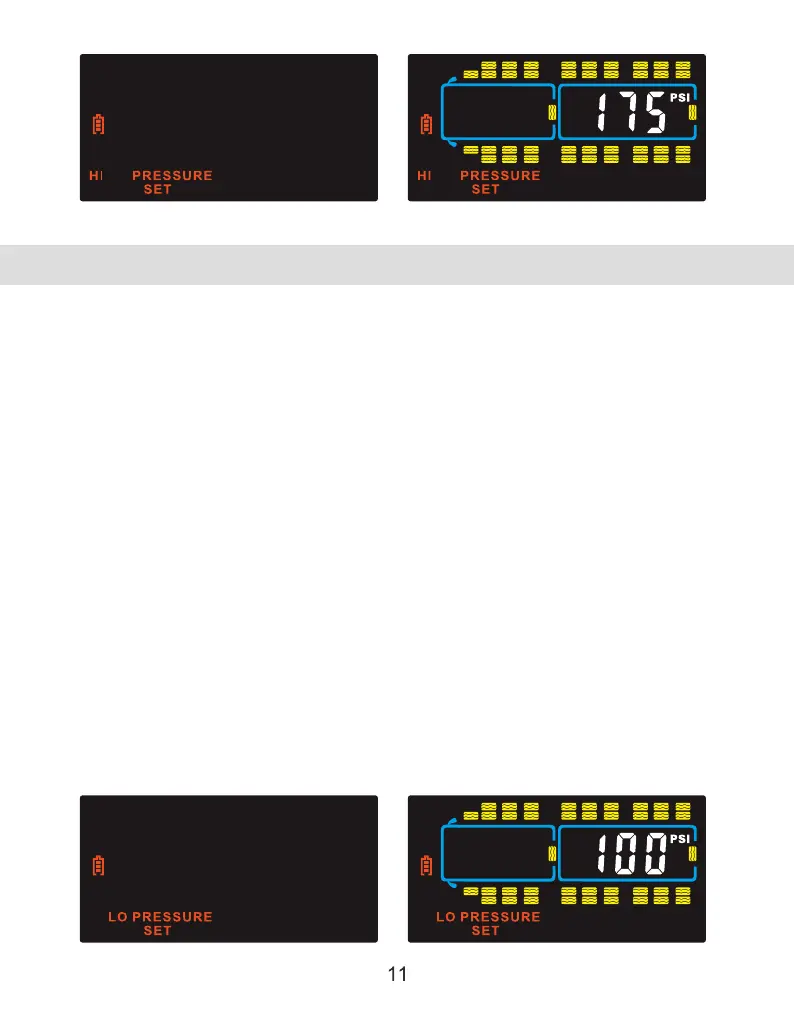
LOW PRESSURE ALARM SETTINGS
TST-Doc-507FT-RV WSD-C Manual-(D)
Note: If your tire pressure is below 100 PSI, you must set the low-pressure alarms
first and then, when done, set the high-pressure alarms. The high pressure
cannot go below the default low pressure of 100 PSI until the low pressure is
reduced.
*Follow your tire manufacturers recommended cold tire pressure setting for the
actual weight on each tire of your vehicle/trailer/RV. Tire pressure data chartsare
available on your tire manufactures website. The low tire pressure alarmshould
be set approximately 10% below that setting. The weight on eachindividual
wheel can be determined by fully loading your vehicle/Trailer/RV asit would be
for a trip and having each wheel position weighed individually.
To set up the Low-pressure Alarm, press and hold the "SET" button until it beeps.
Press the (+) button once and "LOW PRESSURE SET" will appear. Press the "SET"
button again to enter that mode. Press the "GO" button to select the appropriate
axle. Use the (+) or (-) buttons to adjust the low-pressure alarm 10% below your
normal tire pressure for that axle. Press the "GO" button to move to the next axle.
When you get to the trailer section of the display, all the trailer axles on that
section will flash in groups of three. You can set the Low Pressure for that group.
Press "GO" again to move to the next group or the next trailer. The trailer number
will appear in the middle of the screen (#1 to #4). When done, press the "SET"
button to save all the parameters for Low Pressure. Press the "BACK" button to
return to the Main Screen.



 To Next Page