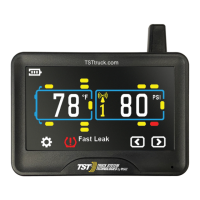
PRESSURE CODING (option #2)
TST-Doc-507FT-RV WSD-C Manual-(D)
sensor codes and tire icons are now deleted. This does not affect the
parameters set in the display. Press the "BACK" button to go to the Main
Screen.
Note: When in the coding mode, the display will time-out within approximately
one (1) minute if no buttons are pushed. At that point, you will have to start
the coding process again.
Note: Be sure to keep the sensors you are not currently coding 2-3 feet away from
the display and the sensor you are now coding.
1. Be sure your sensors are numbered. Screw the sensors partly onto each valve
stem in the order you numbered them. Do NOT screw them down far enough to
hear air hissing out.
2. Press and hold the "SET" button until it beeps. You are now in the programming
mode. The "HI PRESSURE SET" parameter will blink at the bottom of the screen.
Push the (+) button and scroll through the parameters until "LEARN ID" appears.
3. Quickly press and release the "SET" button. The first tire on the display will blink.
If you want to program a different tire, press the (+) button to move to the
correct tire. Push the "SET" button again and "FFF FFF" will flash.
4. Tighten the sensor down on the corresponding tire valve stem. The ID code will
display and flash.
5. To save the ID code setting. Press "SET" once. It will beep and the sensor code is
saved.
6. To remove the ID code setting, Press "BACK" once. "FFF FFF"will re-appear. The
setting will not be saved.
7. Press "BACK" twice to return to the Main Screen when done.
MANUAL CODING (option #3)
Note: This method is mainly used to program sensor codes from an old display to
a new display if you do not have the sensors available. This method is not
recommended for programming a new system.



 To Next Page