ENGLISH
8. How to Operate the Transceiver
1)
2)
3)
4)
5)
6)
7)
8)
9)
Make sure the microphone is connected to the
microphone jack.
Make sure the power cable is connected properly.
Make sure the antenna is connected to the antenna
receptacle.
It is better to put the squelch control knob turned fully
counter-clockwise. (In case of the manual squelch mode)
Turn on the transceiver and control the volume level.
Adjust the squelch control knob to the optimum level.
Select your desired channel.
To transmit, press the PTT button and speak to the
microphone.
Release the PTT button to receive.
11
TCB-560
9. Band Selection
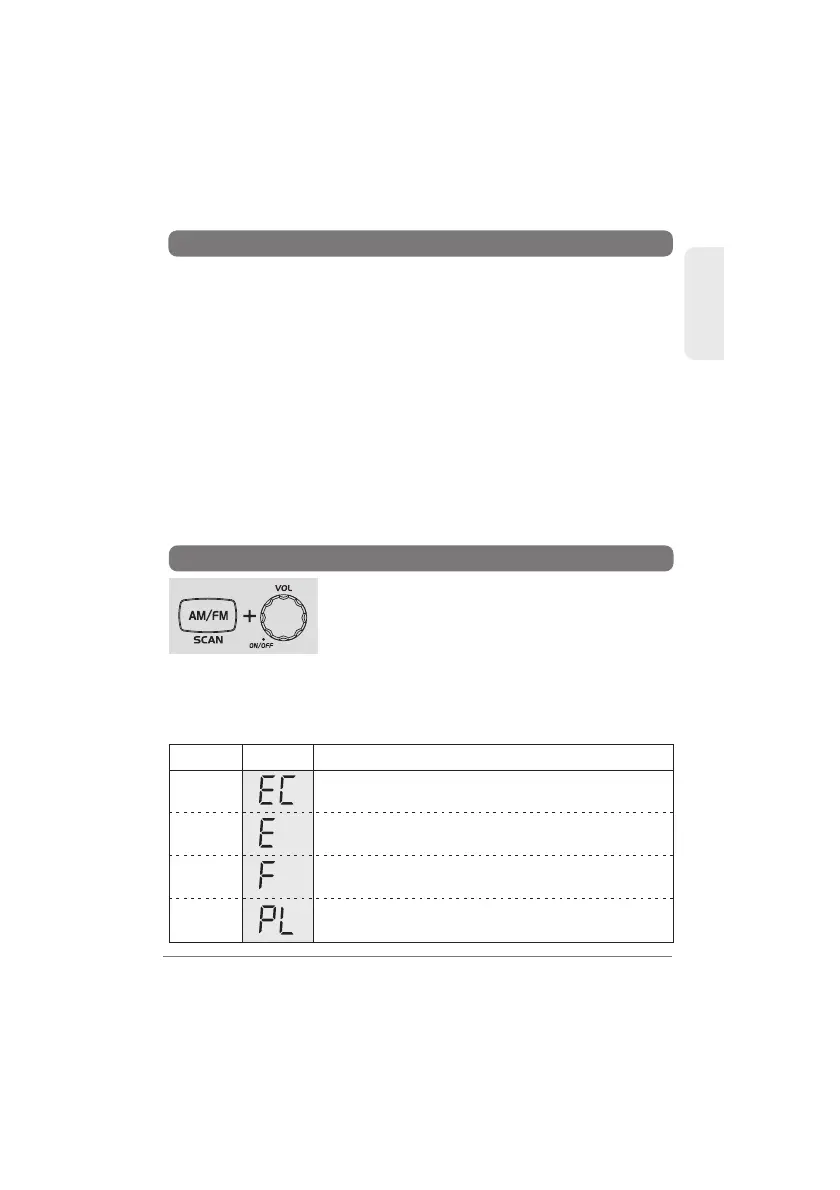
Pressing AM/FM button, turn on the transceiver.
The LCD display offers you the band information.
The band chart for each area is as follows.
To change the band, press the Up/Down buttons
while the band information is blinking. Press the PTT button of the
microphone, or wait for 5 seconds to complete the selection and go
to the transmit and receive mode. This transceiver has "EC" band
setting when it is shipped out from the factory.
EC
E
F
PL
DisplaySettings Band
Europe 40 Ch FM 4W
Spain 40 Ch AM/FM 4W
France 40 Ch FM 4W, 40 Ch AM 4W
Poland 40 Ch AM/FM 4W
( Polish frequencies : 5KHz)



 To Next Page