8
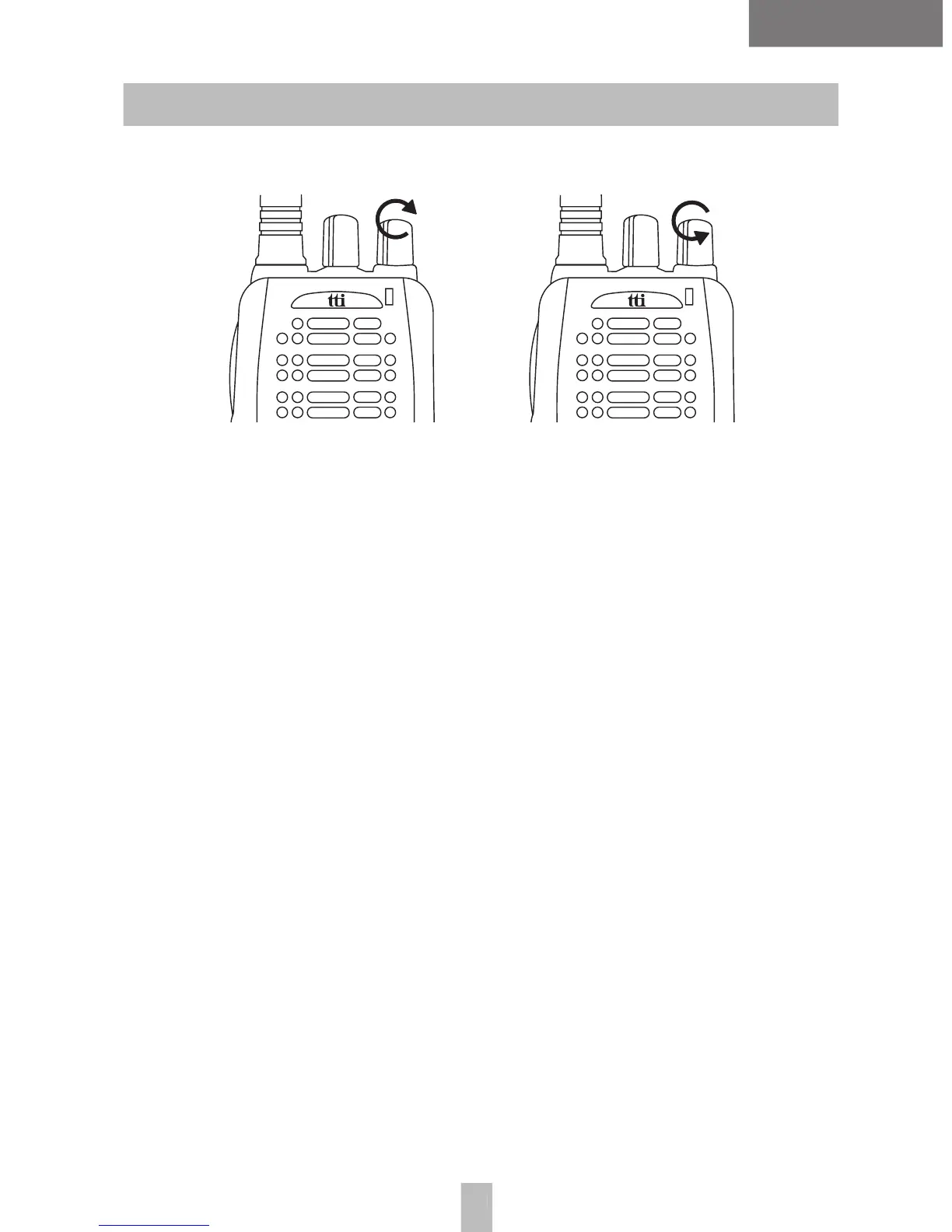
• To turn on the radio, turn the power/volume knob clock-
wise. You will be able to see a green and red light on
the LED cap with a beep. After the beep, the red light
• If the beep sounds high and short, a Self-Test succeeded,
and the Self-Test failed, if the beep sounds low and long.
• To turn off the radio, turn the power/volume knob anti-
clockwise until there sounds a ‘click‘.
• Hold down the monitor button to hear background noise.
• Adjust the volume by turning the power/volume knob to
the right or left with the monitor button being pressed.
• To increase the volume, turn the knob to the right and
to reduce the volume, turn the knob to the left.
• Release the monitor button.
Choose a channel you want by rotating the channel


 To Next Page