Windows 8.1 Bluetooth Connection
1. Switch on InO-Bot
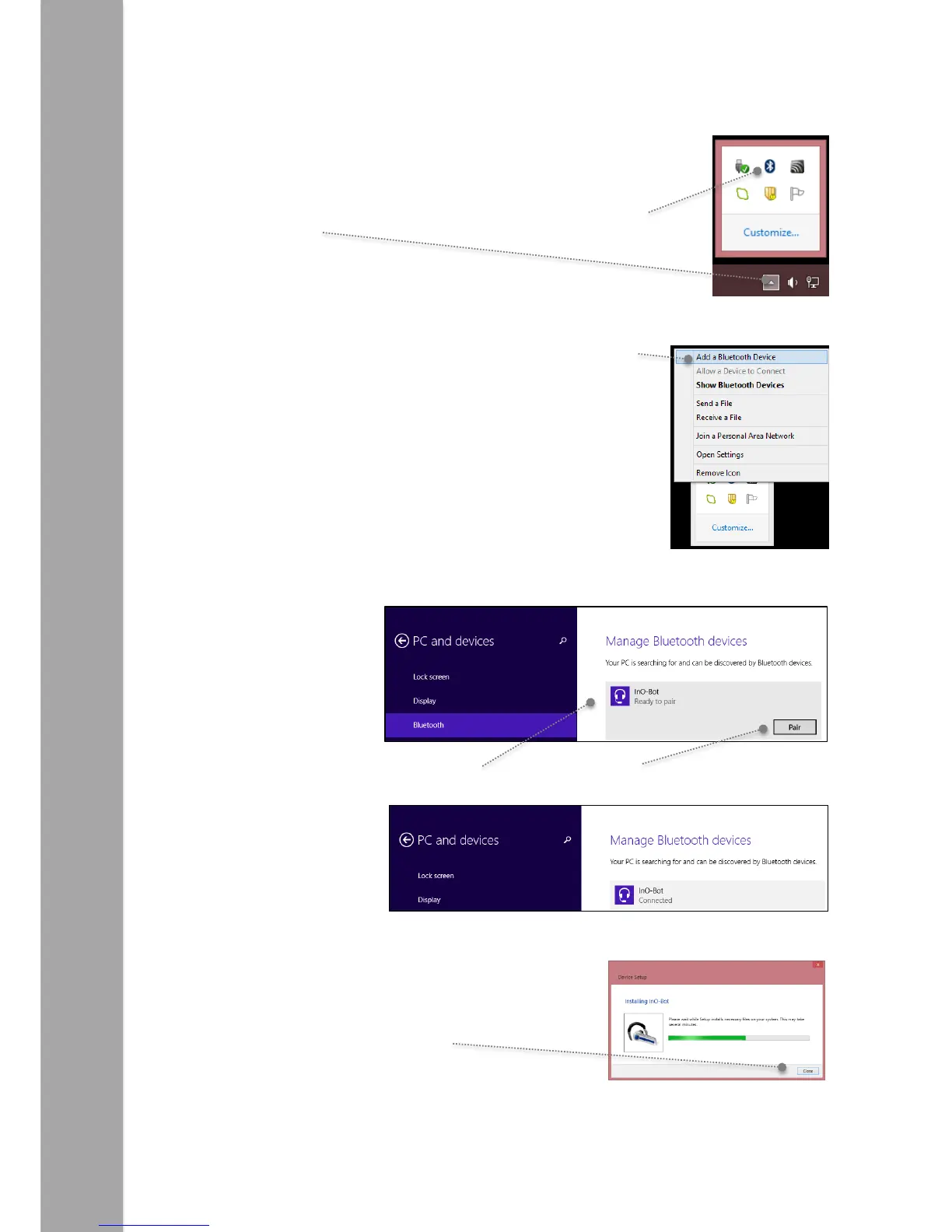
2. Click on the small arrow on the taskbar and then click on the
Bluetooth icon.
3. From the menu that appears click on ‘Add a Bluetooth Device’.
4. The screen will change and a list of available Bluetooth devices will be shown.
5. Click on the headphone icon by InO-Bot and then click on ‘Pair’.
6. Once paired a Connect message will be displayed.
7. The Bluetooth connections panel can be closed.
Windows will display a message while the Bluetooth
connection process completes.
Note: Steps 2 to 7 above only need to be completed once for an InO-Bot to be used. Once complete the computer
will remember that particular InO-Bot.



 To Next Page