Key Focus 4 – Automatic headlights
InO-Bot has a range of sensors which can be used as input triggers. These triggers can
then activate outputs; for example to switch on headlights when dark.
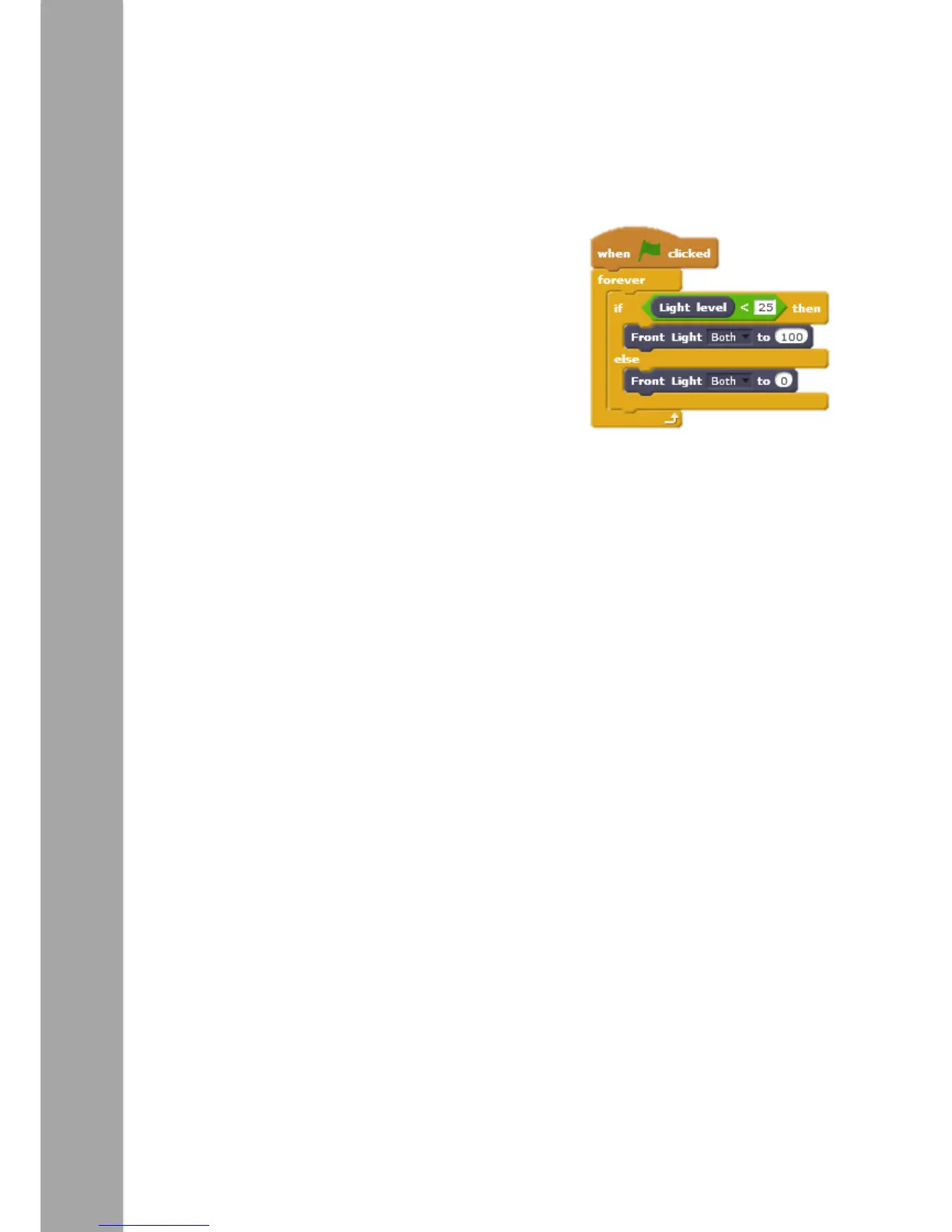
The example on the right shows a conditional
statement (‘If…then…else’ block) in use. ‘If’ the
value from the light sensor is less the 25 ‘then’ turn
the front lights on. ‘If’ it’s not less than 25 (25 or
more) ‘else’ turn them off. The check needs to be run
continually (not just once) therefore a ‘forever’ loop
has been used. Some experimentation will be
required to work out what value the light sensor
should report to trigger the lights.



 To Next Page