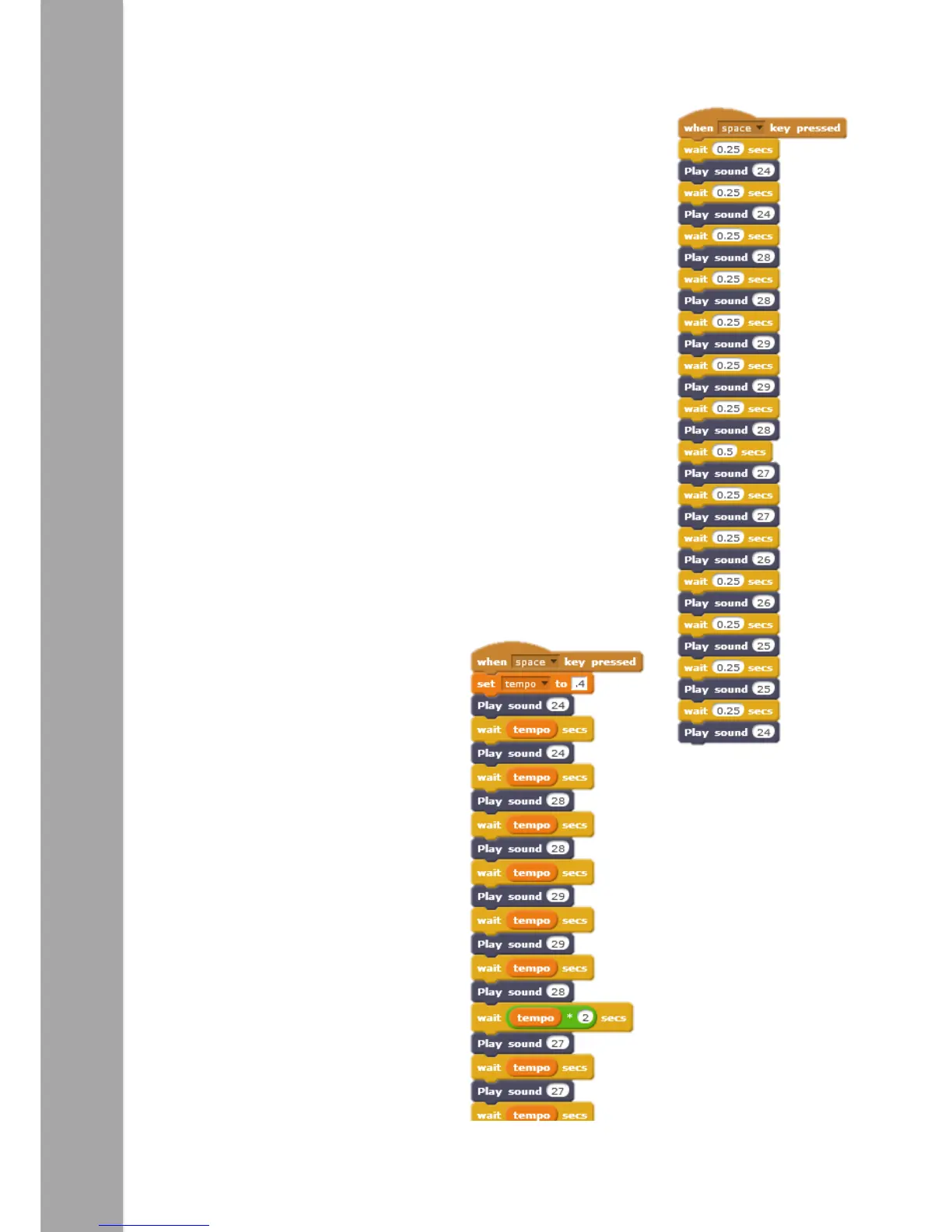
Having listened to all the different sounds, a program could be
written to play a tune. Below is a list of the musical notes InO-
Bot can play. To the right is an example of a known tune. (Can
you find out what it is?)
Sound Musical Note
17 1c
18 1d
19 1e
20 1f
21 1g
22 2a
23 2b
24 2c
25 2d
26 2e
27 2f
28 2g
29 3a
It is important to have the ‘wait’ blocks in place as these set the
pauses between notes. These pauses could actually be created as
a variable. This would mean the pause duration could be altered
in one place rather than many times through the program.
This is an example of using a variable
to set the pauses throughout the
tune. One change at the top of the
program will change the pauses
throughout.
Note: Where a longer pause is
needed the tempo variable is
doubled (* 2). It could also be
shortened by halving it (/2).



 To Next Page