18 InO-Bot - Teacher Guide
- Scratch
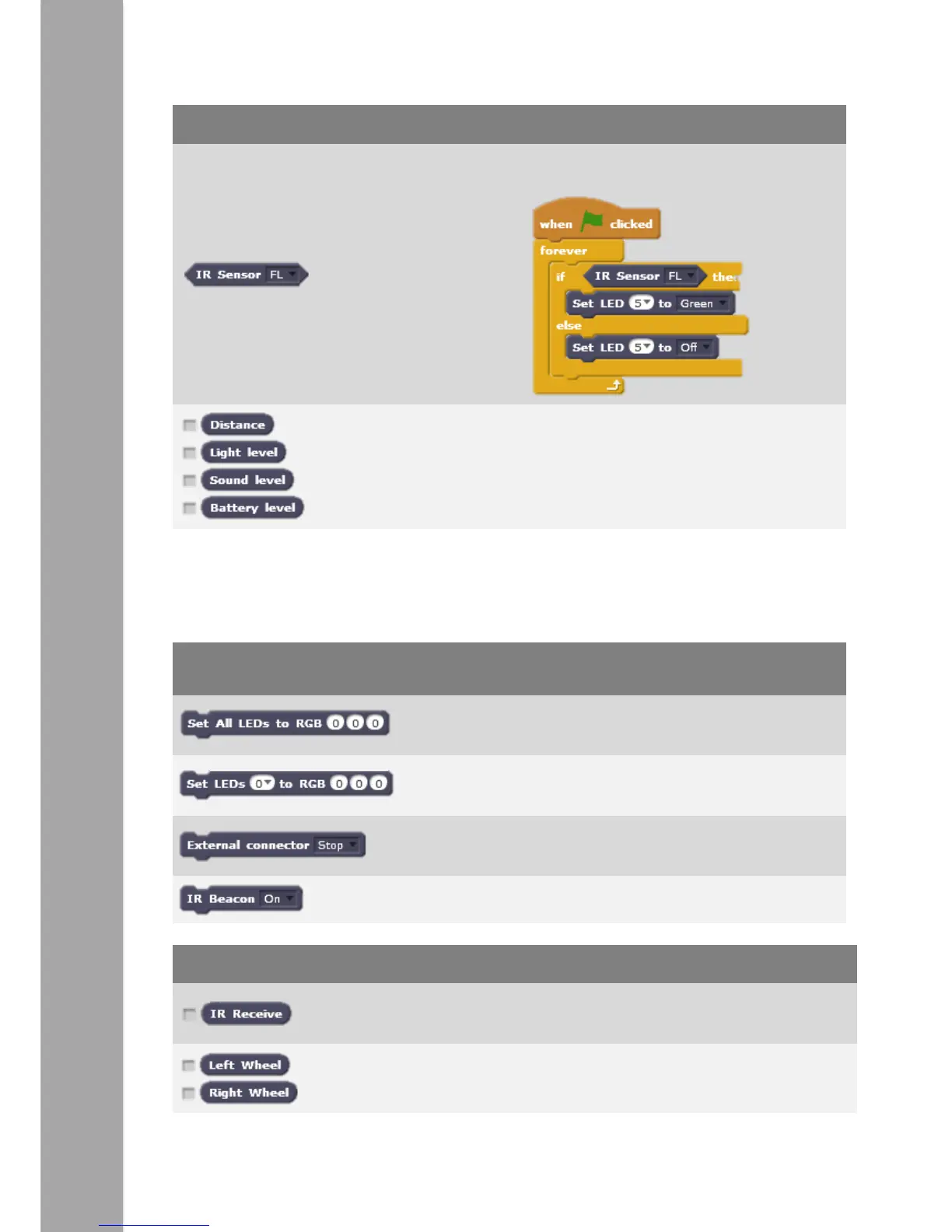
Proximity
(Corners)
FL – Front
Left
FR – Front
Right
BL – Back left
BR – Back
Right
Line
Follower
Left
Right
Returns a true or false value
(true = triggered) e.g.
Return values from the on board sensors.
Placing a tick by them will allow them to
display values on the Scratch stage.
Advanced
The commands and sensors below are available in addition to the Basic blocks listed
above.
Sets the top LEDs a given colour using
red, green and blue values.
Sets LEDs on top a given colour using
red, green and blue values.
For use with the external connector.
Switches the infrared beacon on or off.
If infrared is detected. Lower value is high
level of infrared.
These show the readings from the wheel
counters built in to the robot.



 To Next Page