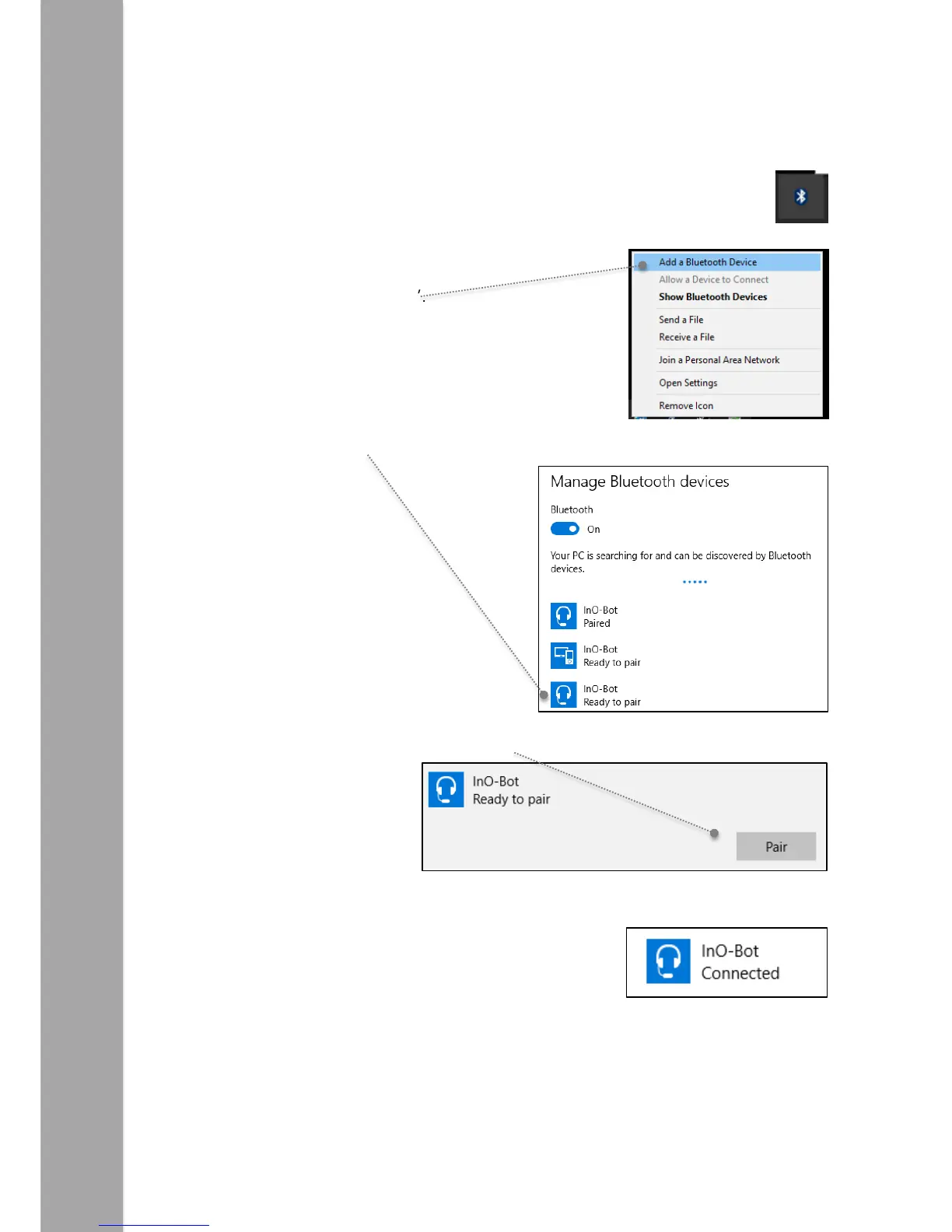
Windows 10 Bluetooth Connection
1. Switch on InO-Bot.
2. Click on the Bluetooth icon from the system tray (bottom right of the screen).
3. Click on ‘Add a Bluetooth Device’.
4. Click on the headphone icon by InO-Bot. (Ignore the tablet / phone icon)
5. An option to pair should appear. Click on the ‘Pair’ button.
6. Once the pairing completes the Connected message should appear:
Note: Steps 2 to 6 above only need to be completed once for an InO-Bot to be used. Once complete the computer
will remember that particular InO-Bot.



 To Next Page