12
Removing & Returning your System
Please contact your Service Provider before attempting to remove or return
your system.
Prior to disconnecting the System, please inform the Response Center by
either activating the Home Console Unit or by calling.
Disconnecting the system
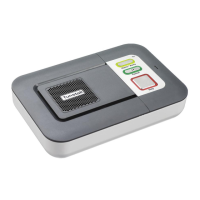
1. Remove all wires from the rear of the Home Console Unit including the
telephone line and power adaptor. To remove cords, press down
gently on each clip and pull the cord from both the ‘DC’ and ‘LINE’
jacks. Also remove the cord connected to telephone from the jack
labeled℡.
After 1 minute of being disconnected from both the power outlet and
telephone line, the Home Console Unit will automatically power down
ready for packaging.
2. Locate the original box and enclose the following items:
• Home Console Unit
• Help Activator(s)
• Neck Cord
• Wrist Strap
• Belt Clip
• Telephone Line Cord
• A/C Power Adaptor
3. After you have properly packed up all equipment in the original box,
please contact your Service Provider for instruction on the proper
method for returning your equipment.
IMPORTANT NOTE: If any equipment is not returned, the subscriber and/or billing
party will be responsible for lost equipment charges in accordance with the Service
Agreement.


 To Next Page