7
How to install
Step 1 - Connecting the power and telephone line cords
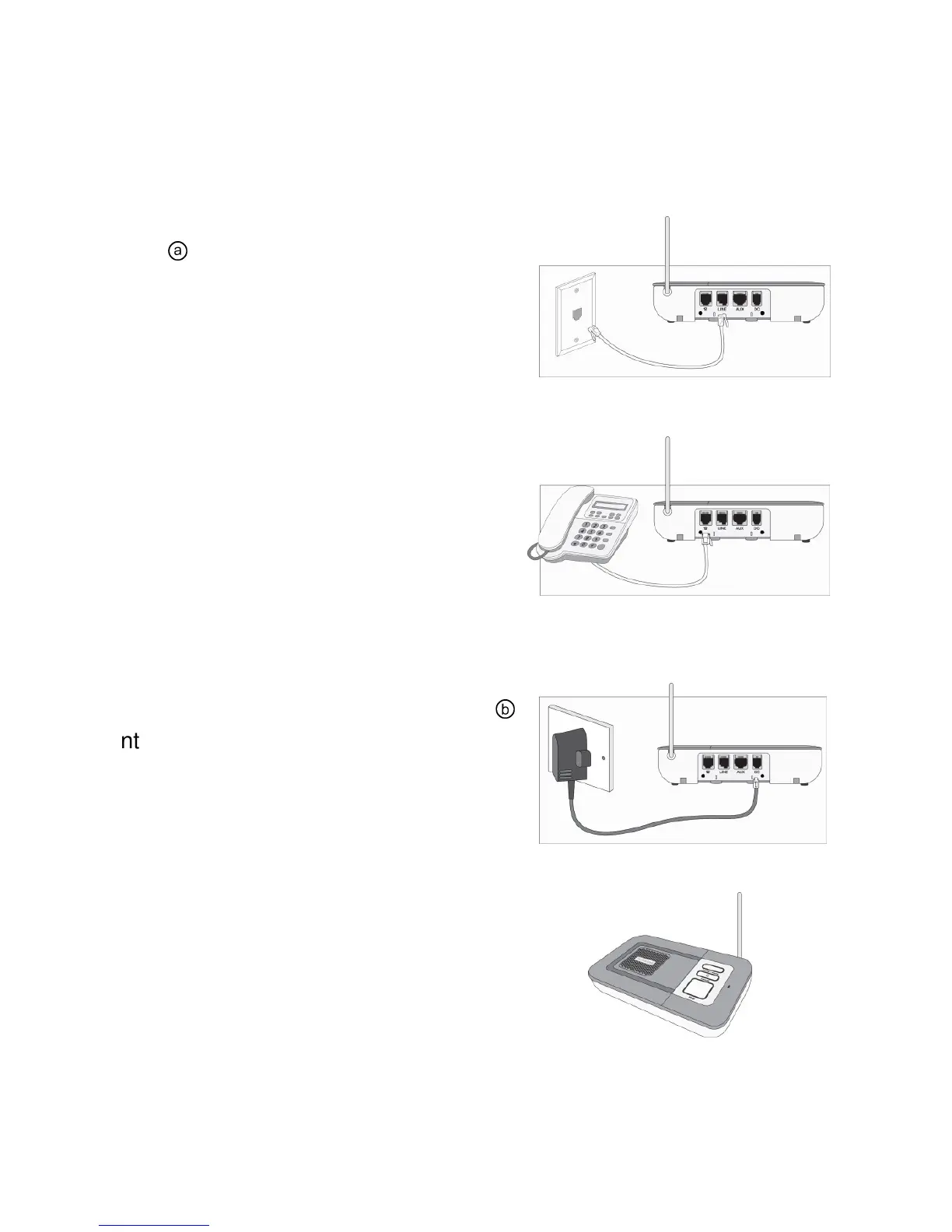
Step A – Plug the supplied telephone
cord
ⓐ
into the jack on the rear of
Home Console Unit labeled LINE.
Disconnect your existing telephone line
from the telephone jack and insert the
one supplied with the system into the
telephone wall jack.
Step B – Plug the telephone into the
jack on the Home Console Unit labeled
℡. If you have an answering machine,
plug the answering machine into the
rear of the console first and then plug
the telephone into the answering
machine.
Step C – Plug the DC power adaptor
ⓑ
into the jack on the Home Console
labeled DC and then connect a power
outlet that is always on (not controlled
by a wall switch or timer).
Step D – Stand the antenna upright.


 To Next Page