U s e r I n s t r u c t i o n s
TURBO s.r.l. Dust Filter Components
Via Po 33/35 20811 Cesano Maderno (MB) Italy Tel ++39 0362 574024 Fax ++39 0362 574092
InMn 26 UCESTD
Rev.1.02 it
Main Menu
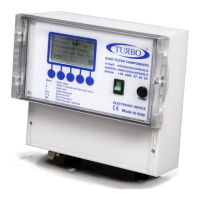
The main menu can be accessed by pressing the "MENU" button on the main screen.
Using the “” and “” buttons, it is possible to select the category
desired and, by confirming with “OK”, the individual configuration
parameters are accessed.
Once the individual categories have been entered, use the “”
and “” buttons to select the parameter, and the “+” and “-“
buttons to modify the value.
The categories and parameters are organised as follows:
Basic Configuration
Operating Mode
Set the desired operating mode from
Automatic, Manual, Proportional and Special
Pulse time (ms)
The duration of opening (shot) of the valve
is set
Cycle time (sec)
The time interval between the opening of
one valve and the next is set
No. valves
The number of the valves connected to the
plant to control is set
Unit Measure dP
The unit of measurement of the pressure ΔP
reading is set from KPa, mBar, mm H2O
and Inch WC
dP start cleaning
The pressure value is set for the start of the
washing cycle (only if in Automatic or
Proportional Mode)
dP stop cleaning
The pressure value is set for the end of the
washing cycle (only if in Automatic Mode)


 To Next Page
 Loading...