10
OPERATION
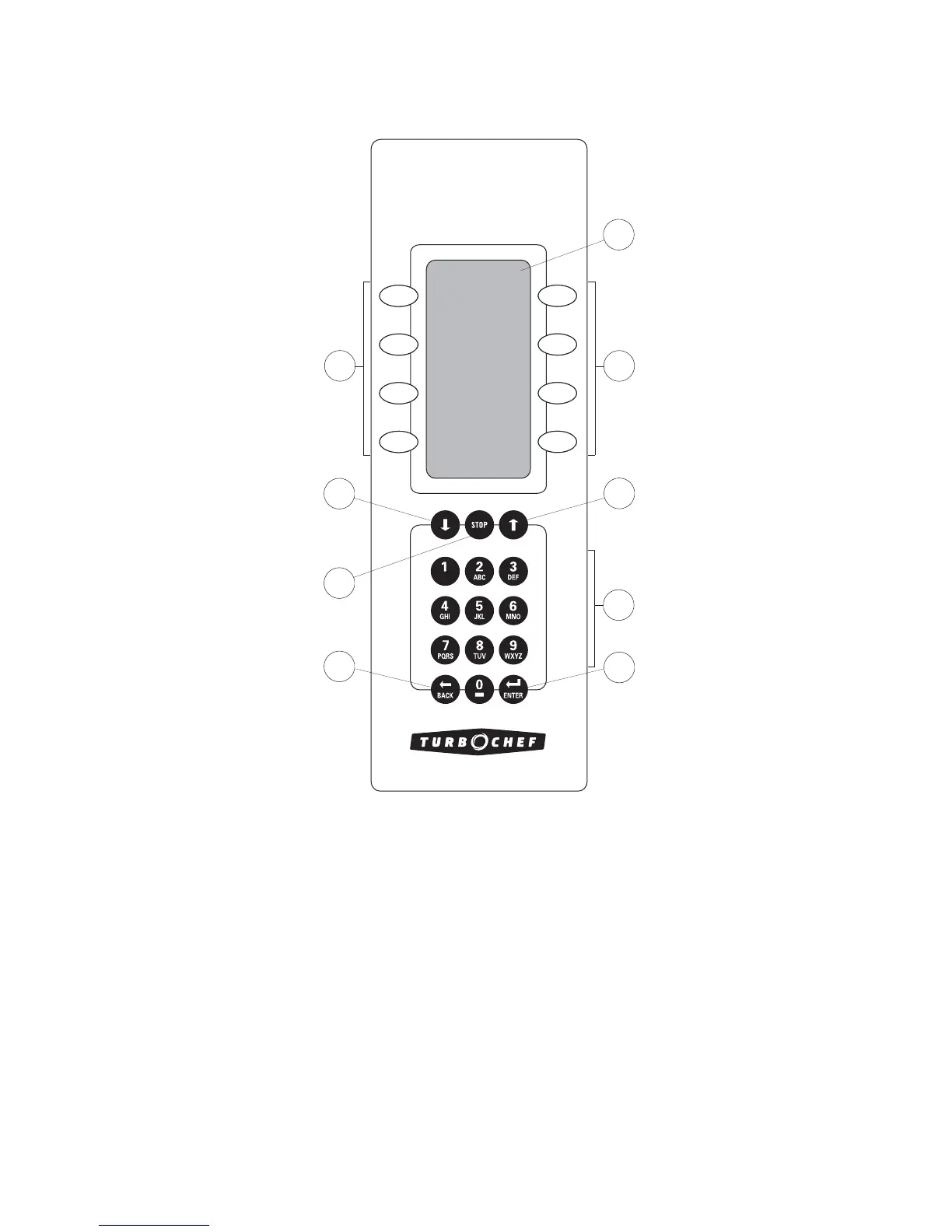
THE CONTROL PAD
Figure 6.
1. Display Window
Displays operation and programming information.
2. Soft Keys
Eight keys used to select options that are displayed
adjacently on the screen.
3. Arrow Keys
Use independently to navigate between and within
screens. Simultaneously press to access
EDIT mode (see
page 13 for more information).
4. Stop Key
Press to stop cook cycles.
5. Keypad
Used to enter data in the programming mode and
manually input cooking times.
6. Back Key
Press to return to a previous screen. When the oven is
idling between cook cycles, press to turn the oven off.
7. Enter Key
Press to save modified information.
1
2
2
3
3
4
5
7
6
FIGURE 6: The Control Pad




 To Next Page