EasyManua.ls Logo

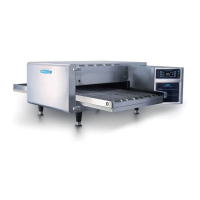
TurboChef 2020 - Service Manual

TurboChef 2020
76 pages
Print Icon
To Next Page IconTo Next Page
Loading...
Accelerating the World of Cooking
TM
Service Manual
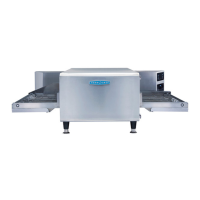
FOR THE TURBOCHEF 2020 HIGH h CONVEYOR OVEN
© 2008 TurboChef Technologies, Inc.

Table of Contents

Other manuals for TurboChef 2020

Questions and Answers

  • M
    merrittadamAug 13, 2025
    What to do if my TurboChef 2020 displays F2: Low Temp During Cook?
    • Y
      yyoungAug 13, 2025
      If the TurboChef Oven displays 'F2: Low Temp During Cook', first, ensure the wall circuit breaker is on and reset it if necessary. Reduce the load in the oven. If the oven is not clean, clean it. If the oven has not fully warmed up, press the back/off key until the oven returns to the oven off mode, then re-select the cooking profile and allow the oven to reheat. If the issue persists, it may indicate a defective heater or blower motor, or low supply voltage, which may require professional assistance.
  • M
    Melanie CombsAug 16, 2025
    How to fix a TurboChef 2020 with no power?
    • J
      Joseph DavisAug 17, 2025
      If your TurboChef Oven is not getting power, make sure it is plugged in securely. Also, check the wall circuit breaker to ensure it is on. If the breaker has tripped, reset it and then power the oven back on.
  • A
    Andrew CastanedaAug 20, 2025
    Why is my TurboChef 2020 not cooking properly?
    • T
      tylerwalterAug 20, 2025
      If your TurboChef Oven is not cooking properly, start by ensuring the oven is clean. Confirm you are using the correct cook settings. Make sure that you have selected the correct cooking profile for the product and that the product was cooked from the correct starting state (chilled, frozen, etc.).
  • P
    Patricia LyonsAug 25, 2025
    What to do if my TurboChef Oven shows F1: Blower Failure?
    • N
      Nicole RomeroAug 25, 2025
      If the TurboChef Oven displays 'F1: Blower Failure', check if the wall circuit breaker is on and reset it if needed. Press the back/off key until the oven is in the off mode, leave it for two minutes, unplug the oven for two minutes, then plug it back in, switch on the main power supply, and select a cooking profile.
  • E
    Elizabeth CraigAug 28, 2025
    Why is my TurboChef Oven not warming up properly?
    • N
      Nicole DanielAug 28, 2025
      If your TurboChef Oven isn't warming up properly, ensure you've selected a cooking profile. If the oven was switched off at the main circuit breaker, press the back/off key until the oven is in the off state, leave it for two minutes, unplug the oven for two minutes, re-plug it in, switch on the main power supply, and select a cooking profile. Also, check if the oven display is in Celsius and change it back to Fahrenheit.
  • N
    Nicole GeorgeSep 1, 2025
    What causes F5: CC Over Temp in a TurboChef 2020 Oven?
    • J
      Jeffery MedinaSep 1, 2025
      If the TurboChef Oven displays 'F5: CC Over Temp', check for any obstructions blocking airflow into the oven and remove them. If the issue persists, it may indicate a problem with the blower motors or heater, or a defective SSR, which may require professional assistance.
  • J
    John KingSep 4, 2025
    What does F6: EC Over Temp mean on my TurboChef Oven?
    • L
      Laura LeSep 4, 2025
      If the TurboChef Oven displays 'F6: EC Over Temp', check for anything obstructing cool air into the electrical compartment, such as paper towels, and remove them. If the problem continues, it may indicate an issue with the cooling fans, which may require professional assistance.
  • S
    Sandy SullivanSep 8, 2025
    What does F8: High Limit Tripped mean on a TurboChef 2020?
    • V
      Victoria MonroeSep 8, 2025
      If the TurboChef Oven displays 'F8: High Limit Tripped', clean the oven following the weekly cleaning instructions. If the problem persists, it may require professional assistance.

Summary

Safety Information

General Safety Precautions

Covers crucial safety guidelines, intended use, qualified personnel, and fire risk mitigation.

Oven Maintenance Safety

Details on preventing oven damage, proper grounding, and power cord replacement.

Specifications and Installation

Dimensions and Electrical Specifications

Oven exterior/conveyor measurements and power requirements for different regions.

Installation Procedures

Covers packaging, delivery, lifting, placement, stacking, heat sources, and ventilation.

Operation and Modes

Oven Controls and Standard Operation

Explanation of control panel, standard cooking modes, and profile management.

Advanced Oven Modes and Configuration

Accessing Config, Setup, Test modes, and managing settings.

Oven Systems and Troubleshooting

System Components Overview

Details on control, conveyor, and convection system components.

Troubleshooting Guide

Explains fault codes and provides troubleshooting steps for various issues.

Schematics and Component Replacement

Schematics and Diagrams

Electrical schematics, pinouts, and controller parameters.

Component Replacement Guide

Procedures for replacing external and internal oven components.

TurboChef 2020 Specifications

General IconGeneral
Dimensions (H x W x D)25 in x 28.8 in x 26.3 in (635 mm x 732 mm x 668 mm)
Weight270 lb (122 kg)
Power208/240V, 60 Hz, 1-phase
Wattage6200 W
Temperature Range200°F–500°F (93°C–260°C)
Cavity Dimensions (H x W x D)10.5 in x 16 in x 15 in (267 mm x 406 mm x 381 mm)
Cavity Volume1.5 cu ft (42.5 liters)
Cooking ModesMicrowave, Convection, Impingement
Turbo Speed CookingYes
Pre-Programmed SettingsYes
Exterior Dimensions25 in x 28.8 in x 26.3 in (635 mm x 732 mm x 668 mm)
Interior Dimensions10.5 in x 16 in x 15 in (267 mm x 406 mm x 381 mm)
CategoryRapid Cook Oven

Related product manuals