EasyManua.ls Logo

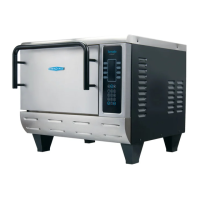
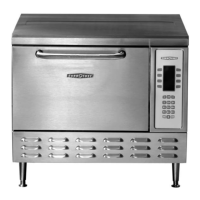
TurboChef TORNADO 2 - Service Manual

TurboChef TORNADO 2
94 pages
Print Icon
To Next Page IconTo Next Page
Loading...
Service Manual
FOR THE TURBOCHEF TORNADO® AND TORNADO 2
TM
RAPID COOK OVENS

Table of Contents

Other manuals for TurboChef TORNADO 2

Questions and Answers

  • R
    Rebecca WoodAug 21, 2025
    Why is my TurboChef Oven not warming up properly?
    • M
      Marissa HernandezAug 21, 2025
      If your TurboChef Oven isn't warming up correctly, here are a few things to try: * Ensure that the oven is turned on by pressing the OVEN ON soft key. * Make sure the cook cavity door is completely closed. * If the oven has been switched off at the main circuit breaker, press the BACK key until the oven is in the OFF state and leave it for two minutes. Unplug the oven and leave it for another two minutes. Then, re-plug the oven in, switch on the isolator/main power supply, and press the OVEN ON soft key.
  • V
    victoriabutlerAug 22, 2025
    What does F3 error mean on my TurboChef TORNADO 2?
    • S
      Shawn MillsAug 22, 2025
      If your TurboChef oven is showing an F3 error, it indicates low magnetron current. Ensure the K2 mechanical relay is functioning correctly.
  • K
    Kathleen JohnsonAug 25, 2025
    How to troubleshoot no power to TurboChef Oven?
    • C
      colemonicaAug 25, 2025
      If your TurboChef Oven has no power, there are a couple of things you can check: * First, make sure the oven is properly plugged into the outlet. * Second, check the main circuit breaker to see if it has tripped. If it has, reset the breaker and then power the oven back on.
  • F
    feliciarossAug 26, 2025
    What to do if TurboChef TORNADO 2 Oven is not cooking properly?
    • J
      Jeffrey StuartAug 27, 2025
      If your TurboChef oven isn't cooking food properly, consider the following: * Ensure the oven is clean, as large deposits of grease, carbon, or food debris can interfere with cooking. Refer to page 25 for cleaning instructions. * Verify that you've selected the correct food group and item name for what you're cooking. * Confirm that the product was cooked from the correct starting state (e.g., chilled or frozen).
  • Q
    qcraigAug 28, 2025
    Why does my TurboChef TORNADO 2 Oven show F5: Magnetron Over Temperature error?
    • M
      Melissa PerryAug 28, 2025
      If your TurboChef Oven displays the error code 'F5: Magnetron Over Temperature', it indicates that the magnetron is overheating. Check for any obstructions blocking cool air from entering the oven, such as paper towels. Also, inspect the rear cooling fan exhaust guard for clogs and clean it if necessary.
  • C
    carla24Aug 29, 2025
    Why does my TurboChef Oven say 'Oven Door Open' and alarm sounds?
    • B
      Bobby WilliamsAug 29, 2025
      If your TurboChef Oven's display reads "Oven Door Open" and an alarm is sounding, try opening and closing the door several times.
  • T
    Tyrone JohnsonAug 31, 2025
    What to do if TurboChef TORNADO 2 displays “Oven Door Open” and alarm sounds?
    • A
      Adam SotoAug 31, 2025
      If the display on your TurboChef Oven reads “Oven Door Open” and an alarm sounds, try opening and closing the door several times to ensure it is properly sealed. If the issue persists, it may be due to door switches being out of alignment, and you should call Customer Service.
  • L
    lopezcrystalSep 2, 2025
    What does error F5 mean on TurboChef TORNADO 2 Oven?
    • D
      David KingSep 2, 2025
      If your TurboChef Oven displays the error “F5: Magnetron Over Temperature”, check for any obstructions blocking cool air into the oven, such as paper towels. Also, inspect the rear cooling fan exhaust guard for clogs and clean it if necessary.
  • R
    Robert JohnsonSep 4, 2025
    What does error F6 mean on TurboChef TORNADO 2?
    • S
      Stacey RussellSep 4, 2025
      If your TurboChef Oven displays the error “F6 EC Temp”, check for any obstructions blocking cool air into the oven, like paper towels. Also, inspect the rear cooling fan exhaust guard for clogs and clean it if needed.
  • M
    Mary CummingsSep 6, 2025
    What does error F2 mean on TurboChef TORNADO 2 Oven?
    • J
      Joseph NicholsSep 6, 2025
      If your TurboChef Oven shows the error “F2: Cook Temperature Low”, first check that the wall circuit breaker is on and reset it if necessary. Then, ensure the air nozzles on the top of the cook cavity are clean and not clogged. Also, verify that the oven door is properly aligned and closed. You can also try resetting the high-limit located in the bottom left corner of the oven rear wall. If the oven hasn't fully warmed up, repeat the warm-up process and let it idle for five minutes. If the blower motor is not running, call Customer Service.

Summary

INTRODUCTION

IMPORTANT SAFETY INSTRUCTIONS

Covers risks like burns, shock, fire, injury, damage, and microwave exposure.

GENERAL SAFETY INFORMATION

Covers usage, installation, servicing, cleaning, and prohibited actions.

REDUCING FIRE RISK

Covers precautions to prevent fires and actions during ignition.

PRECAUTIONS FOR SERVICING

Safety checks before and during servicing to avoid microwave exposure.

GROUNDING INSTRUCTIONS

Importance of grounding and precautions against improper grounding.

POWER CORD REPLACEMENT

Procedure for replacing a damaged power cord.

RF INTERFERENCE CONSIDERATIONS

Managing potential interference with other equipment.

INSTALLATION, SPECIFICATIONS, AND MAINTENANCE

SPECS AND DIMENSIONS

Details oven dimensions, wall clearance, construction, features, certifications, and power supply.

POWER SUPPLY SPECIFICATIONS

Lists electrical requirements for various regions and phases.

POWER INPUT

Specifies heater and microwave input power ratings.

DELIVERY AND PRODUCT PLACEMENT

Instructions on unboxing, checking for damage, and initial placement.

LIFTING AND PLACING THE OVEN

Guidance on safe lifting and countertop placement, including weight.

BUILT-IN INSTALLATION REQUIREMENTS

Details requirements for installing the oven within a structure.

INSTALLATION NEAR OPEN HEAT SOURCE

Guidelines for placing the oven near grills, stoves, or fryers.

OVEN RESTRAINT KIT

Details the optional kit for preventing oven movement during use or cleaning.

VENTILATION REQUIREMENTS

Specifies conditions for ventless operation and when HVAC codes apply.

SETUP AND INITIAL OPERATION

SETUP PROCEDURES

Steps for initial setup after positioning the oven on a counter.

STACKING OVENS

Instructions and warnings for stacking multiple ovens securely.

PROGRAMMING

Notes that the oven is preprogrammed and ready for use.

INITIAL POWER-UP

How to turn on the oven and the initial warm-up process.

DAILY MAINTENANCE FOR THE NGC

SUPPLIES AND EQUIPMENT

Lists necessary cleaning supplies like oven cleaner and pads.

CLEANING PROCEDURE

Step-by-step guide for cleaning the oven interior and exterior.

THEORY OF OPERATION

OVEN HEAT TRANSFER MECHANISMS

Explains the use of convection, infrared, and microwave energy for cooking.

KEY OVEN SYSTEMS AND COMPONENTS

Identifies critical components within control, microwave, convection, and IR/CCV systems.

GLOSSARY OF COMMON OPERATING TERMS

Defines key terms related to oven operation and states.

OPERATIONAL TERMINOLOGY

Defines terms like Keypad, Display, Recipe, Events, and Fault Codes.

FAULT CODES

HOW TO VIEW FAULT CODES

Instructions on accessing the oven's fault log.

FAULT CODE DEFINITIONS

Explains specific fault codes F1 through F4 and their causes.

ADDITIONAL FAULT CODE DEFINITIONS

Explains fault codes F5 through F8 and their causes.

FAULT CODE SUMMARY TABLE

Provides a table summarizing fault codes, active states, and referential pages.

THE CONTROL SYSTEM

CONTROL SYSTEM ARCHITECTURE

Overview of the control system's components and functional diagram.

CONTROL SYSTEM COMPONENT DESCRIPTIONS

Details individual components like relays, sensors, power supply, and test mode.

TEST MODE FUNCTIONS

Explains how to access Test Mode and details various test functions for oven components.

DIAGNOSTIC AND STATUS INDICATORS

Describes diagnostic display features and the meaning of status indicators.

PROGRAMMING AND MENUS

Covers recipe alteration and cook chamber temperature adjustments.

SMART CARD AND OVEN OPTIONS

Loading menus from smart cards and configuring oven features.

USER CONFIGURABLE OPTIONS

Lists codes for enabling/disabling functions and accessing system features.

CONTROL SYSTEM PANEL PARTS

Identifies parts of the control system panel enclosure and related components.

CONTROL SYSTEM TROUBLESHOOTING

Troubleshooting for display, keypad, thermocouple, blower, and magnetron issues.

DISPLAY AND KEYPAD ISSUES

Troubleshooting for blank display, no keypad input, and connection problems.

THERMOCOUPLE FAULT (F7) TROUBLESHOOTING

Diagnosing open thermocouple circuits and related board issues.

BLOWER AND MAGNETRON FAULTS

Troubleshooting for blower status (F1), magnetron current (F3), and heat rise (F8).

COOK TEMPERATURE LOW FAULT (F2)

Troubleshooting steps for low cook temperature, including thermostat and heater checks.

THE MICROWAVE SYSTEM

MICROWAVE SYSTEM OVERVIEW

Describes the complexity of the microwave system and its main components.

VOLTAGE DOUBLER CIRCUIT DESCRIPTION

Explains the function of the voltage doubler circuit in the microwave system.

MONITOR CIRCUIT DESCRIPTION

Details the failsafe monitor circuit and its role in safety interlocks.

VOLTAGE DOUBLER THEORY OF OPERATION

Explains the step-by-step operation of the voltage doubler circuit.

MICROWAVE SYSTEM PARTS

Lists various components like transformers, capacitors, diodes, relays, and magnetrons.

MICROWAVE SYSTEM COMPONENTS DESCRIPTION

Details the function of magnetrons, transformers, capacitors, diodes, relays, and fans.

WAVE GUIDE COVER AND REPLACEMENT

Instructions for replacing wave guide covers and the wave guides themselves.

HIGH VOLTAGE AND FILAMENT TRANSFORMER REPLACEMENT

Guidance on removing and reinstalling transformers, including wiring.

MEASURING RF LEAKAGE FOR MICROWAVE SAFETY

Procedure for testing microwave leakage after service tasks.

TESTING MICROWAVE COMPONENTS

Guides for testing diodes, capacitors, magnetrons, and transformers.

MICROWAVE SYSTEM TROUBLESHOOTING

Troubleshooting for magnetron issues, F3 faults, fuse issues, and performance problems.

MAGNETRON TROUBLESHOOTING GUIDELINES

General guidelines and warnings for magnetron troubleshooting.

MAGNETRON CURRENT LOW (F3) TROUBLESHOOTING

Steps for checking magnetron amperage and diagnosing F3 faults.

F3 FUSE BLOWN DIAGNOSIS

Identifies reasons for F3 fuse blowing and related troubleshooting.

MICROWAVE SYSTEM PERFORMANCE ISSUES

Troubleshooting for magnetron operation, excessive current, transformer faults, and wave guide issues.

THE OVEN DOOR

OVEN DOOR IMPORTANCE AND FUNCTIONS

Highlights the door's role in safety, reliability, and its primary functions.

OVEN DOOR REMOVAL AND REINSTALLATION

Step-by-step instructions for safely removing and reinstalling the oven door.

OVEN DOOR PARTS IDENTIFICATION

Lists and illustrates the various parts that make up the oven door assembly.

ADJUSTING THE OVEN DOOR

Procedures and critical notes for adjusting the oven door for proper fit and seal.

PREPARING FOR SWITCH ADJUSTMENT

Steps required before adjusting door interlock switches.

OVEN BURN-IN PROCEDURE

Steps for performing the initial burn-in process for the oven.

ADJUSTING PRIMARY;SECONDARY INTERLOCK SWITCHES (OLD SETUP)

Specific instructions for adjusting interlock switches on older oven setups.

PRIMARY AND SECONDARY INTERLOCK SWITCH ADJUSTMENT

Detailed steps and parts list for adjusting old switch configurations.

ADJUSTING THE MONITOR SWITCH (OLD SETUP)

Steps for adjusting the monitor switch in older oven setups.

ADJUSTING SECONDARY;MONITOR INTERLOCK SWITCHES (NEW SETUP)

Steps for adjusting interlock switches on newer oven models.

OVEN DOOR ASSEMBLY OVERVIEW

Illustrates the complete oven door assembly and lists its parts.

SCREW TORQUE CHART

Provides torque specifications for various screws used in the oven door assembly.

INTERLOCK SWITCH TROUBLESHOOTING

Diagnosing issues with primary, secondary, and monitor interlock switches.

COOK DOOR OPEN MESSAGE TROUBLESHOOTING

Diagnosing issues with primary, secondary, and monitor interlock switches.

THE CONVECTION CIRCUIT

CONVECTION CIRCUIT OVERVIEW

Describes the function of the convection circuit for browning and cooking food.

CONVECTION CIRCUIT COMPONENTS

Details the main convection heater, motor, controller, and thermostat.

CONVECTION CIRCUIT;BLOWER MOTOR PARTS

Lists parts related to the convection circuit and blower motor assembly.

CONVECTION CIRCUIT TROUBLESHOOTING

Troubleshooting for oven not warming up, low temperature, and blower issues.

OVEN NOT WARMING UP (F8)

Troubleshooting for low heat issues, checking thermostat and convection heater.

COOK TEMPERATURE LOW (F2)

Diagnosing low temperature faults, including door interlocks and heater checks.

BLOWER RUNNING STATUS BAD (F1)

Troubleshooting steps for motor issues, windings, and controller signals.

IR ELEMENT AND CATALYTIC CONVERTER

FUNCTIONS AND CARE

Explains the roles of IR element and catalytic converter, and their cleaning requirements.

IR ELEMENT AND CATALYST REMOVAL

Procedures for removing the IR element and catalytic converter.

INSTALLING A NEW IR ELEMENT AND CATALYTIC CONVERTER

Steps for installing new IR elements and catalytic converters.

SCHEMATICS AND SCHEMATIC COMPONENTS

NGC OVEN SCHEMATICS

Lists the various schematic diagrams included in the manual.

SCHEMATIC PARTS LIST

Categorizes and lists components used in the schematics.

I;O CONTROL BOARD TEST POINTS

Identifies test points on the I/O control board for diagnostics.

COMPREHENSIVE PART LIST

PART LIST

Alphabetical listing of all oven parts with part numbers and figure references.

TurboChef TORNADO 2 Specifications

General IconGeneral
BrandTurboChef
ModelTORNADO 2
CategoryOven
LanguageEnglish

Related product manuals