EasyManua.ls Logo

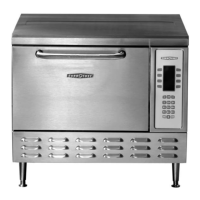
TurboChef NGC (Tornado) - User Manual

TurboChef NGC (Tornado)
72 pages
Print Icon
To Next Page IconTo Next Page
Loading...
Accelerating the World of Cooking
TurboChef Service Manual
    () 
800.90TURBO
P
art Number: NGC-1007 / Revision A, July 23, 2004

Table of Contents

Questions and Answers

  • J
    James LangJul 30, 2025
    What does error F7 mean on my TurboChef Oven?
    • J
      Joseph RichardsonJul 30, 2025
      If your TurboChef Oven shows an 'F7' error, indicating a thermocouple issue, begin by checking the connection of the open thermocouple on the I/O Control Board. If the connection is secure, use an Ohm meter to verify that the thermocouple is not an open circuit. If the thermocouple indicates an open circuit, replace the defective thermocouple. If the thermocouple is working correctly, replace the I/O Control Board.
  • S
    Sandra HensonAug 4, 2025
    What causes the F1 error on my TurboChef NGC (Tornado)?
    • C
      christopherwoodAug 4, 2025
      If your TurboChef Oven displays an 'F1' error, indicating a blower issue, first verify that 208/240 VAC is reaching the Motor Controller via Pins 2 and 3. If the voltage is present, check the control wiring from the Motor Controller and I/O Control Board. If the voltage is not present, correct the wiring to the Motor Controller. For further troubleshooting, refer to page 45 (F1: “Blower Defective”) for Motor Controller troubleshooting.
  • C
    caincarolAug 8, 2025
    What to do if TurboChef NGC (Tornado) displays F2 error?
    • L
      Linda TownsendAug 8, 2025
      If your TurboChef Oven shows an 'F2' error, indicating a low cook temperature, first verify that the High-Limit Thermostat has not been tripped. If it has, reset it and allow the oven to warm up. Then, place a small water load in a microwave-transparent container inside the oven and put the oven in Test Mode. Also, if the wires are routed near any high voltage components, re-route the wires. For further assistance, call Customer Service at 800.90TURBO.
  • A
    Ann JohnsonAug 12, 2025
    What does F3 error mean on TurboChef NGC (Tornado) Oven?
    • R
      Robert Cabrera Jr.Aug 12, 2025
      If your TurboChef Oven displays an 'F3' error, which indicates a low magnetron current, check that the K2 Mechanical Relay is in good working order. If the relay is working correctly, refer to page 30 (F3: Magnetron Current Low) for detailed troubleshooting instructions.
  • D
    David BrowningAug 16, 2025
    What to do if TurboChef Oven shows 'Cook Door Open' message when the door is closed?
    • J
      Jacqueline SmithAug 16, 2025
      If the TurboChef Oven displays a 'Cook Door Open' message even when the door is closed, the issue might be with the interlock switches. First, enter the Test Mode to determine which interlock switch is open. If the switch is mechanically opened, adjust the cook door. If the switches are mechanically closed, verify the wiring going to each interlock switch.
  • C
    Cody HughesAug 20, 2025
    Why is the keypad on my TurboChef Oven not working?
    • N
      nmitchellAug 21, 2025
      If your TurboChef Oven's keypad isn't responding, the issue might stem from a faulty cable connection. If the cable and connection are bad, replace the keypad. If the cable and connection appear to be in working order, consider replacing the I/O Control Board.
  • J
    James BryantAug 25, 2025
    How to troubleshoot a blank display on a TurboChef NGC (Tornado)?
    • A
      Adam HortonAug 26, 2025
      If your TurboChef Oven display is blank, start by verifying that the oven is receiving the correct power, either 208 VAC or 240 VAC. Next, check the power going to the 24VDC Power Supply. If there's no voltage, change the F1 and F2 fuses. If the voltage is OK, ensure the output of the Power Supply is 24 VDC. If there is no output, replace the power supply. If the output is 24VDC, verify the I/O Control Board has 24 VDC by checking the voltage on the D6 Diode. If there's no voltage, check the wires from the Power Supply to the I/O Control Board. If the voltage is 24VDC, but 5VDC is not present, change the I/O Control Board. Also, check all connections between the I/O Control Board and the display. As a last resort, change the display.

Summary

IMPORTANT SAFETY INFORMATION PLEASE READ FIRST

Chapter 5: The Microwave System

Microwave Circuit Overview, Theory, and Components

Covers the fundamental microwave circuit, its theory of operation, and lists all system parts.

Testing, Safety, and Troubleshooting

Guides on safety testing, component diagnostics, and troubleshooting common microwave system issues.

Chapter 6: The Cook Door

Cook Door and Interlock Adjustments

Guides on adjusting the cook door fit and the primary/secondary interlock switches for proper operation.

Interlock System Troubleshooting

Provides troubleshooting steps for the "Cook Door Open" message related to interlock switch status.

Chapter 7: The Convection Circuit

Convection Circuit Components and Assembly

Describes the convection circuit's components, assembly, and blower motor parts.

Convection Circuit Troubleshooting

Guides on diagnosing and resolving convection circuit issues like F8, F2, and F1 faults.

Chapter 9: Schematic and Schematic Parts

Chapter 1: Installation, Specifications and Maintenance

Chapter 3: Fault Codes

Viewing and Understanding Fault Codes

Explains how to access the fault log and defines initial fault codes (F1-F4).

Fault Code Definitions and Table

Details additional fault codes (F5-F8) and provides a comprehensive fault code table for diagnosis.

Chapter 4: The Control System

TurboChef NGC (Tornado) Specifications

General IconGeneral
Power SourceElectric
Amperage30 A
Frequency60 Hz
Cooking MethodConvection, Microwave
Voltage208-240V
Phase1-phase

Related product manuals