EasyManua.ls Logo

TurboChef HHD-9500-1 - User Manual

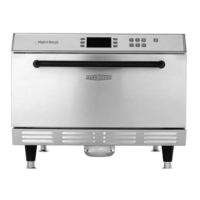
TurboChef HHD-9500-1
34 pages
Print Icon
To Next Page IconTo Next Page
Loading...
TM
©2016 TurboChef Technologies, Inc.
Owner’s Manual
       

Questions and Answers

  • A
    Alicia MccoyAug 15, 2025
    How to restore power to my TurboChef HHD-9500-1?
    • K
      ksmithAug 16, 2025
      If your TurboChef Oven has no power, first, ensure it is properly plugged into the outlet. If it is, check the wall circuit breaker. If the breaker has tripped, reset it and then power the oven back on.
  • S
    Susan OrtegaAug 18, 2025
    What does error F2 mean on my TurboChef Oven?
    • P
      Patrick BushAug 19, 2025
      If your TurboChef Oven displays the error “F2: Cook Temperature Low”, it could be due to several reasons. Verify the wall circuit breaker is on and reset it if necessary, then power the oven on. Ensure the air nozzles on the top and bottom of the cook cavity are not clogged during daily cleaning. Check that the oven door is aligned properly by opening and closing it several times. Reset the high-limit thermostats located on the oven rear wall near the power cord. Repeat warmup and allow the oven to idle for five minutes, if the oven is not fully warmed up.
  • J
    Jonathan HarrisAug 21, 2025
    What does error F1 mean on my TurboChef HHD-9500-1?
    • G
      Gregory SalasAug 22, 2025
      If your TurboChef Oven displays error code 'F1: Blower Running Status Bad', it may be due to an interrupted power supply. Check that the wall circuit breaker is on, and reset it if needed before powering the oven back on. Turn the oven off and unplug it for two minutes. Re-plug in the oven, switch on the isolator/main power supply, and select “Menu” and then a set temperature.
  • F
    fmedinaAug 25, 2025
    What does error F6 mean on my TurboChef HHD-9500-1 Oven?
    • T
      Tracy KaneAug 26, 2025
      If your TurboChef Oven displays 'F6: EC Temp', it indicates a potential issue with the oven's cooling system. Ensure there is no blockage preventing cool air from entering the side or rear oven panels. Also, check the rear cooling fan exhaust guards to ensure they are free of debris.
  • D
    davisstephanieAug 28, 2025
    Why is my TurboChef HHD-9500-1 Oven not warming up correctly?
    • C
      christine13Aug 28, 2025
      If your TurboChef Oven isn't warming up, several factors could be the cause. First, ensure the oven isn't in the Off state by touching “Menu” or the power icon. Check that the cook cavity door is fully closed. Also, verify that the oven hasn't been switched off at the main circuit breaker. If it was, turn the oven off, unplug it for two minutes, plug it back in, switch on the isolator/main power supply, and then touch “Menu.” Finally, a tripped high-limit thermostat can also cause this. Press the button located on the oven rear wall (near the power cord) to reset it. There are two high-limit thermostats, one for the top oven and one for the bottom oven.
  • E
    Erik BrownAug 30, 2025
    What to do if TurboChef HHD-9500-1 is not cooking food properly?
    • T
      Tracy HesterAug 30, 2025
      If your TurboChef Oven is not cooking properly, several factors could be the cause. Ensure the oven is clean. Verify that you've selected the correct food group and item name for the product you're cooking. Make sure the product was cooked from the correct starting state (chilled or frozen). Ensure the product matches the typical product's weight and size specifications.
  • S
    Shannon WagnerSep 2, 2025
    Why does my TurboChef HHD-9500-1 Oven display “Oven Door Open” and sound an alarm?
    • S
      sheilagraySep 3, 2025
      If your TurboChef Oven displays “Oven Door Open” and the alarm sounds, it could be due to a few reasons. First, check for any food obstructions preventing the door from closing properly and remove them. If there are no obstructions, try opening and closing the door several times.
  • C
    crobertsSep 6, 2025
    Why is there steam or smoke coming from my TurboChef HHD-9500-1?
    • L
      Louis OdonnellSep 6, 2025
      If you notice steam or smoke coming from your TurboChef Oven, it could be caused by a couple of things. The oven may not be clean, so follow the cleaning instructions on pages 5-8. Alternatively, the rear filter might be clogged, so clean the air filter according to Step 8 on Page 6.
  • H
    hendersonjenniferSep 8, 2025
    Why is my TurboChef HHD-9500-1 cooling down or shutting down unexpectedly?
    • C
      cole95Sep 8, 2025
      If your TurboChef Oven is cooling down, shutting down, or making selections on its own, it may be due to debris on the display. Clean the display.
  • R
    richarddiazSep 12, 2025
    How to fix slow touch response on TurboChef HHD-9500-1 Oven?
    • S
      Stacy PerezSep 12, 2025
      If the touch response on your TurboChef Oven is slow or not detecting touch, unplug the oven for 30 seconds and plug it back in to see if the issue is resolved.

Summary

Important Safety Instructions

General Safety Information

General safety precautions and guidelines for operating the TurboChef oven safely.

Reducing Fire Risk

Procedures to follow to minimize the risk of fire when operating the oven.

Grounding and Electrical Safety

Proper grounding, protective earth, and equipotential bonding for electrical safety.

Specifications and Installation

Oven Specifications

Theory of operation, key features, physical dimensions, cook cavity, and clearances.

Certifications and Construction

Oven certifications, exterior, and interior construction details.

Electrical and Installation Requirements

Electrical specifications, circuit breaker recommendations, and general installation guidelines.

Installation Procedures and Warnings

Unpacking, lifting, placement, and critical safety warnings for installation.

Installation Accessories and Settings

Oven restraint kit, ChefComm, date/time, voltage selection, and ventilation information.

Oven Maintenance

Daily Maintenance

Step-by-step procedures for daily cleaning and upkeep of the oven.

Maintenance Supplies and Equipment

List of recommended supplies and equipment for oven maintenance.

Weekly Maintenance

Step-by-step procedures for weekly cleaning and upkeep of the oven.

Oven Controls

Oven Control Interface

Explanation of the touch screen interface and control icons for operating the oven.

Cooking Modes

Menu Cook Mode

How to operate the oven using preprogrammed recipe settings, including selection and cooking steps.

Manual Cook Mode

How to operate the oven by manually setting parameters like air, time, and temperature.

Info Mode and Settings

Info Mode Overview and Screens

Accessing and navigating the Info Mode, including Information, Counters, and Fault Log screens.

Options and Settings Configuration

Configuring oven features via Options screen and general settings like language and temperature units.

WiFi and Network Settings

Connecting the oven to a WiFi network, including SSID, security, and password configuration.

Edit Mode and Parameter Editing

Entering Edit Mode to modify temperatures, menu, group, item names, and cook times.

Menu Management

Loading and Saving Menus

Procedures for loading menus from USB and saving menus to a USB drive.

Troubleshooting

Common Issues and Resolutions

A guide to diagnosing and resolving common oven problems, including causes and solutions.

Specific Error Codes and Solutions

Troubleshooting steps for specific error codes and operational issues like blower or temperature errors.

Warranty Information

North America Limited Warranty

Terms and conditions of the warranty for ovens sold in North America.

Warranty Claims and Exclusions

Procedures for submitting warranty claims and a list of warranty exclusions.

International Limited Warranty

Terms and conditions of the warranty for ovens sold outside North America.

TurboChef HHD-9500-1 Specifications

General IconGeneral
ModelHHD-9500-1
TypeHigh-Speed Oven
Power SourceElectric
Voltage208/240V
Hertz60 Hz
Pre-Programmed MenusYes
Temperature Range200°F to 500°F
Control TypeDigital
Weight120 lbs
PhaseSingle Phase
Warranty1 Year

Related product manuals