Page 12 of 16
939500070 Rev E
2
3
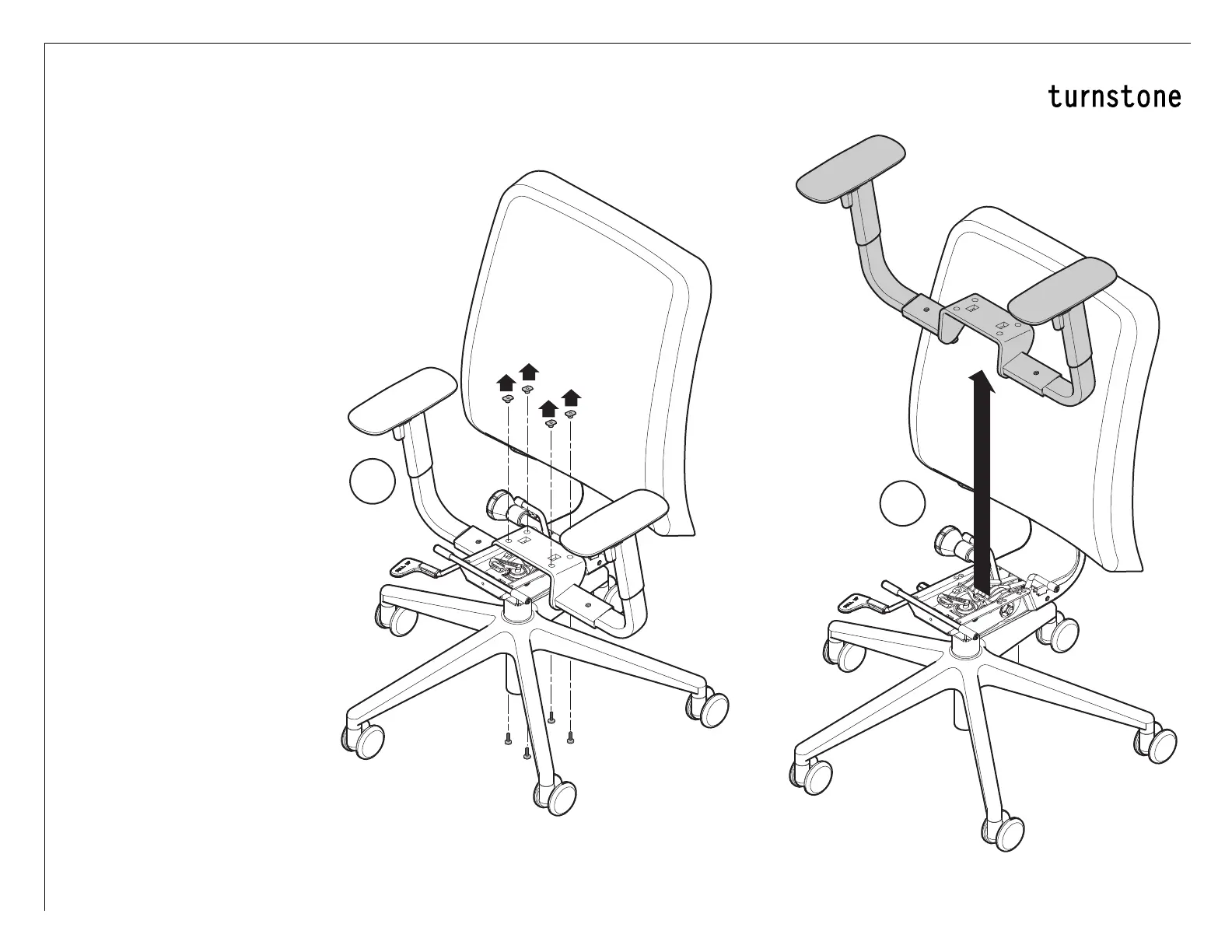
Replacement of Arm
Assembly
1.
Remove seat assembly (see
page 9).
2. Remove the four (4) screws.
(Use a 1/2" wrench to prevent the
T-Nut, if present, from spinning.)
3. Remove old arm assembly.
4. Mount new arm. Attaching
with the screws.
5. Ensure the arm is square with
the back and then tighten the
screws.
6. Reinstall seat assembly (See
page 10).


 To Next Page