11
Go to Table of Contents
A
A
C
C
Required
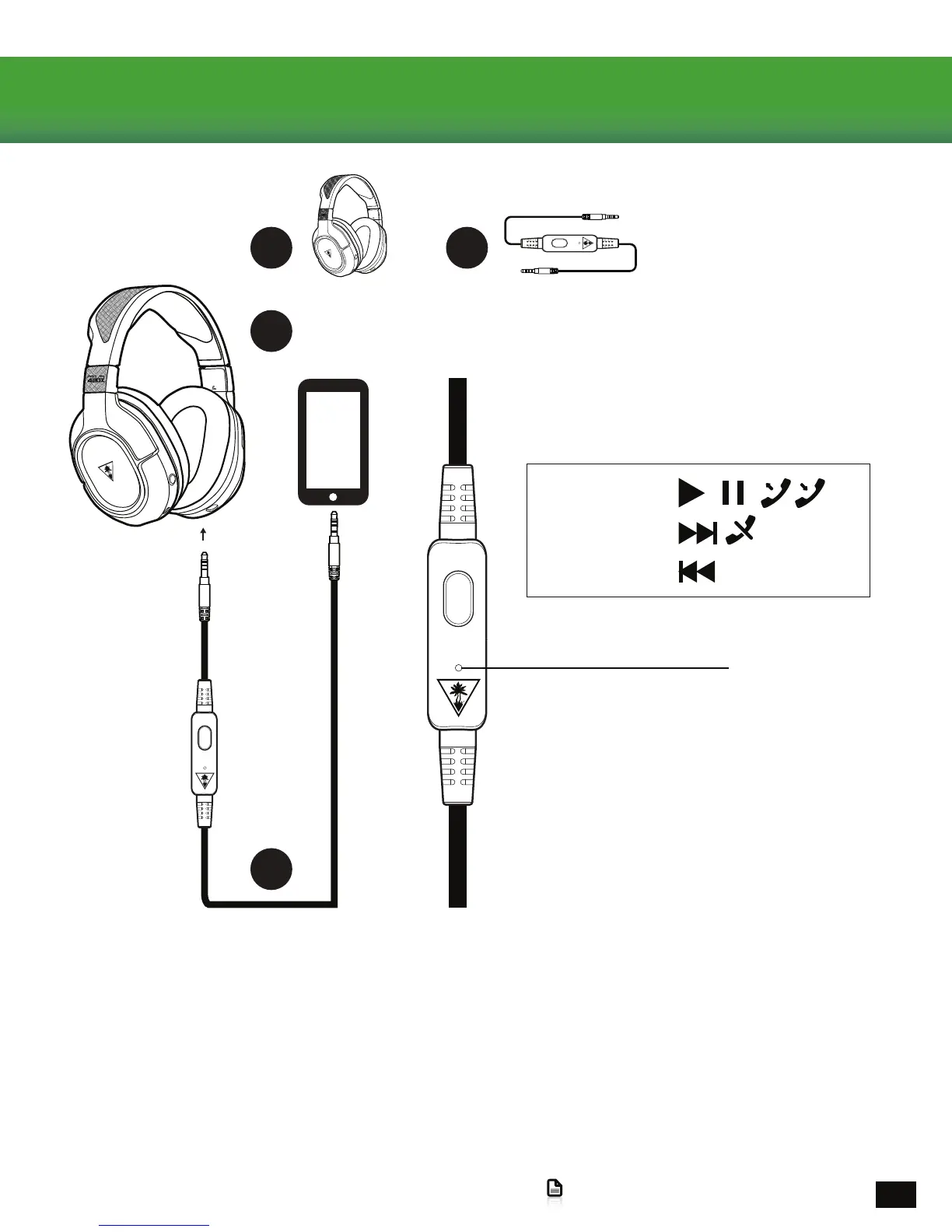
Mobile In-Line Controls
In-Line Microphone
*Functionality may vary by device
Remote Button*
2 Clicks
1 Click
3 Clicks
WhenusingtheMobileCablewithIn-LineMictheBoomMicwillautomaticallynotbeusedfortheMobile
ConnectionandtheIn-LineMicwillnotbeusedfortheXboxOneConnection.Thismeansthatbyusingthe
MuteButtonontheheadsetyoucantakeaprivatephonecallwhilegamingwithoutanyhassle.
Note: WhenusingtheStealth420Xawayfromyourconsole(MobileConnectionOnly)after15minutesyou
may hear a prompt indicating that you must press the Power Button in order to continue use. This is built in for
batteryconservation,justpressthepowerbuttontocontinuelisteningtomusicwithoutinterruption.
Mobile Setup
1.PowerONtheEarForceStealth420XHeadset
2.InserttheMobileCablewithIn-LineMicintotheJackonthebottomoftheRightEarcup.
3. Connect the other end to your preferred mobile device.














 To Next Page