12
Go to Table of Contents
Pairing the Headset and Transmitter
TheStealth420XWirelessTransmittersendsaudioandchatbetweenyourgameconsoleandyour
Headsetviadigitalradiofrequencysignal,soadirectlineofsightisnotrequired.Whentheheadset
andtransmitterarecommunicating,theConnectionStatusLEDontheWirelessTransmitterwillstay
lit.
NOTE: YourStealth420XHeadsetshipsalreadypairedforcommunicationwithyourWireless
Transmitter. In normal operation, it should not be necessary for you to pair the two again. You
should only need to perform pairing yourself in the event that wireless communication fails. First
checkthattheheadsetispoweredonandiswithinrange.IftheConnectionStatusLEDonthe
WirelessTransmitterisstillpulsing,theWirelessTransmittercan’tcommunicatewiththeHeadset.
Perform the following pairing procedure.
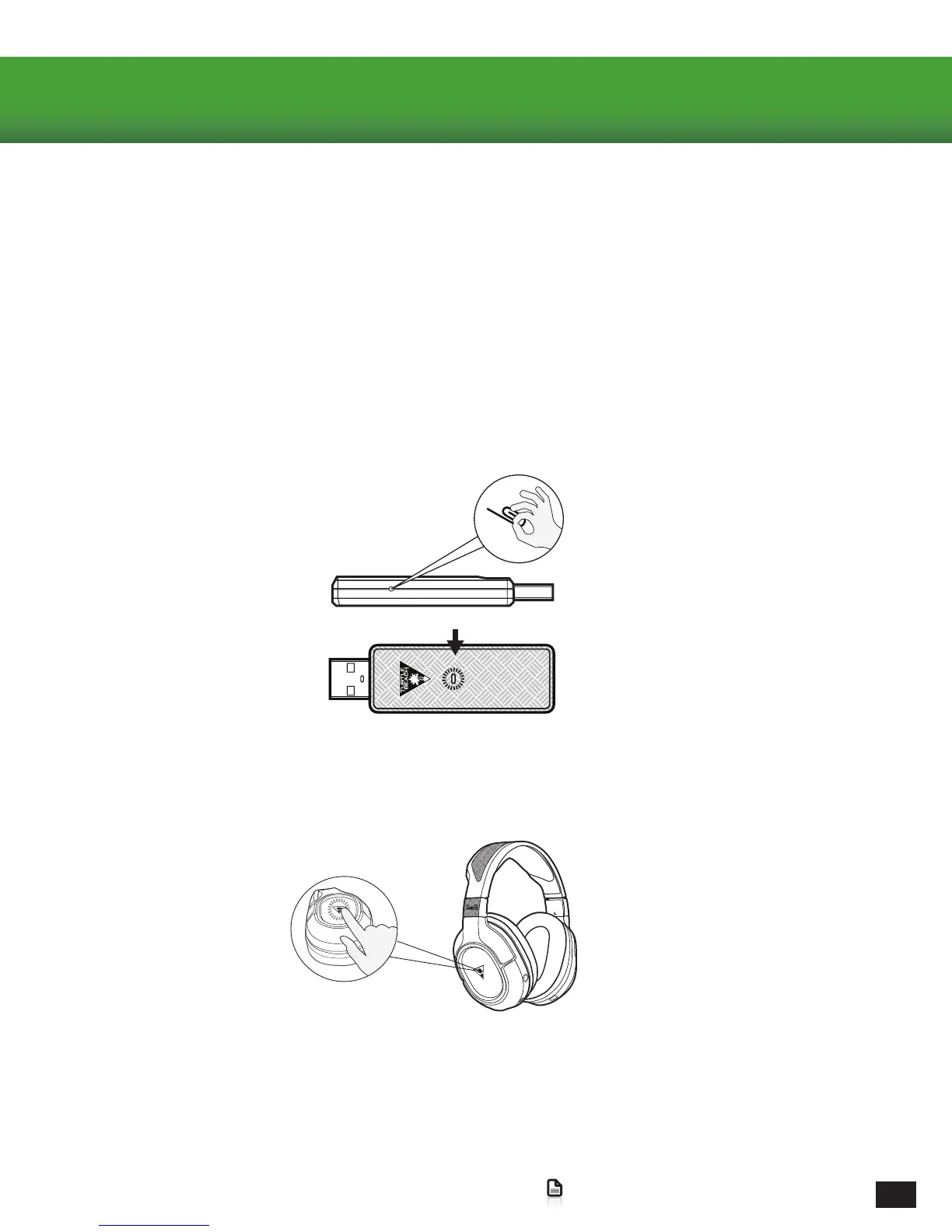
3.PressandholdthePowerButtonontheHeadsetuntiltheheadsetCharge/PairingStatusLEDashesrapidlyand
theHeadsetannounces“Pairing”.
4.WithinafewsecondstheConnectionStatusLEDontheTransmitterandthepowerLEDontheHeadsetwillturn
Solid.TheHeadsetwillalsoannounce“HeadsetPaired”toconrmthatpairingwassuccessful.
2.ThePairButtonontheTransmitterisrecessedinapinholetopreventaccidentaloperation.Insertapaperclip(or
somethingsimilar)intothepinholeuntilthetransmitter’sConnectionStatusLEDashesrapidly.
1.TheHeadsetshouldbepoweredOFF.Ifit’son,pressandholdthePowerButtonontherightEarcupforveseconds
topowerOFF.














 To Next Page