11
Go to Table of Contents
Xbox One™ setup
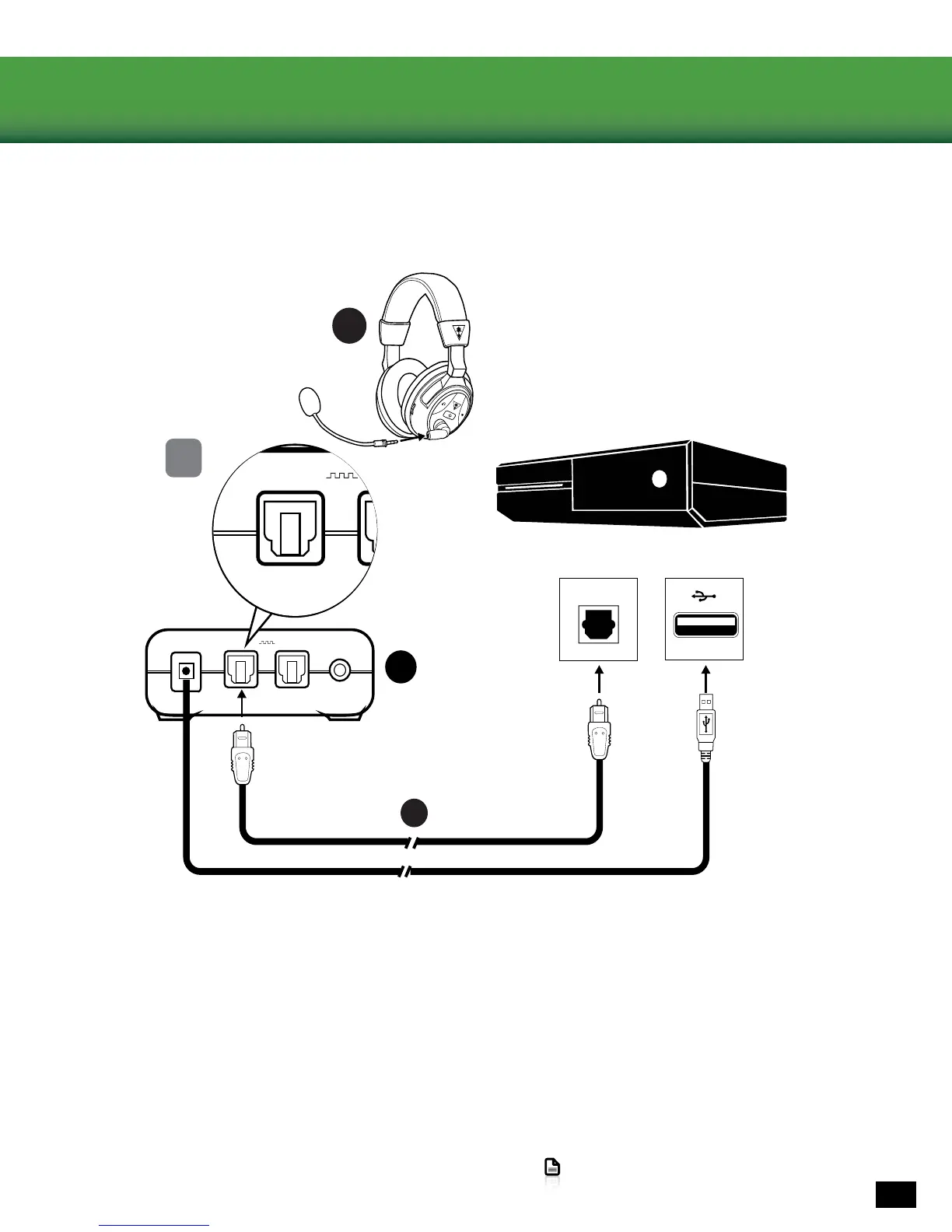
The Ear Force STEALTH 500X Headset is designed for use with the Xbox One console.
1. Insert the Removable Mic Boom into the elbow on the left earcup of the Headset. To ensure that the mic is
alignedproperly,conrmthatthetriangleontheRemovableMicBoompointstowardyourface.
2. Connect the Digital Optical Cable to the Digital Out (Optical) S/PDIF port of the Xbox One console and the Digital
In port on the back of the Wireless Transmitter.
3. Insert the USB plug of the Wireless Transmitter into a USB port on the Xbox One console.
TO CONSOLE IN OUT
DIGITAL
ANALOG
IN
F
1
B
TO CONSOLE IN OUT
DIGITAL
ANALOG
IN















 To Next Page