13
Go to Table of Contents
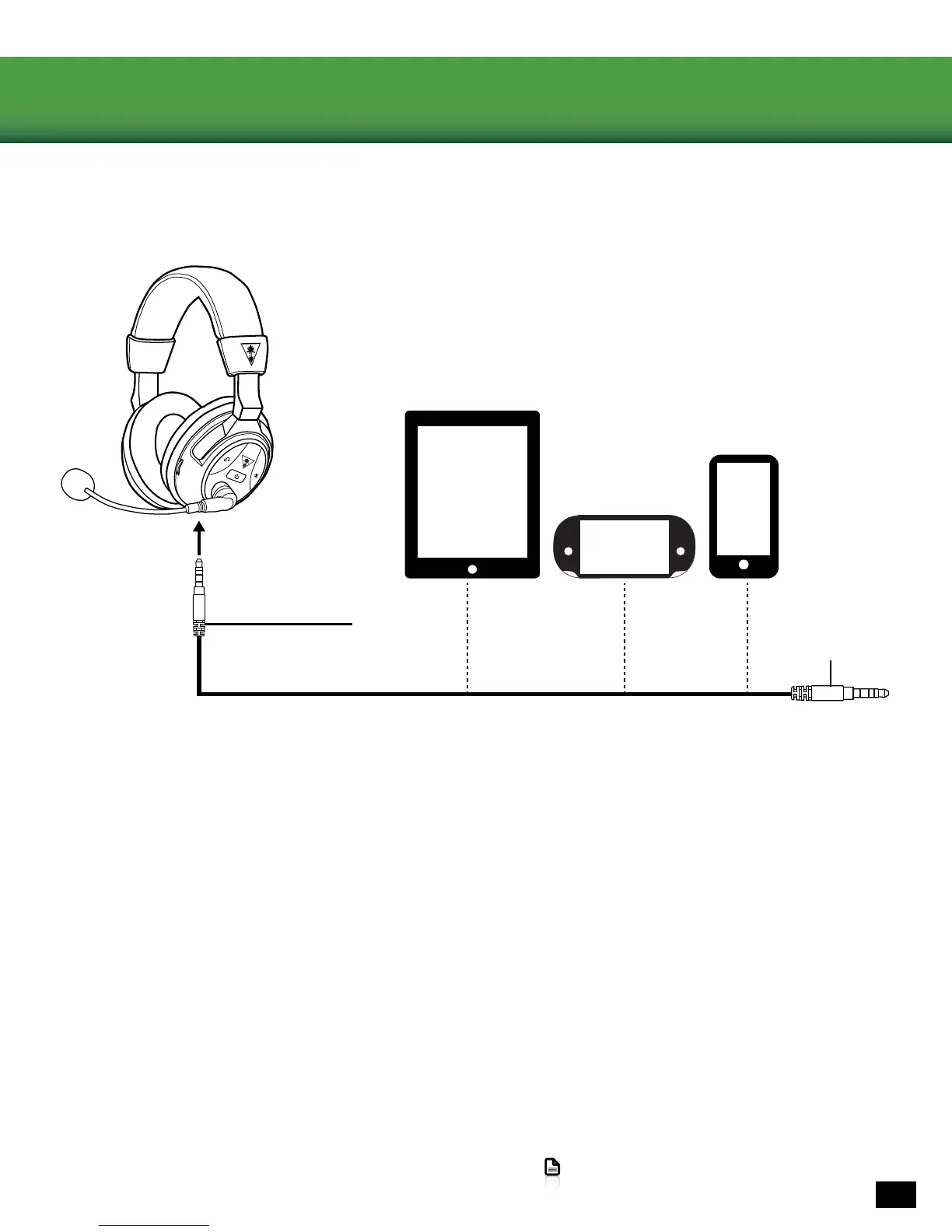
Mobile Setup
1. If you want mobile calls and chat, insert the Removable Mic Boom into the elbow on the left earcup of the Headset.
Toensurethatthemicisalignedproperly,conrmthatthetriangleontheRemovableMicBoompointstoward
your face.
2. Insert the smaller (2.5 mm) end of the Mobile Cable into the Wired Audio Connection on the left earcup of the
Headset.
3. Insert the larger (3.5 mm) end of the Mobile Cable into the headphone output jack of your mobile phone, mobile
game console, tablet or computer.
NOTE: The Headset must be powered on for use, even when you’re connected via the Mobile Cable.
NOTE: Headset sound adjustments - including Game Volume Control, Chat Volume Control, Surround Buttons and
Preset Buttons - are inactive when using the Mobile Cable. These controls will have no effect on the sound.















 To Next Page