15
Using your XP SEVEN on a PC
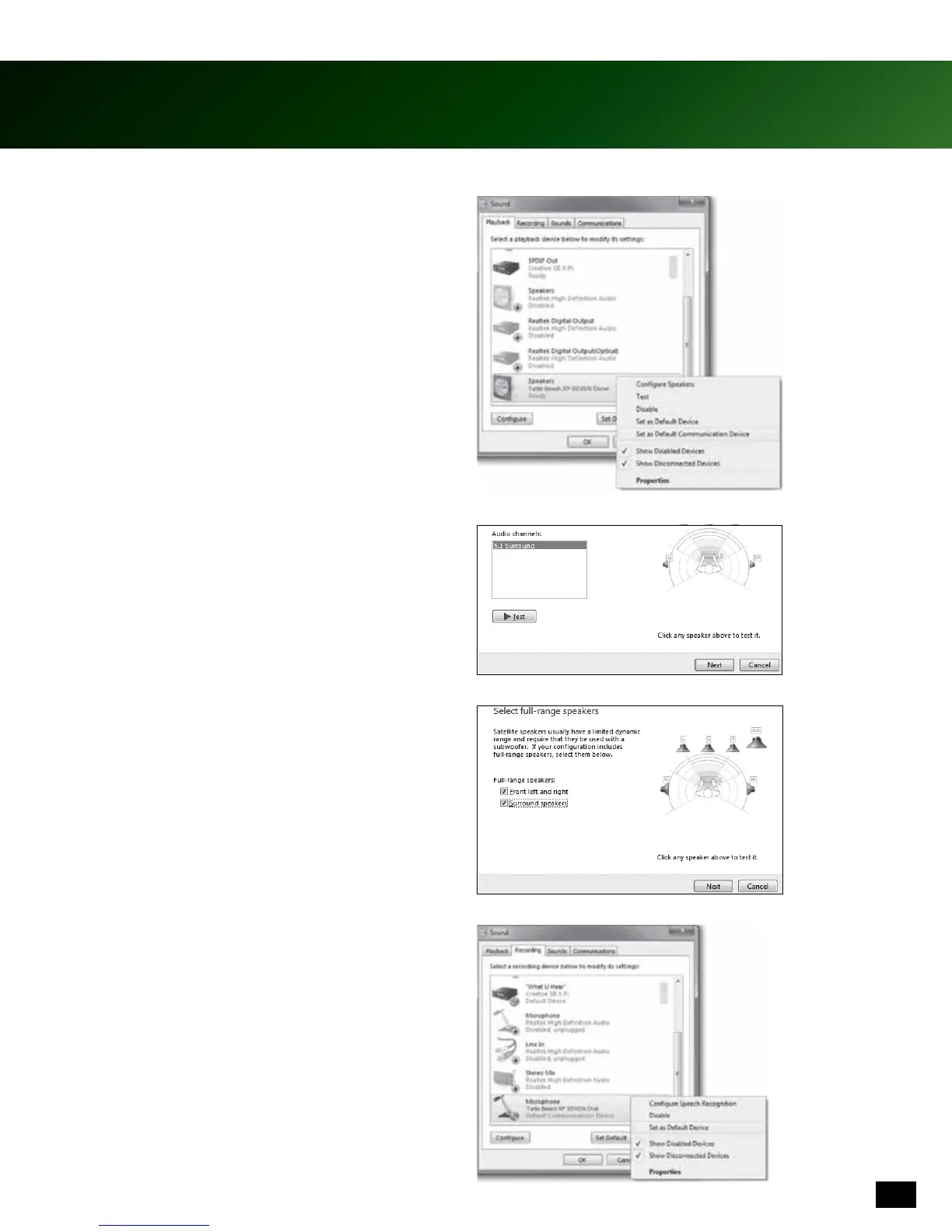
5. Right click on “Turtle Beach XP SEVEN Chat” and
select “Set as Default Communication Device.”
6. Left click “Turtle Beach XP SEVEN Game” and click,
“Congure”toconrm5.1channelaudio.
7. Press “Next” two (2) times to ensure that “Front Left
and Right” and “Surround Speakers” are set to full
range. Then press “Next”againtoconrmsetting.
8. Click on the Recording tab followed by a right click on
“Turtle Beach XP SEVEN Chat” Select “Set as Default
Device.” To test, speak into the microphone and
green bars (on the right) will move.











 To Next Page