14
Using your XP SEVEN on a PC
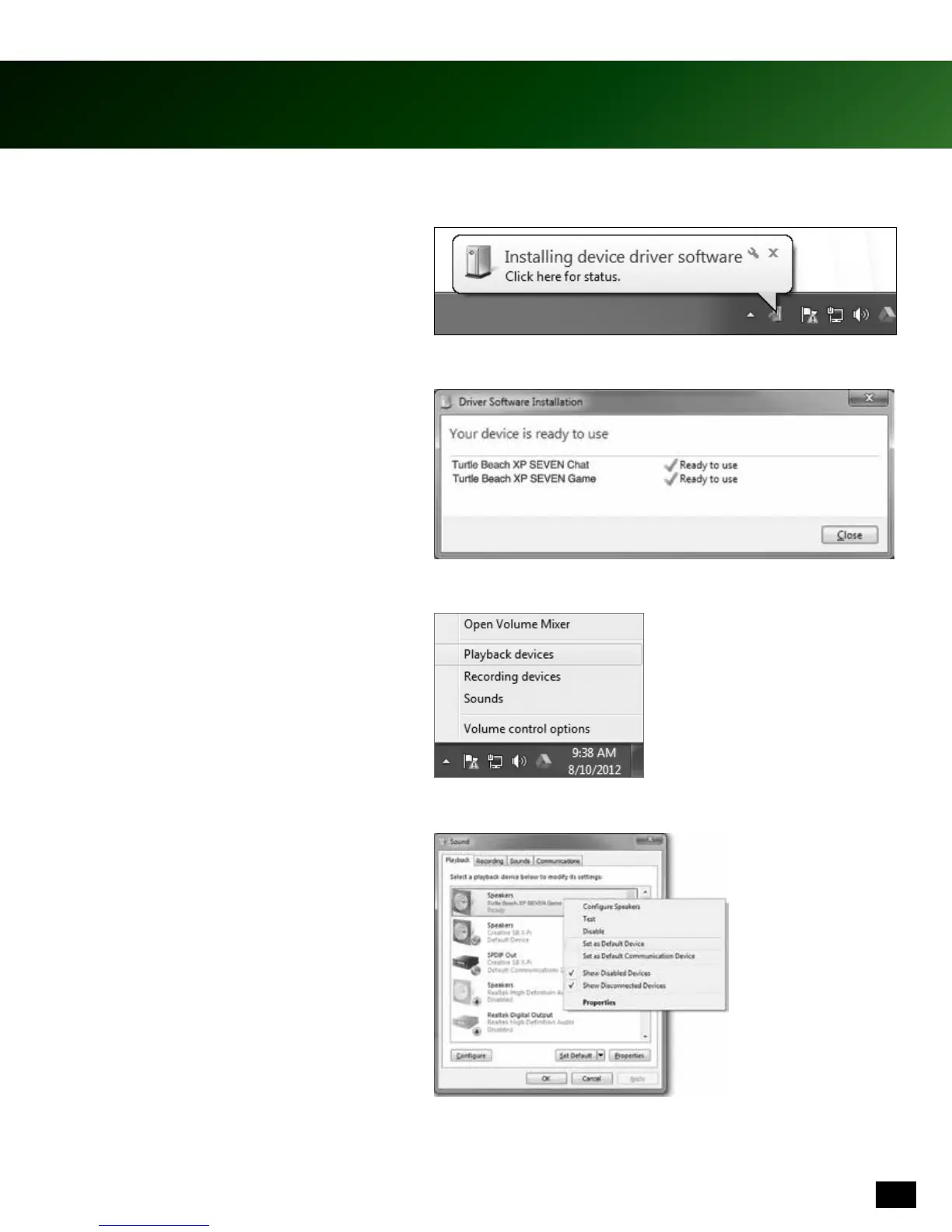
1. Connect the Audio Control Unit to your
PCusingtheUSBCable.Allowve(5)
minutes for Windows to automatically
install drivers.
2. Once Windows successfully installs
the drivers, power the unit OFF, then
power ON again.
3. Using your mouse, right click the speaker
icon on the task bar and select “Playback
Devices.”
4. Then right click on “Turtle Beach XP
SEVEN Game” and select “Set as Default
Device.”
Please note: Depending on your OS Version, the screens may differ but the steps will remain the same.











 To Next Page