18
Speaker Mode
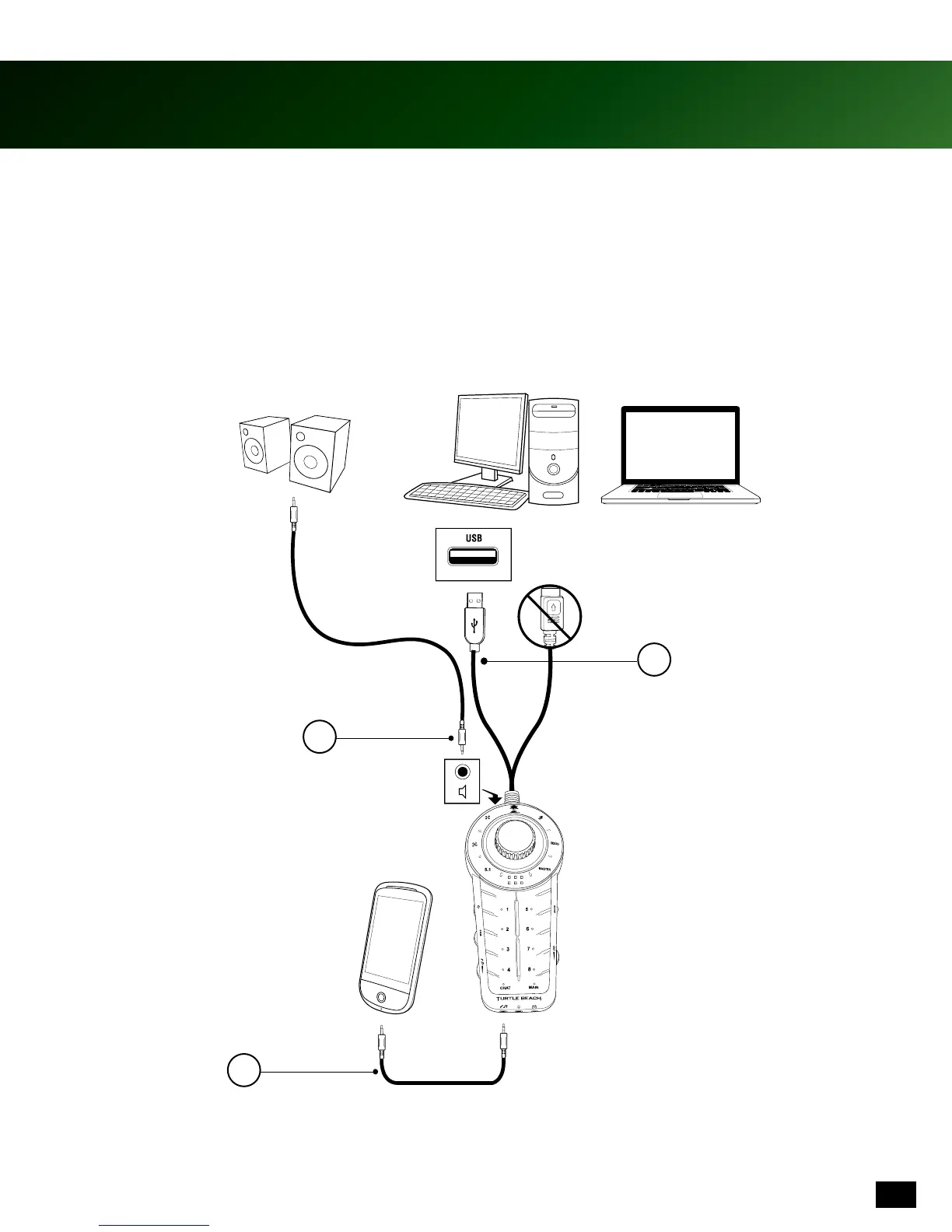
The XP SEVEN Audio Control Unit (ACU) may be connected to a stereo speaker system. Note, the Headphone Jack
is deactivated when in Speaker Mode.
1. Connect the ACU to a digital music player using the included 3.5mm auxiliary cable as shown.
2. Connect desktop speakers (not included) to the Control Unit using the 3.5mm jack.
3. Connect PC to the ACU using USB cable as shown.
4. Press the Mode Button on the ACU and the blue light will indicate that Speaker Mode is active.
1
2
3











 To Next Page