41
8.1 Vehicle Selection
The receiver can store the ID sensors for up to three (3) vehicle and/or trailer combinations. The Vehicle
Selection allows you to view, set, or modify the TPMS parameter settings of a specific vehicle and/or trailer
combination. The receiver defaults to monitor Vehicle Selection “CAR 1”. The first step is to select the
vehicle and/or trailer combination that you would like to program.
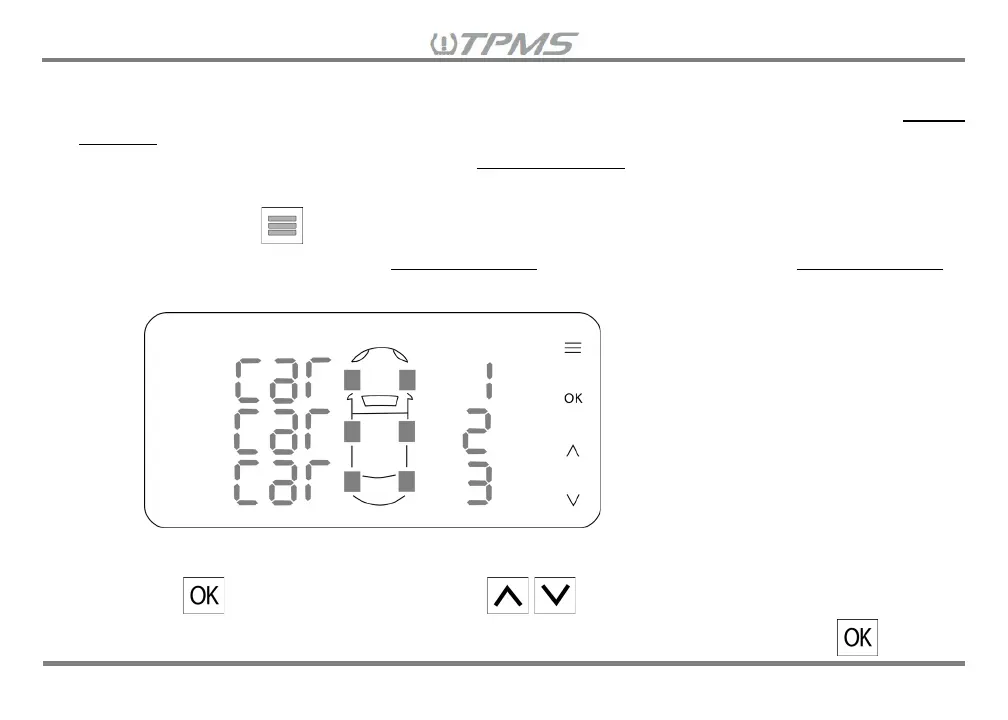
8.1.1 Press and hold for 3 seconds to enter the Settings Mode Menu. The first screen to display in
the Settings Mode Menu is the Vehicle Selection TPMS parameter setting. The Vehicle Selection
will display as shown below list “CAR 1”, “CAR 2” and “CAR 3”.
8.1.2 Press , then “CAR 1” will blink. Press to select the vehicle and/or trailer
combination you would like to program or select to view in Driving Mode, then press to


 To Next Page