42
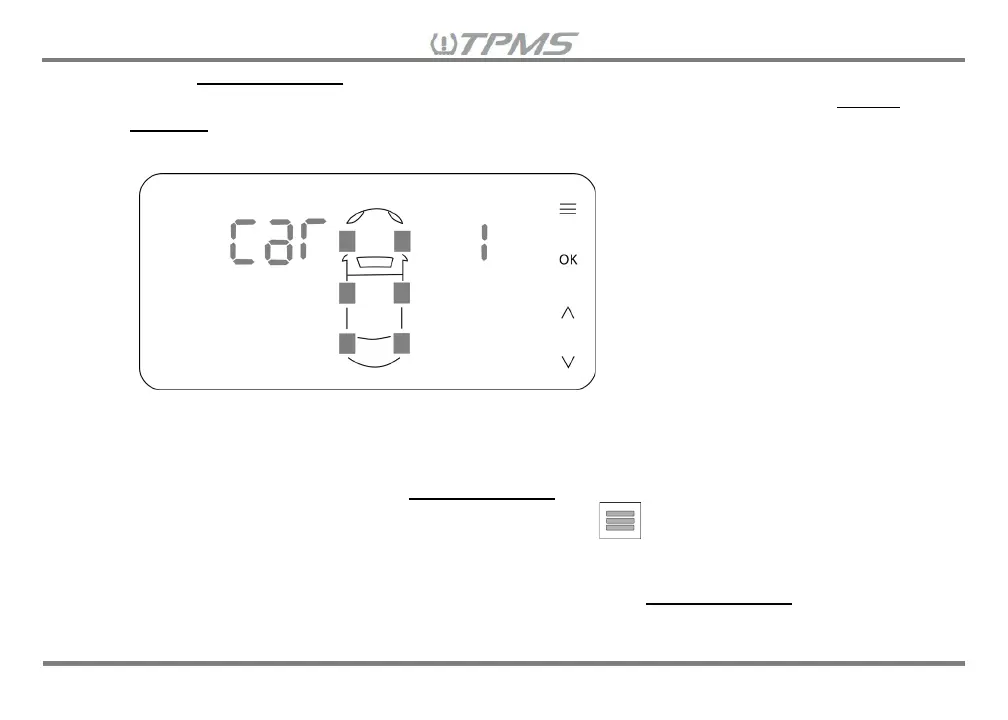
confirm Vehicle Selection and a short beep will sound. The receiver will automatically go to the next
TPMS parameter setting “9.2 Setting the Number of Wheels to Display”. (Note: If no Vehicle
Selection is made within 60 seconds, the receiver will beep for a long tone to warn that the last
setting was not stored in the receiver and the display will return to Driving Mode.)
8.1.3 If this is your first time setting up the TPMS Retrofit kit, you will need to set the TPMS parameter
settings for “CAR 1”, starting with Step 9.2 through 9.4. (Note: Step 9.5 is necessary only when
adding additional sensors NOT included in this TPMS kit or replacing sensors and step 9.6 is for a
tire rotation). If only selecting the Vehicle Selection to monitor in Driving Mode and no other TPMS
parameter settings need to be modified, press and hold for 3 seconds to return to the Driving
Mode Menu.
8.1.4 When “CAR 1” settings are complete, you can go back to the Vehicle Selection to repeat setting
procedures 9.1.2 and 9.1.3 for “CAR 2” and “CAR 3”.


 To Next Page