V1.4 17 of 22 04/01/2009
Changing Rotation
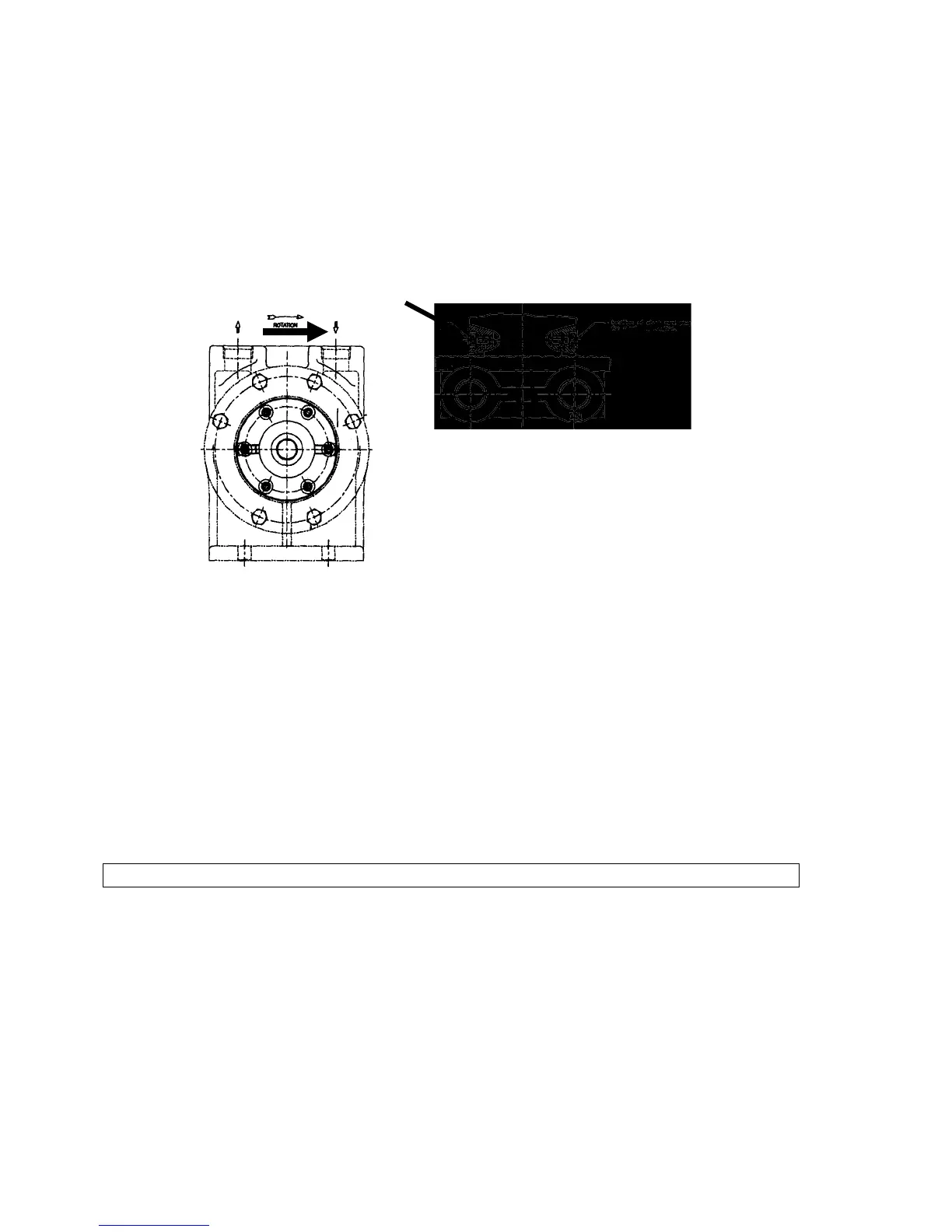
Looking at the pump from the shaft end with the ports up, locate the short vent plug
(painted red). This is the suction (inlet) side of the pump. If on the right, rotation is
clockwise; if on the left, counterclockwise. On the opposite side is a long vent plug.
Remove both plugs and interchange locations.
If outfitted with an internal relief valve (model CK1BV), the rotation cannot be changed in
the field unless the cover/valve assembly is also replaced.
To change the location of the suction port on pumps supplied with Tuthill's unique
automatic reversing feature (model RCK1B), the following must be done in addition to the
steps above:
• Remove the cover screws.
• Rotate the cover 180° so that the boss on the cover points to the new suction
(inlet) port.
• Align the mounting holes and reinstall the cover screws.
Model CC
Disassembly and Seal Replacement
• Remove the internal relief valve and gasket assembly (if so equipped) by
loosening the four screws holding it to the pump housing.
• Disconnect the pump from the motor by removing the four screws holding them
together. Using three of these screws as jackscrews in the threaded holes
provided on the pump flange, pull the pump from the motor. Save the key from
the motor shaft.
• Mark the position of the cover in relation to the housing.
• Remove the cover screws, cover and idler.
Top View
Rotation
Location of short vent plug for
clockwise rotation
Location of short vent plug for
counter clockwise rotation
Model CK1B




 To Next Page