EasyManua.ls Logo

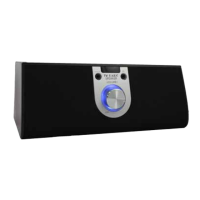
TV Ears Wireless Speaker - User Manual

TV Ears Wireless Speaker
116 pages
Print Icon
To Next Page IconTo Next Page
Loading...
Dolphin
6500 Mobile Computer
with Windows
®
Embedded Handheld 6.5
User’s Guide

Table of Contents

Questions and Answers

Summary

Agency Approvals

Safety & RF Approvals by Country

Lists safety and RF approvals for the Dolphin 6500 by country.

Dolphin RF Terminal-802.11 b;g and;or Bluetooth

Provides compliance statement for 802.11b/g and Bluetooth radio.

Terminal Hardware Overview

Standard Terminal Configurations

Details standard hardware configurations for Dolphin 6500 terminals.

Battery Power

Provides information on the terminal's battery types and power management.

Managing Main Battery Power

Offers tips for managing main battery power to prevent data loss.

Resetting the Terminal

Explains how to perform soft and hard resets on the terminal.

Suspend Mode

Details how to put the terminal into and wake it from Suspend Mode.

Dolphin 6500 Technical Specifications

Lists the technical specifications of the Dolphin 6500 mobile computer.

Using the Image Engine

Decoding

Details the two types of image decoding supported: Full-area and ALD.

Capturing Images (5300 Engine only)

Guides on how to capture digital images using the 5300SR engine.

Using the Laser Engine

Supported Bar Code Symbologies

Lists the popular 1D bar code symbologies read by the laser engine.

Activating the Engine

Explains how to activate the laser engine for scanning bar codes.

Decoding a Bar Code

Provides steps to decode a bar code using the laser engine.

System Settings

Bluetooth

Configures the Bluetooth radio settings on the terminal.

Clock & Alarms

Sets the system clock, date, time, and schedules alarms.

Lock

Protects the terminal with a password to limit access.

Sounds & Notifications

Sets sound volumes and system notification parameters.

Connections

Establishes network connection settings for wireless communication.

Personal

Customizes buttons and sets SIP options.

System

Adjusts general system settings and parameters.

Communication

Connecting the Dolphin 6500-USB Communication Cable

Guides on connecting the terminal to a host workstation via USB.

Connections Menu

Provides access to the terminal's various wireless communication options.

Connections Manager

Sets up network connections to ISPs and work networks.

Dolphin Wireless Manager

Manages and enables/disables on-board radios like WLAN and Bluetooth.

Connecting and Synchronizing the Terminal and Workstation

Details syncing data between the terminal and a workstation using ActiveSync.

Installing Additional Software

Guides on installing new software programs onto the terminal.

Adding Programs Using ActiveSync or Windows Mobile Device Center

Steps for installing software via ActiveSync or WMDC.

Adding Programs Using the Internet

Instructions for downloading and installing software from the internet.

Working with the Bluetooth Radio

Enabling the Bluetooth Radio

Guides on how to enable the Bluetooth radio on the Dolphin terminal.

Dolphin QuadCharger Device

Technical Specifications

Lists the technical specifications for the Dolphin QuadCharger device.

Dolphin 6500 Slide-On Handle

Overview

Introduces the optional slide-on handle for enhanced scanning.

Customer Support

Technical Assistance

Provides contact methods for technical support and troubleshooting.

Product Service and Repair

Guides on obtaining service and repair for Honeywell products.

Limited Warranty

Details the terms and conditions of the limited warranty for products.

Limited Warranty Duration

Specifies the duration of the limited warranty for various product components.

TV Ears Wireless Speaker Specifications

General IconGeneral
TypeWireless Speaker
CategoryDocking Speakers
ConnectivityWireless
Power SourceBattery
UsageTV Audio Enhancement