7 - 2
Clock & Alarms
The Clock & Alarms settings can be accessed from the Home screen or the Settings Menu.
1. On the Home screen, tap the line that displays the time and date
OR
Tap > Settings > Clock & Alarms,
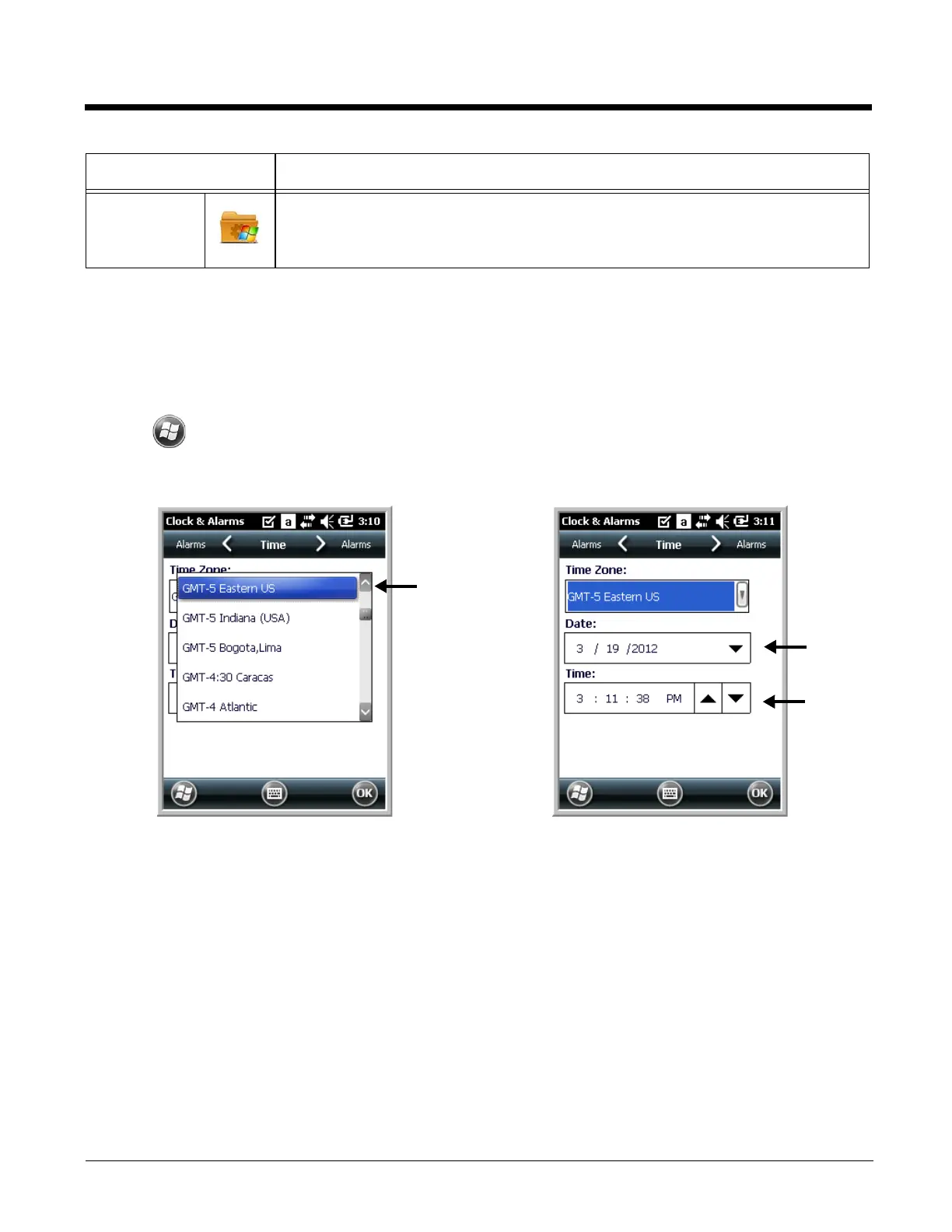
2. The Clock Settings screen appears. This setting sets the system clock. All scheduled items run
according to this setting.
Tap the arrow to the right of the time zone to open the drop down menu. Select the appropriate time
zone from the menu. Set the correct time and date in the remaining fields and tap OK to save.
System Adjusts system settings. See System Menu on page 7-6.
Icon Description


 To Next Page