7 - 3
Personal Menu
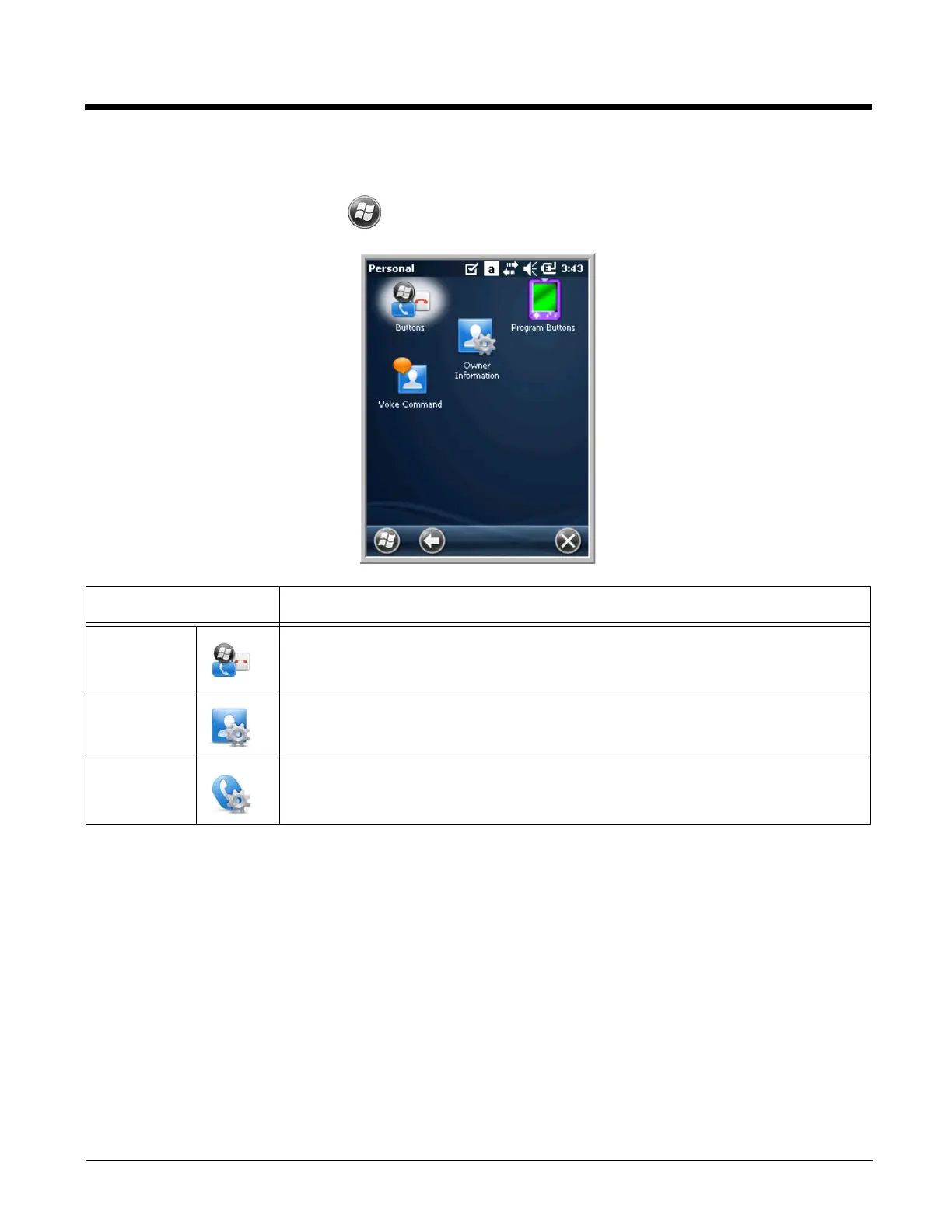
To access the Personal Menu, tap > Settings > Personal. The screen opens displaying the Per-
sonal Menu.
Buttons
The Buttons setting programs certain keyboard buttons to launch applications or execute commands.
Icon Description
Buttons Program the side buttons to perform specific tasks. See Buttons on page 7-3.
Owner
Information
Enter your contact information (e.g., name, company, address, telephone number
and E-mail address).
Voice
Command
Tap this icon to set up items that are voice enabled.


 To Next Page