8 - 1
8
Communication
Connecting the Dolphin 6500-USB Communication Cable
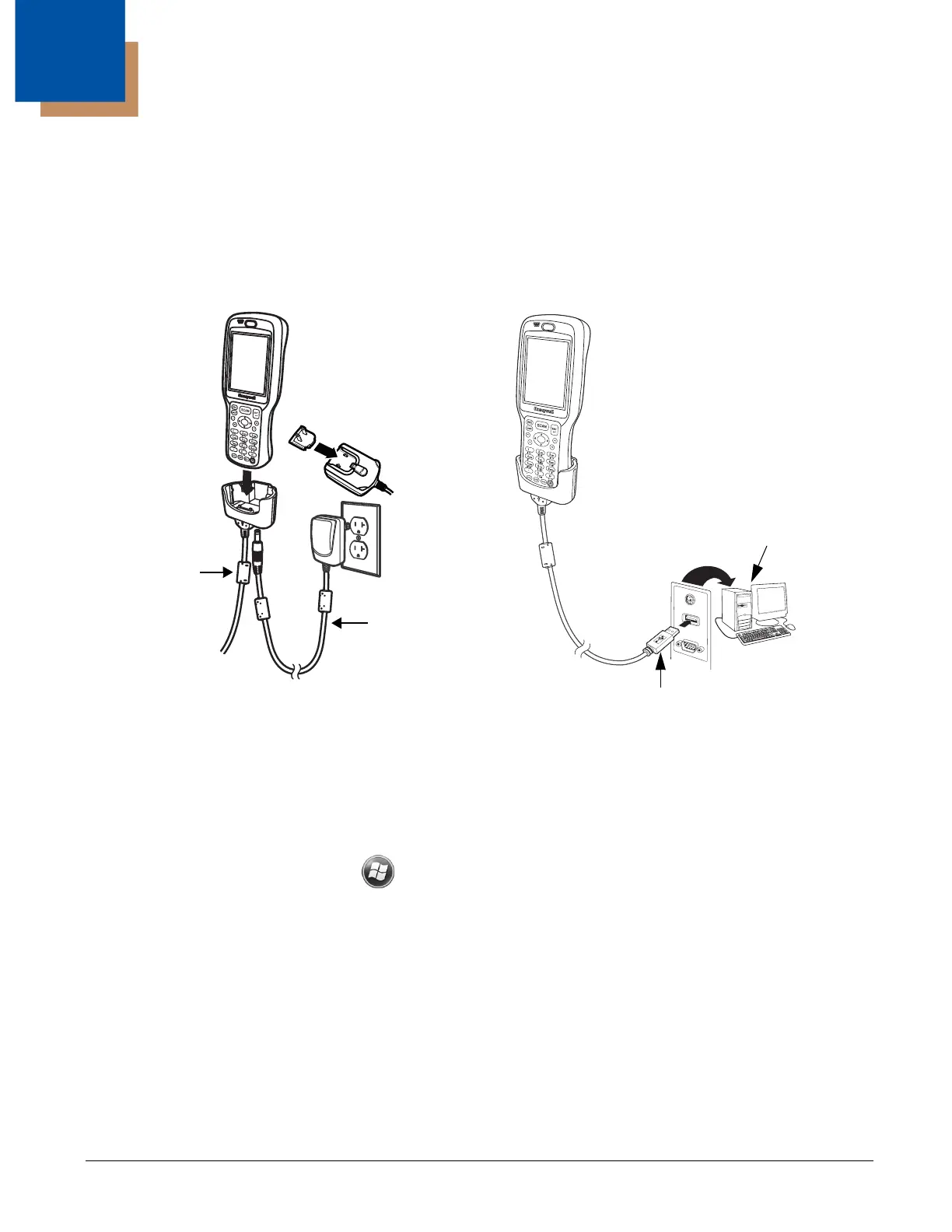
To facilitate USB communication between the Dolphin terminal and the host workstation, you may
connect your unit to a host by using either the supplied power cable or by using the optional Dolphin 6500-
USB Communication Cable. If you use the Communication Cable, slide the cable unit onto the bottom of
the terminal lining up the terminal’s I/O connector with the cable unit’s connector.
Charging Terminal with USB Cable
Not only can you communicate between the terminal and the host using the Dolphin Charging/
Communication cable, but you can also trickle charge the terminal. The preferred charging method,
however, is using the supplied power cord and plugging the unit into the wall. To charge the main battery
using the USB cable:
1. Disconnect the cable and select > Settings > System > Power > USB Charging. The default
setting is Off.
USB Cable
Host
Workstation
USB Connector
Power Cable


 To Next Page