7 - 5
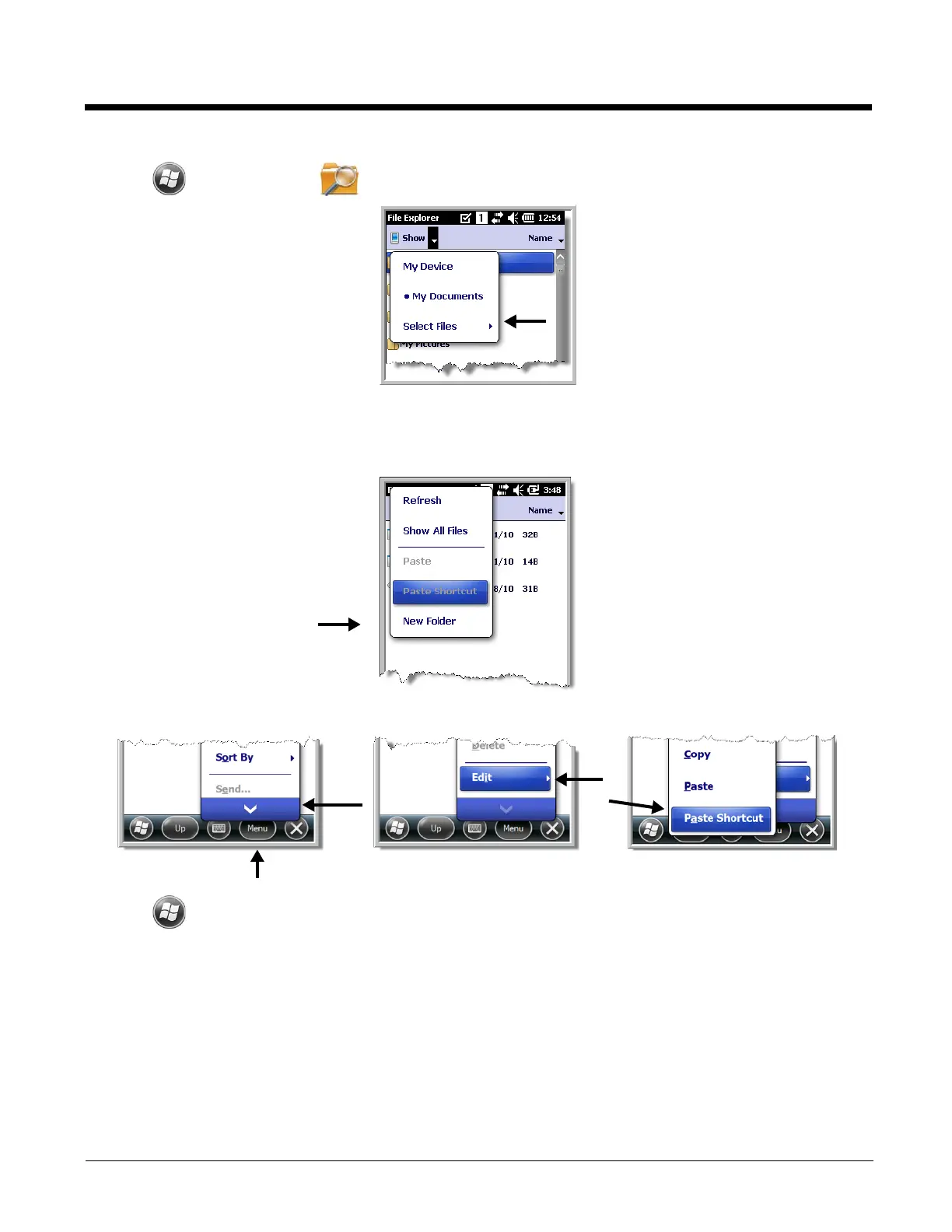
1. Tap > File Explorer , and navigate to the program (My Device > Program Files).
2. Tap and hold on the program, then tap Copy on the pop-up menu.
3. Navigate to the Windows folder and open the Start Menu (My Device > Windows > Start Menu >
Programs), tap and hold a blank area of the window, and tap Paste Shortcut on the pop-up menu.
Note: If there is no blank space available in the window, tap on
Menu
>
Edit
>
Paste Shortcut
.
4. Tap to verify that the program now appears on the Start menu.


 To Next Page