Handheld Laser Barcode Scanner - BS-L100 Plus
12
Special Button Accordingly Code Table (Standard Characters by
ASCII)
:
F1 = 0x80; F2 = 0x81; F3 = 0x82; F4 = 0x83; F5 = 0x84;
F6 = 0x85; F7 = 0x86; F8 = 0x87; F9 = 0x88; F10 = 0x89;
F11 = 0x8A; F12 = 0x8B;
Insert = 0x8C; Home = 0x8D; Page up = 0x8E;
Delete = 0x8F; End = 0x90; Page down = 0x91;
Right = 0x92; Left = 0x93; Down = 0x94;
Up = 0x95;
The specified CODE93 add prefix STX
,
according to STX ASCII: 0x02
,
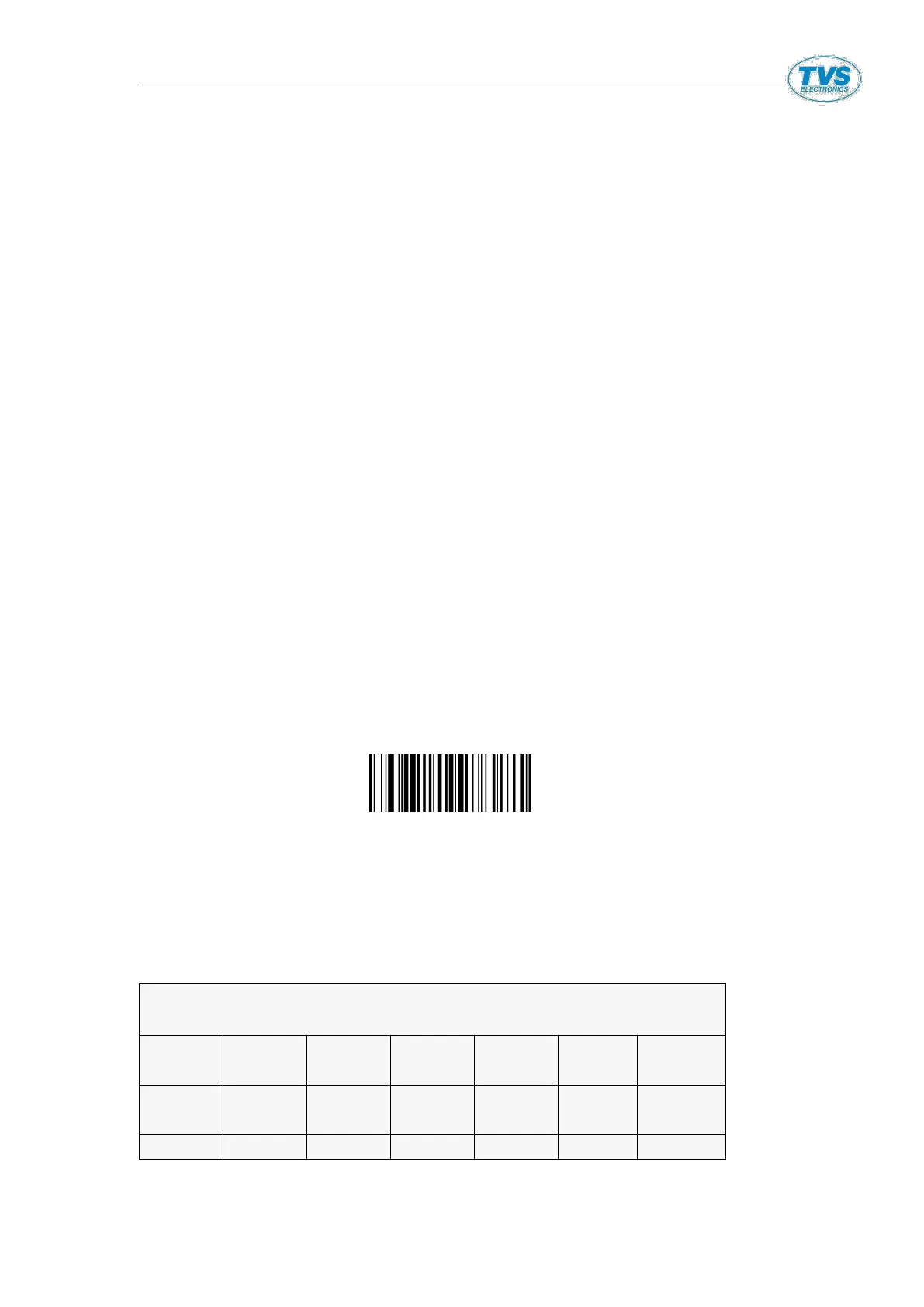
Setup code Contents:
Number 1
:
ASCII = [F3]‘0’‘2’‘1’‘6’‘I’ [STX]
Binary System = [F3] + 0x30 + 0x32 + 0x31 + 0x37 + 0x49 + 0x02
Setup code Pic
Number 2
:
ASCII = [F3] + ‘0’ + ‘2’ + ‘1’ + ‘6’ + ‘0’ + ‘9’ + ‘0’ + ‘2’
For example CODE93 add Home prefix
:
ASCII = [F3] + ‘0’ + ‘2’ + ‘1’ + ‘6’ + ‘0’ + ‘9’ + ‘8’ + ‘D’
(Note: code93 >
,
home Value:0x8D)


 To Next Page