Power switch
Press this button to turn the power on or off.
Maintenance cover
Not applicable for this product.
CAUTION
Do not open the maintenance cover.
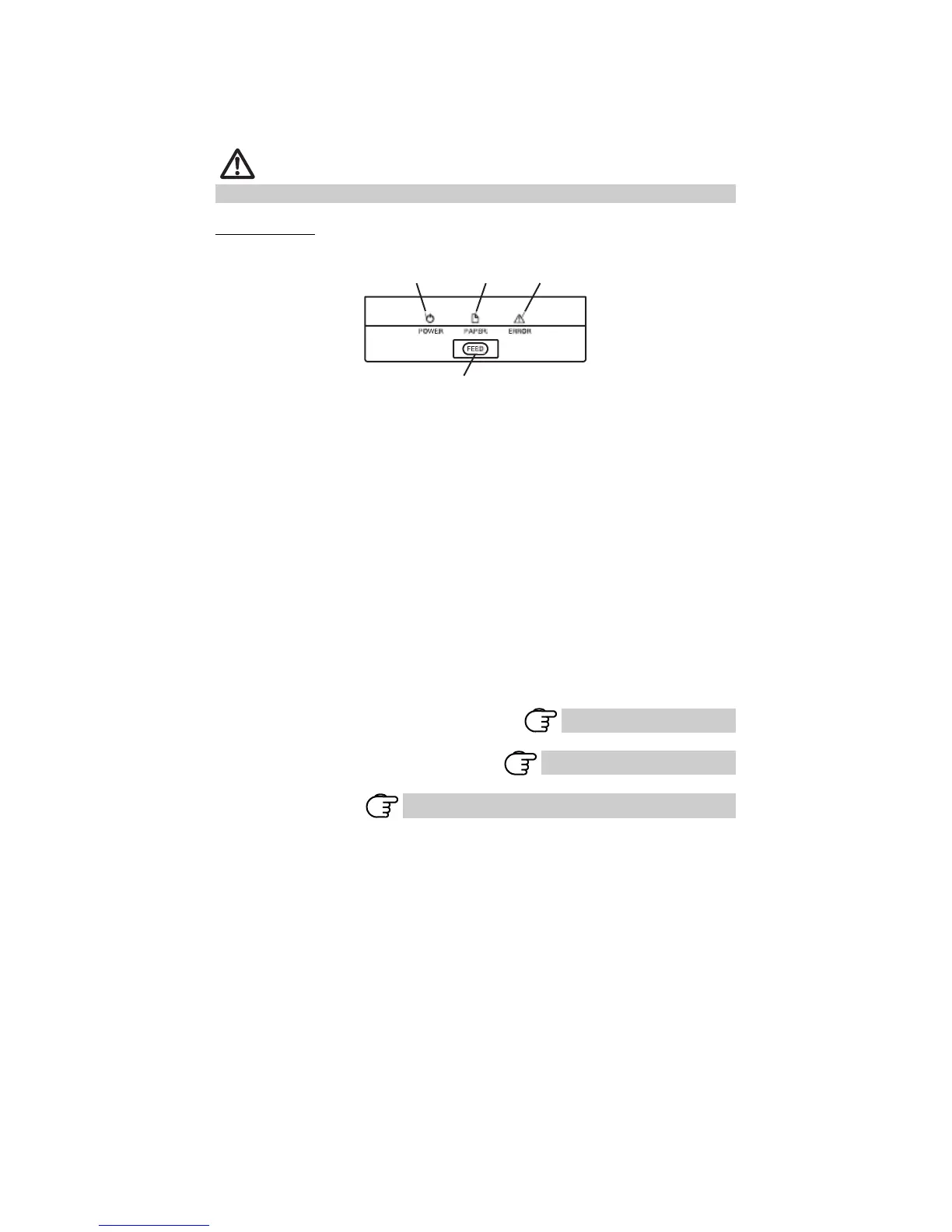
Operation panel
POWER LED (green)
PAPER LED
(orange)
ERROR LED (red)
FEED button
POWER LED (green)
Lights when the power is on, turns off when the power is off.
Flashes when data is incoming or a memory error has occurred.
PAPER LED (orange)
Lights orange when paper is low (paper near-end) or there is no paper (paper
end).
ERROR LED (red)
Flashes if the print head is hot, the paper cover is open, a cutter lock occurs,
and so forth.
FEED button
Press this button to feed paper.
In case of a cutter lock, remove the cause of the lock, close the paper cover,
and then press the FEED button.
The printer enters the mode for setting memory switches and running self-
printing.
Refer to 4.4 Self-printing
Refer to 4.6 Error Messages
Refer to 5.3 Manual Setting of Memory Switches
— 12 —



 To Next Page