Signal
Pin
FG 1
TXD 2
RXD 3
CTS 5
DSR 6
SG 7
DTR 20
Pin
Signal
1 FG
Signal
Pin
FG 1
TXD 2
RXD 3
CTS 5
DSR 6
3.6 Setting the DIP Switch on the Serial
Interface Board
1.
2.
3.
4.
Turn off the printer and unplug the power cord from the electric outlet.
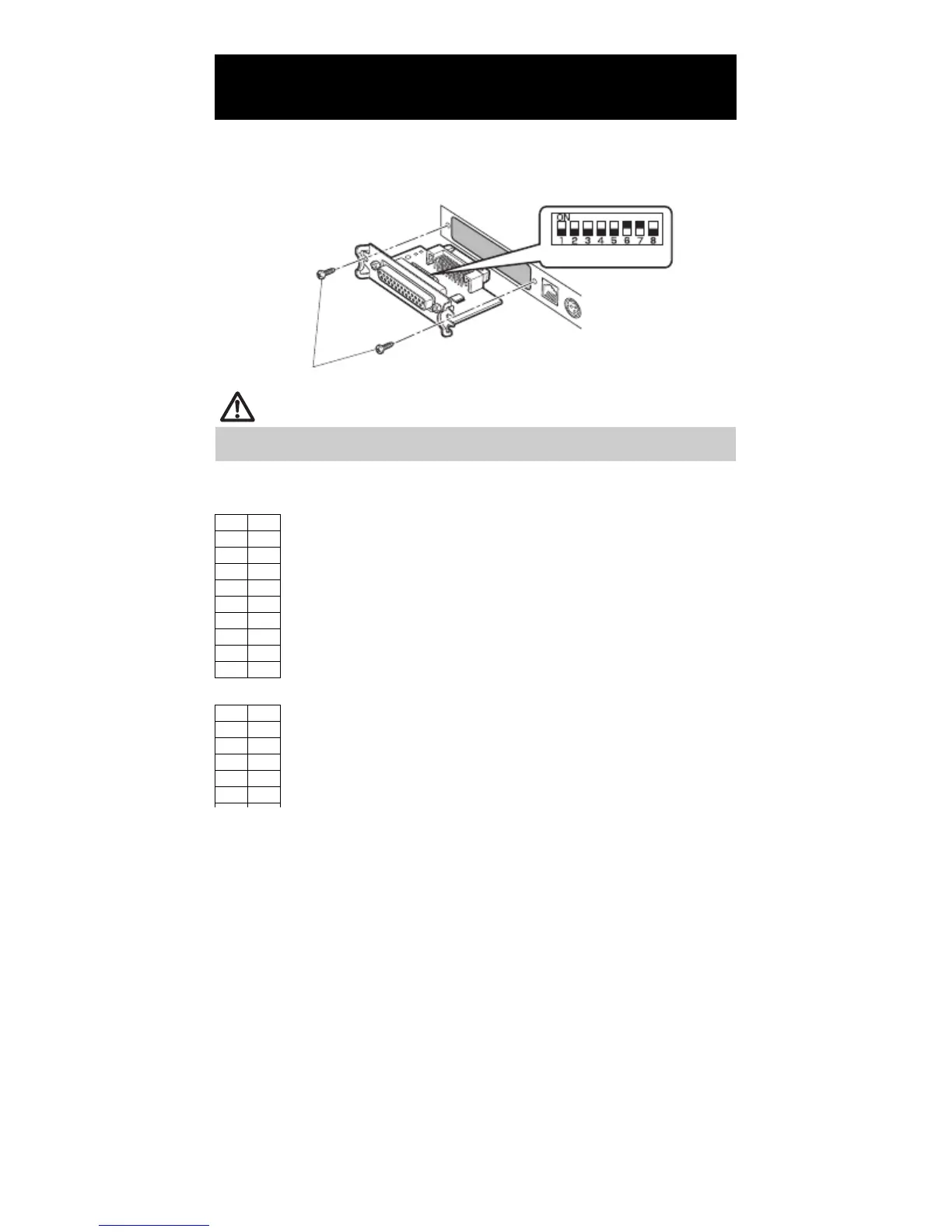
Remove the mounting screws of the serial interface board.
Remove the serial interface board from the printer.
Set the DIP switch according to the following table.
DIP switch
Serial interface board mounting screws
CAUTION
When setting the DIP switch, do not remove any screws except the serial interface board
mounting screws.
The function of each switch is shown below. (Shaded values are factory
settings. However, factory settings differ depending on the destination market.)
Baud rate selection
When switch no. 1 is set to OFF, you can use a command or a memory switch
to select 1200, 38400, 57600, or 115200 bps.
— 22 —



 To Next Page