3.5 Partition for Paper Roll
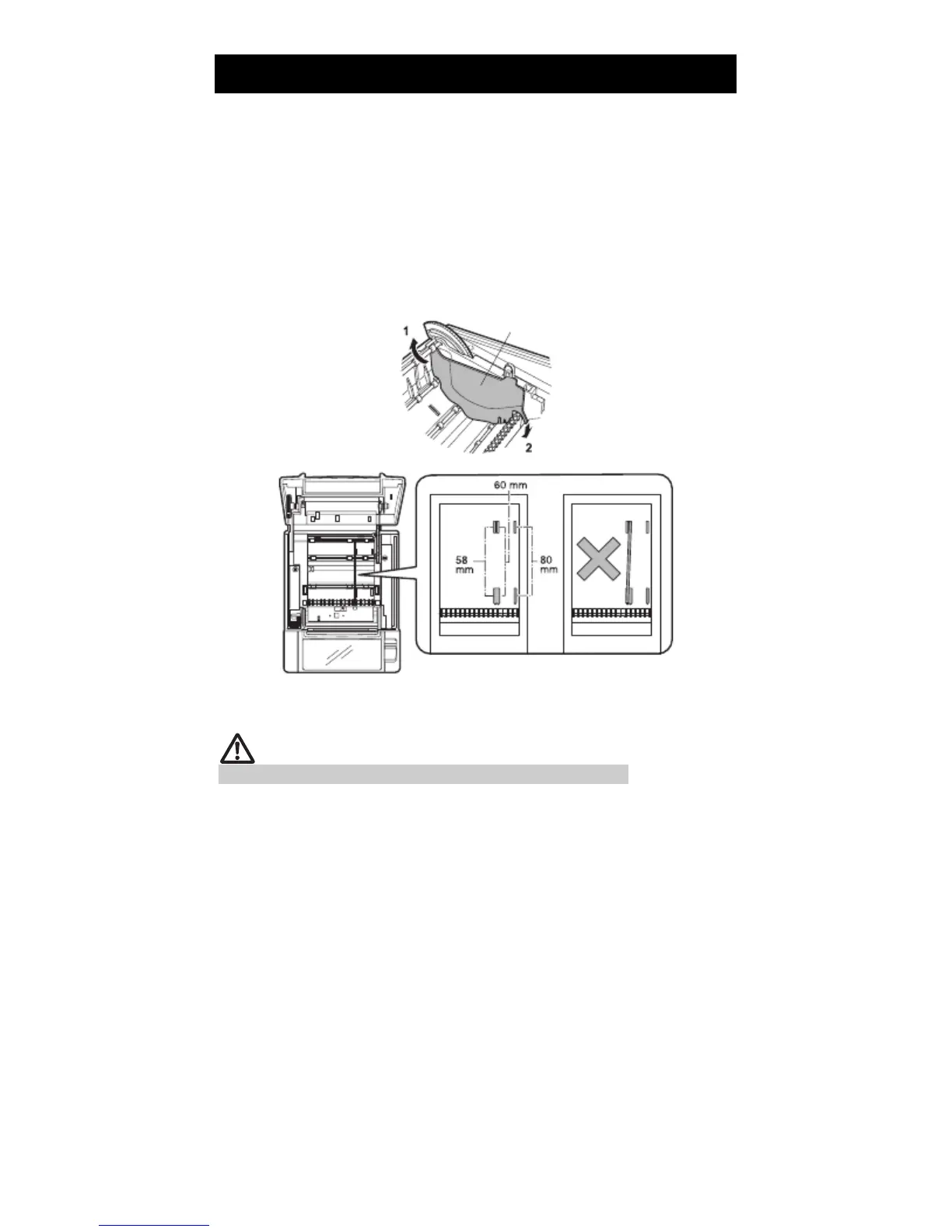
Set the partition to the width of the paper roll you are loading.
The partition is set at the factory to the position shown below.
For 3-inch type: 80-mm wide paper roll
For 2-inch type: 58-mm wide paper roll
1.
2.
3.
4.
5.
Turn off the power.
Press the cover open lever.
Open the paper cover.
Set the partition in a slot that matches the size of the paper roll you are using.
However, to use an 83-mm wide paper roll, remove the partition.
Refer to “ 5.3 Manual Setting of Memory Switches” to change the paper width
settings.
Partition
*1
*1
*2
Notes:
*1: 2-inch type (58/60 mm)
*2: 3-inch type (80/83 mm)
CAUTION
Make sure the partition is not slanted when setting it for 58-mm or 60-mm paper rolls.
— 21 —



 To Next Page