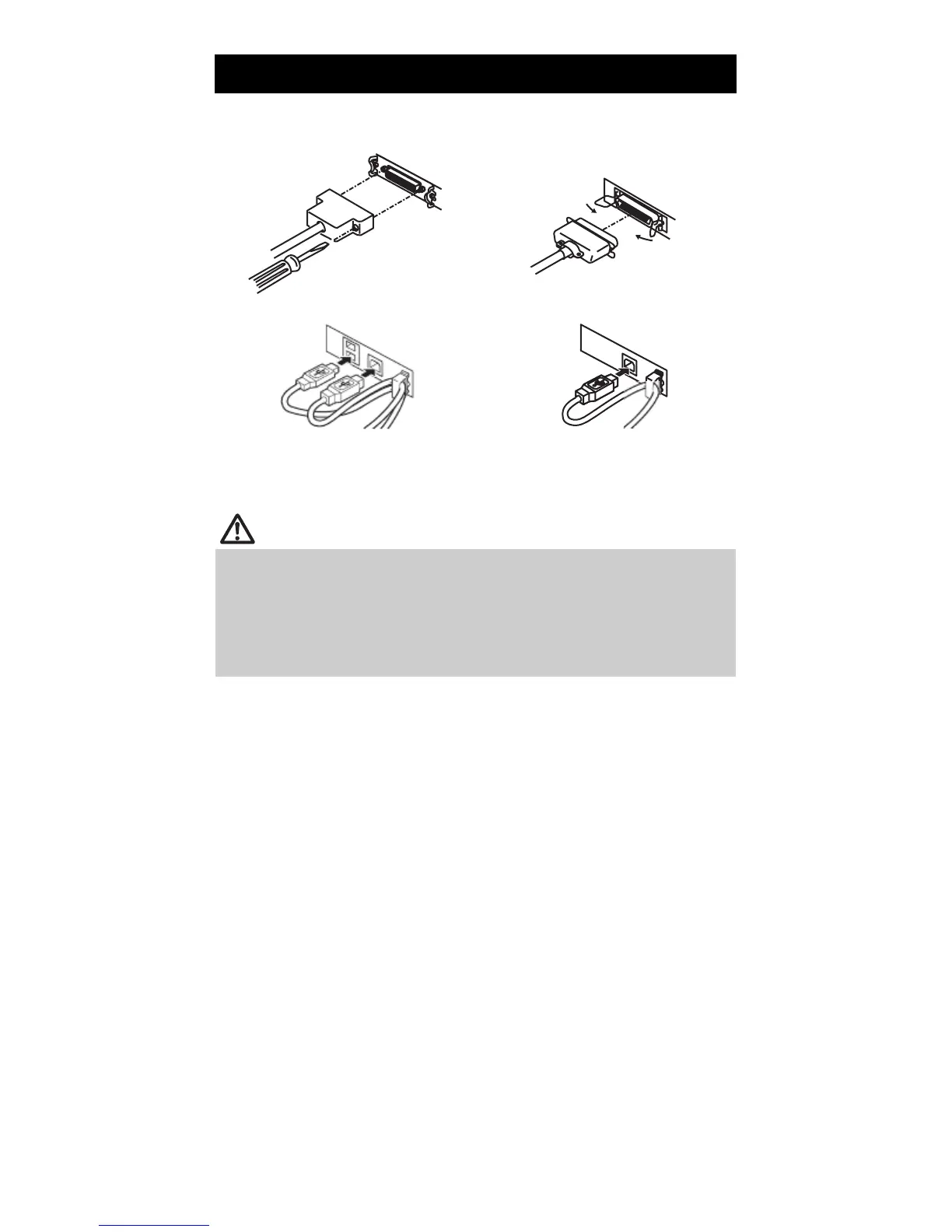
3.2 Connecting Interface Cables
1.
2.
Turn off the power.
Orient the interface cable correctly and insert it into the interface connector.
Serial interface
USB interface (hub type)
Parallel interface
USB interface
Serial , Ethernet , USB interface [hub type] and Powered USB interfaces are available as
options in addition to those listed here.
CAUTION
Always unplug the AC adapter from the printer before connecting the printer to a
Powered USB interface. Failure to do so may damage the host PC.
When disconnecting the cable, always hold the connector.
Be careful not to insert the USB interface cable into the cash drawer kick-out
connector.
To connect more than one printer to a single computer via a USB interface you must
change the serial number of the USB interface.
— 17 —



 To Next Page