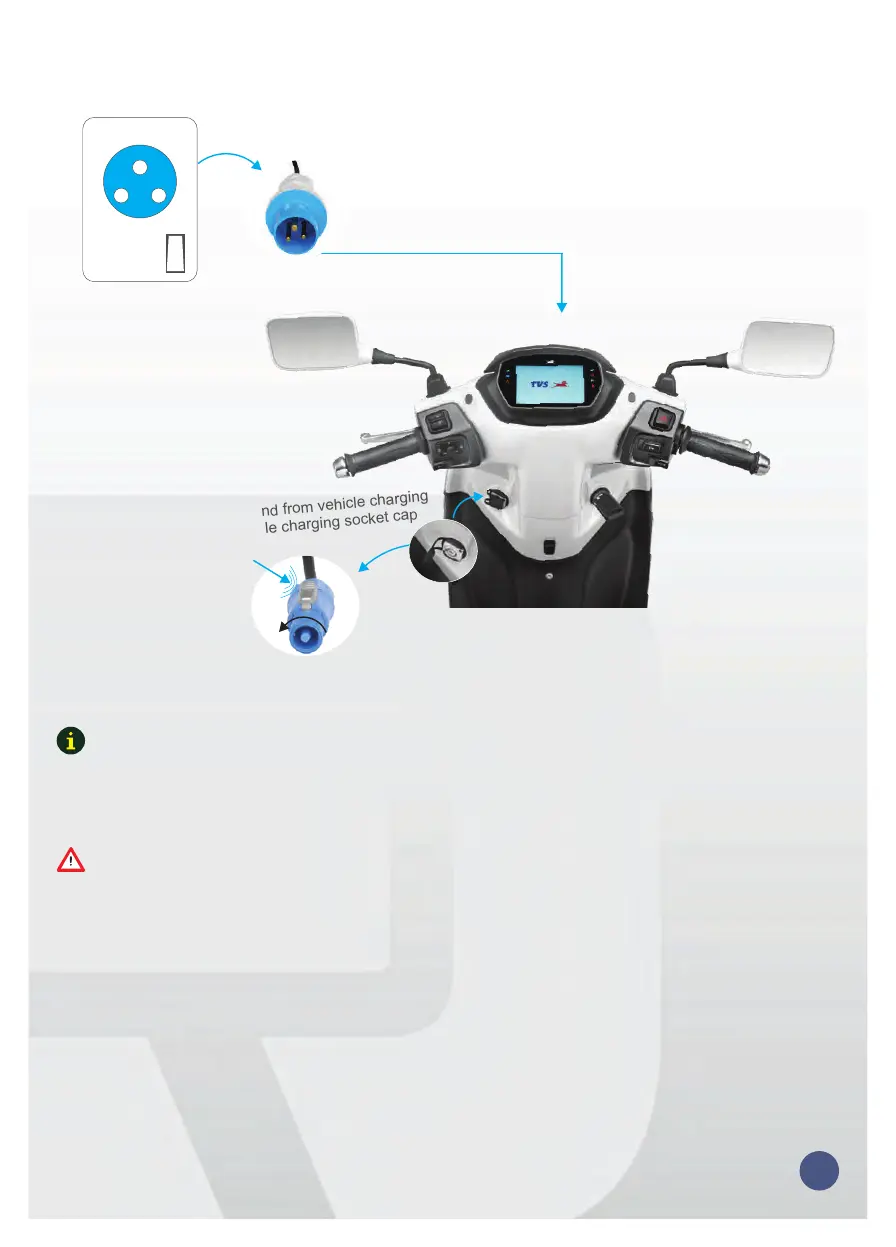
DISCONNECTING CHARGER
Plug out cable other end from vehicle charging
socket & close vehicle charging socket cap
Ac
Socket
Turn off and take out cable AC
end from AC socket
1
OFF
2ⁿ
Rotate
clock wise
Press
10
* Smart home charging unit is an optional accessory.
Charging cable is provided with the vehicle.
Note
Charge the batteries only using provided charger.
Turn on the power supply switch once charger is plugged in the vehicle.
Turn off the power supply switch before disconnecting the charger from vehicle.
During charging vehicle will be immobilized.
Caution


 To Next Page