55
55
Rear brake shoe wear indicator
When the brake is applied, the wear limit indication
pointer (1) on the rear brake cam lever should be
within the wear limit indicator (2) on the crankcase
LH.
In case the wear limit indication pointer (1) is going
beyond wear limit indicator (2), index the lever to next
slot with the help of Dealers to extend shoe life.
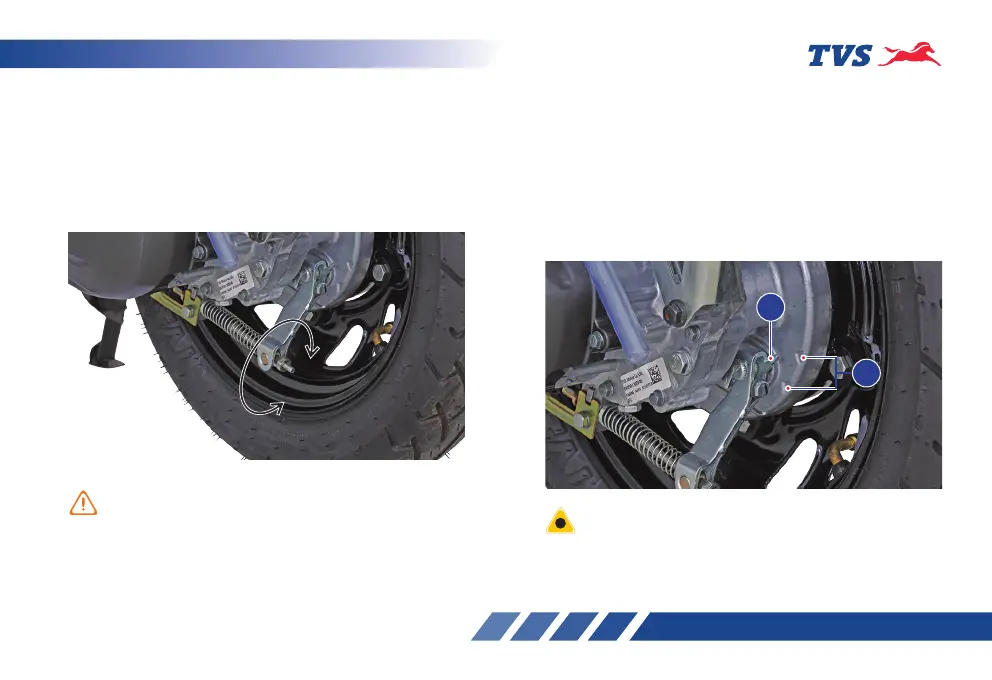
3. If the measured distance is more than the limit,
adjust the nut provided at the rear wheel end to
obtain the correct play.
4. Turn the adjuster nut in clockwise direction for
reducing free play or in anti-clockwise direction
for increasing the free play.
Check the front brake and the rear brake play periodically
band adjust if required. However the brake play needs to
be adjusted more frequently depending upon the usage.
Replace the brake shoes as a set, if the wear limit
indicator shows beyond the wear limit even after
indexing the lever.
1
2



 To Next Page