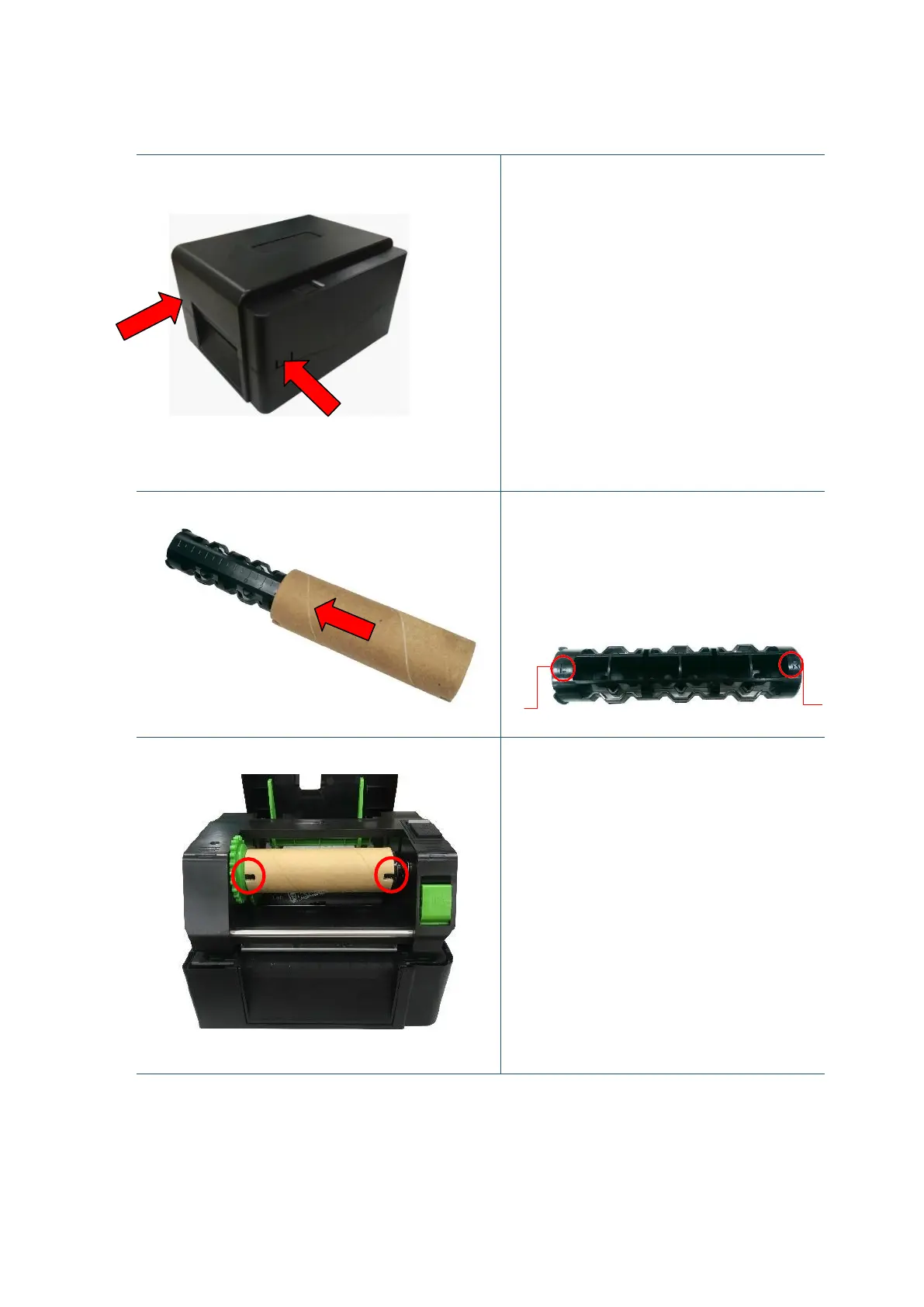
1. Open the printer top cover by
pressing the top cover open tabs
located on each side of the printer.
2. Insert the paper core to the ribbon
rewind spindle.
Note: Please follow the direction
when installing the ribbon rewind
spindle.
L
3. Insert the right side of ribbon rewind
spindle first. Then, insert the left side
to the hole at the left side of ribbon
rewind hub (green).
Note:
It can also be substituted by 0.5 or
1 inch paper roll with notches on
both sides. Please insert it at the
ribbon rewind hub directly.


 To Next Page