5.
Diagnostic Tool
The Diagnostic Utility is an integrated tool incorporating features that enable you to explore a
printer’s settings/status; change a printer’s settings; download graphics, fonts and firmware;
create a printer bitmap font; and send additional commands to a printer. With the aid of this
powerful tool, you can review printer status and settings in an instant, which makes it much
easier to troubleshoot problems and other issues.
5.1
Start the Diagnostic Tool
1.
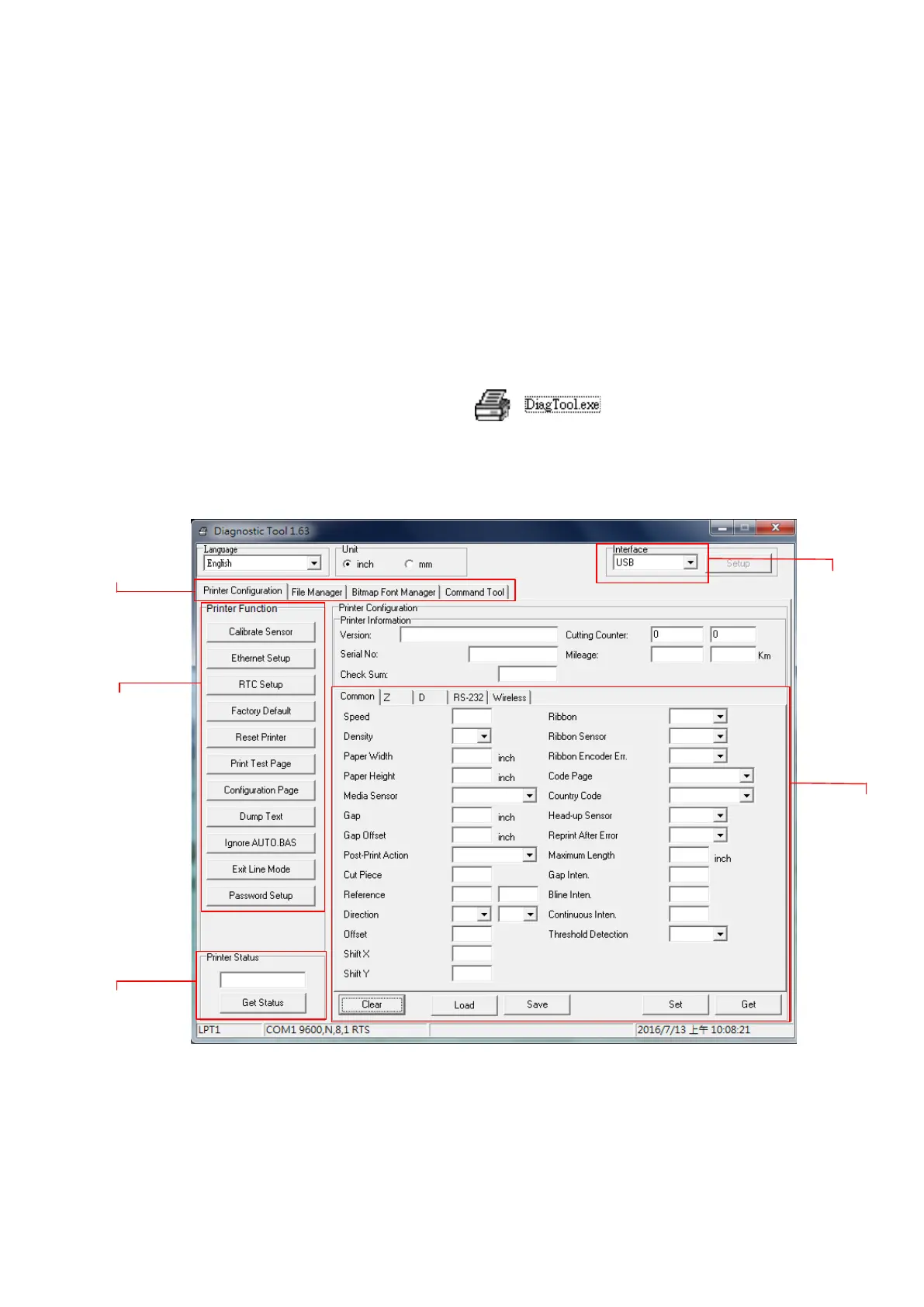
Double click on the Diagnostic tool icon to start the software.
2.
There are four features (Printer Configuration, File Manager, Bitmap Font Manager,
Command Tool) included in the Diagnostic utility.
Features tab
Interface
Printer functions
Printer setup
Printer Status


 To Next Page