TVS X User Manual - Rev 0 - As on 16 July 2024
34
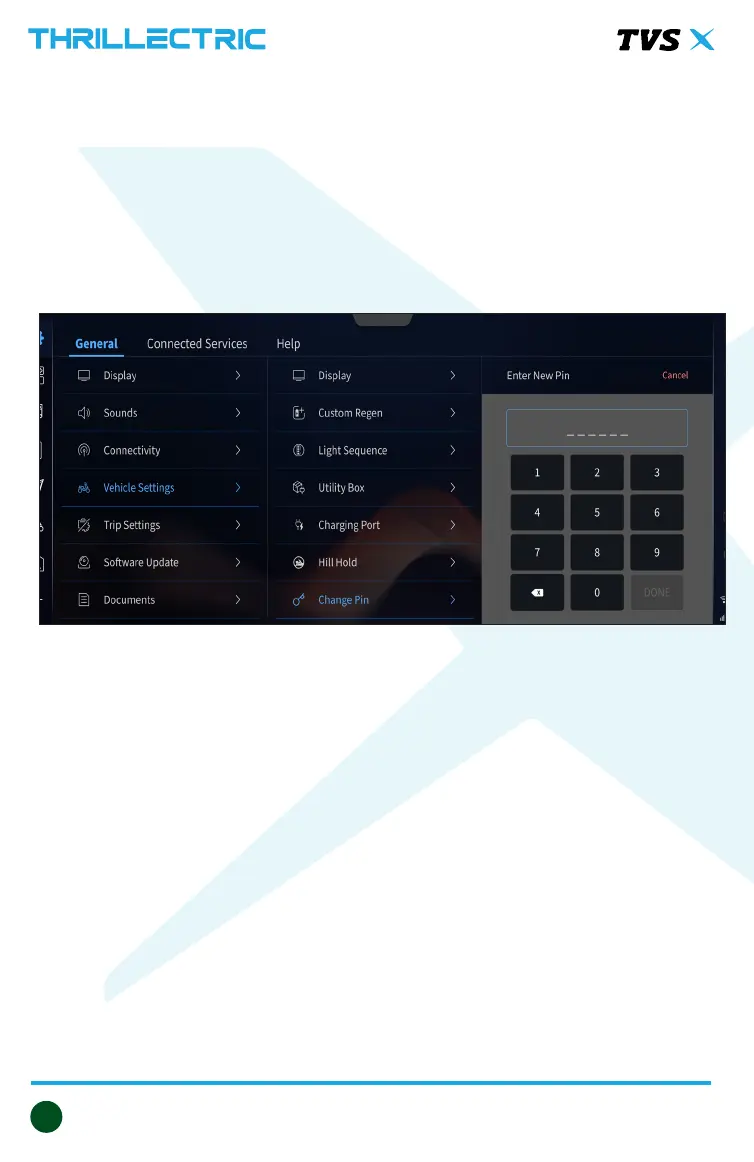
Pin change
¾ Power on the vehicle.
¾ Enter into the settings menu of the instrument cluster and navigate to vehicle
settings.
¾ Under vehicle setting menu navigate to the change pin menu.
¾ Enter the new pin using dial pad.
¾ Press the Done tab after entering and ensuring the pin else press the Cancel tab
¾ Next Power ON the vehicle using the new pin.



 To Next Page