22
http://www.TYAN.com
2.13 – Attaching Drive Cables
Attaching IDE drive cabling is simple. These cables are “keyed” to only allow them to be
connected in the correct manner. Tyan motherboards have two on-board IDE channels, each
supporting two drives. The black connector designates the Primary channel, while the white
connector designates the Secondary channel.
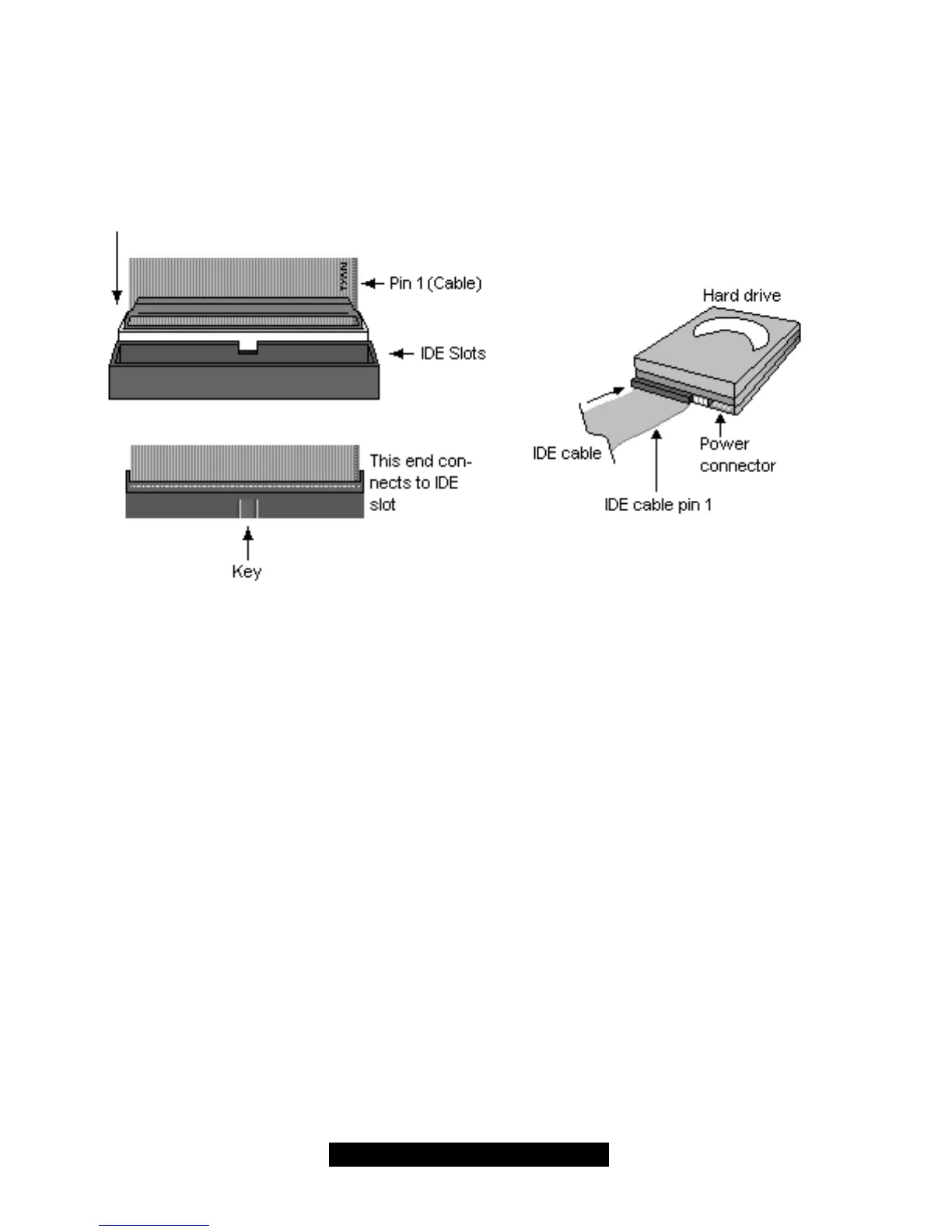
Attaching IDE cables to the IDE connectors is illustrated below:
Simply plug in the BLUE END of the IDE cable into the motherboard IDE connector, and the other
end(s) into the drive(s). Each standard IDE cable has three connectors, two of which are closer
together. The BLUE connector that is furthest away from the other two is the end that connects to
the motherboard. The other two connectors are used to connect to drives.
TIP: Pin 1 on the IDE cable (usually designated by a colored wire) faces the drive’s power
connector.



 To Next Page