26
http://www.TYAN.com
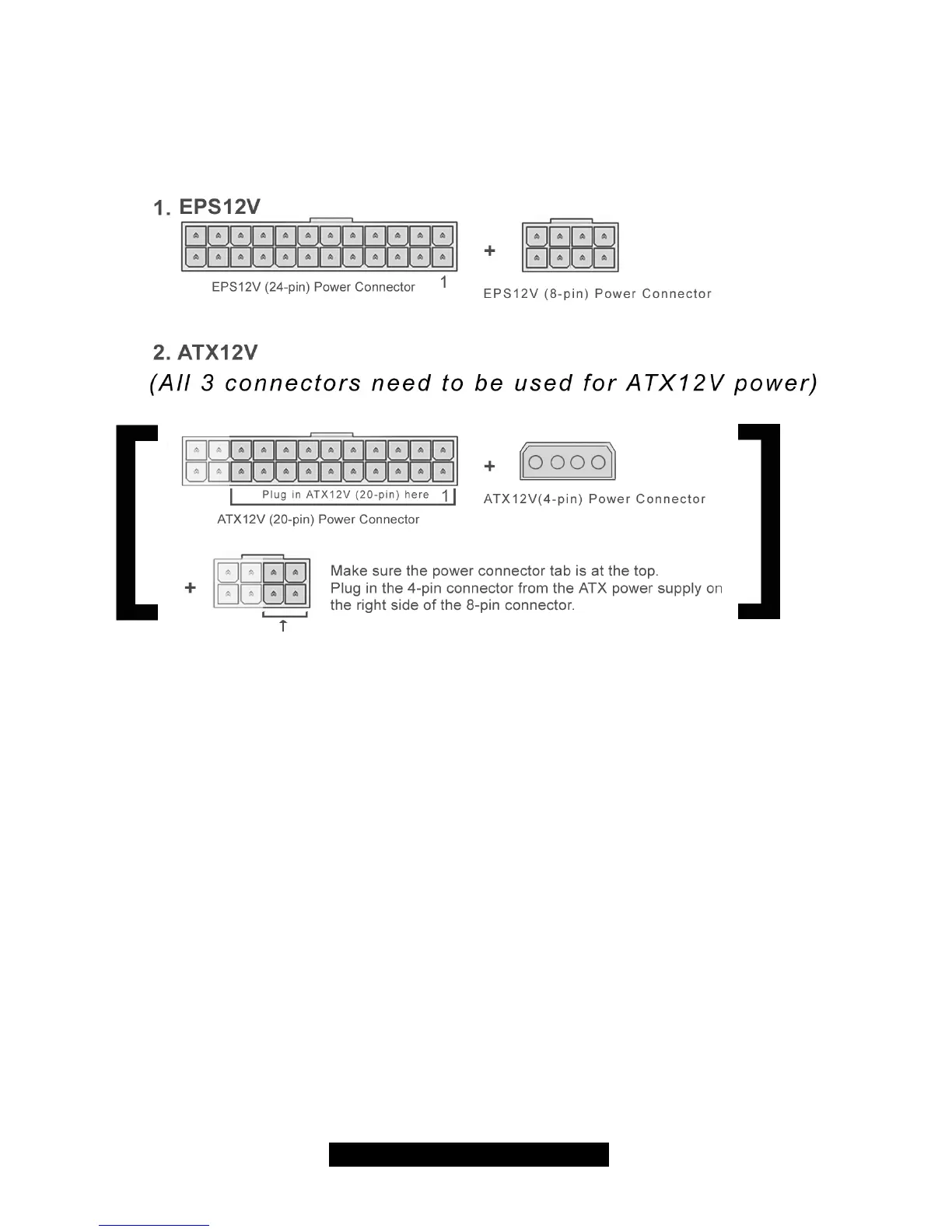
2.16 – Installing the Power Supply
The Tiger i7501 is ATX12V and EPS12V compatible. Use one of the two combinations below.
NOTE: You must remove the power cable from the electrical outlet before attaching the power
connectors to the board!
2.17 – Finishing Up
Congratulations on making it this far! You’re finished setting up the hardware aspect of your
computer. Before closing up your chassis, make sure that all cables and wires are connected
properly, especially IDE cables and most importantly, jumpers. You may have difficulty powering
on your system if the motherboard jumpers are not set correctly.
In the rare circumstance that you have experienced difficulty, you can find help by asking your
vendor for assistance. If they are not available for assistance, please find setup information and
documentation online at our website or by calling your vendor’s support line.



 To Next Page